
This is the print version of this page. All content is copyright Indezine.com 2000-2026.
Page 393 of PowerPoint tutorials, presentation essentials, personality interviews, and PowerPoint news.
Previous Archive Page | Next Archive Page
Author: Geetesh Bajaj
Product/Version: PowerPoint
May 12, 2026

This issue explores how strategy, visibility, and confident delivery work together in modern presentations. We begin with a conversation with David Tang on balanced scorecards and strategy maps, where complex goals become visual roadmaps that help organizations align priorities and measure success more effectively. We then shift to Nancy Ancowitz’s insights in Zoom to Success, highlighting how presenters can build stronger presence and connection in virtual environments. Finally, we revisit PowerPoint’s Presenter View, a feature that helps speakers stay organized, focused, and in control while delivering to their audience. Together, these stories remind us that successful presentations combine strategic thinking, audience awareness, and thoughtful execution.
Stay updated with the latest tutorials, tips, and news on PowerPoint and presentation techniques.
May 8, 2026

Nancy Ancowitz is a career strategist, NYU career director, and author of Self-Promotion for Introverts®, Business Writing: Say More With Less, and Zoom to Success: Present Like a Pro. She helps professionals communicate with clarity and presence in high-stakes settings. She has had bylines in The New York Times and The Wall Street Journal, and writes for Psychology Today and The Times of Israel. In this conversation, Nancy talks about her new book, Zoom to Success: Present Like a Pro.
May 6, 2026

David Tang is the founder of Flevy, the marketplace for business best practices–the same as those produced by top-tier consulting firms and used by Fortune 100 organizations. Flevy is the largest library of best practice documents available online. Prior to Flevy, David worked as a management consultant, where his clients ranged from startups to Fortune 15. David has a MEng and BS in Electrical & Computer Engineering from Cornell University. After Flevy, David created specialized sites such as PPT Depot and KPI Depot. In this conversation, David talks about Balanced Scorecard and Strategy Maps on KPI Depot.
May 5, 2026
In this issue, we explore how smart reuse and streamlined workflows can transform the way presentations are created and managed. We begin with practical techniques for reusing slides in PowerPoint, including drag-and-drop methods that make it easier to build new decks from proven content while maintaining consistency across presentations. We then turn to a conversation with Mike Power about NXPowerLite 11, where smarter optimization tools help reduce file bloat and keep presentations efficient and shareable. Together, these ideas highlight a simple truth: great presentations don’t always start from scratch. Sometimes the smartest approach is refining, reusing, and optimizing what already works exceptionally well.
Stay updated with the latest tutorials, tips, and news on PowerPoint and presentation techniques.
April 30, 2026

Think of Microsoft PowerPoint presentations like cooking a great meal without having to start with nothing. If you already have perfectly prepared ingredients in the fridge, why start chopping and cooking everything from scratch again? Reusing slides works the same way. It saves time, reduces effort, and lets you focus on polishing the final presentation instead of rebuilding content you already created. PowerPoint includes a handy Reuse Slides pane that helps you carefully browse and insert slides from older presentations. But there’s an even quicker approach for people who like a more hands-on method. You can simply grab slides from one presentation and drag them directly into another, much like moving photos from one album into another.
Learn how to reuse slides through drag and drop in PowerPoint 365 for Windows.
April 28, 2026

Reusing existing slides can significantly enhance efficiency and productivity. It eliminates the need to recreate content and frees up valuable time that can be better invested in refining and rehearsing the presentation. Microsoft PowerPoint includes a dedicated Reuse Slides feature that allows users to locate and insert specific slides into the current presentation.
Learn how to reuse slides in PowerPoint 365 for Windows.
April 24, 2026

Mike Power started Neuxpower 29 years ago, which means a big anniversary is coming up next year! Neuxpower is the company behind the popular file compressor, NXPowerLite, the cool PowerPoint add-in, Slidewise, and the soon-to-arrive Word add-in, Wordwise. Mike loves designing useful software, and right now he’s focused on making Slidewise even more powerful and easy to use. In this conversation, Mike talks about the new NXPowerLite 11.
April 21, 2026

In this issue, we explore how what you show, and what you choose not to show—shapes every presentation. From the practical skill of hiding and unhiding slides, we learn how to keep content focused while still keeping valuable backup material within reach. Hidden slides act as a “backstage area,” letting presenters stay flexible without overwhelming their audience. Alongside this, we draw inspiration from Isabel Allende’s thoughts on creativity, reminding us that expression thrives on both discipline and imagination. Finally, we revisit the importance of visual awareness through color perception, showing that even small design choices influence how messages are received. Together, these ideas highlight the balance between control, creativity, and clarity.
Stay updated with the latest tutorials, tips, and news on PowerPoint and presentation techniques.
April 17, 2026
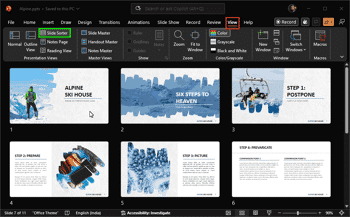
Ever created a slide that you just couldn’t delete? It’s like a “just-in-case” drawer in your presentation. You may not use it often, but you know it could come in handy. Now imagine you’re presenting and moving through your slides, and suddenly that drawer opens in front of everyone. Notes, extra data, maybe even unfinished thoughts show up on the screen. Not a great moment. So, in this tutorial, we will explore the entire gamut of hiding and unhiding slides, learn about pro tips, and look at some caveats.
Learn how to hide and unhide slides in PowerPoint 365 for Windows.
April 16, 2026

Isabel Allende, the famous Chilean author whose more than 20 books have sold more than 67 million copies in 35 languages, is an excellent role model for the creative process. I had the rare opportunity to meet and chat with Allende at a book-signing event for her latest novel, Violeta. In an effort to learn from a master writer, I asked her whether she followed Stephen Covey’s advice about beginning with the end in mind. Does she know how her novels will end when she begins to write?
Read more with Jerry Weissman.
April 14, 2026
In this issue, we explore how efficiency, automation, and visual consistency come together to elevate everyday presentation workflows. We begin with simple yet powerful techniques like duplicating slides—small actions that can significantly speed up creation and experimentation within your deck. From there, we look at innovations such as ToolsToo 12.1, where automation reduces repetitive tasks and allows you to focus on thinking rather than clicking. Finally, we turn to creating color-coordinated, branded slides using PresenterMedia, ensuring that every presentation not only works efficiently but also looks cohesive and professional. Together, these ideas show that great presentations emerge when smart processes meet consistent design.
Stay updated with the latest tutorials, tips, and news on PowerPoint and presentation techniques.
April 8, 2026
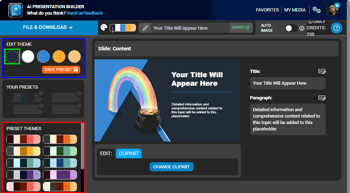
From PresenterMedia, you can add specialized, pre-designed slide layouts found within their AI Presentation Maker and Presentation Builder tools. They are designed to solve the “blank slide” problem by providing professional compositions that automatically integrate graphics and AI-generated text. However, you do not have to start by using any of these tools, and can get started with a simple clipart search, and evolve further from there onwards. In this feature, you will learn to create branded, color coordinated PresenterMedia slides by importing PowerPoint theme colors. You will then customize presets, and export polished PPTX files.
March 26, 2026
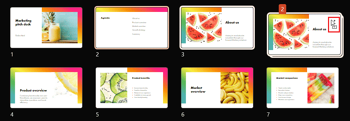
Duplicating slides in PowerPoint 365 for Windows is a simple yet powerful technique that can dramatically speed up your workflow. Whether you're building a presentation from a consistent template, reusing layouts, or experimenting with variations of a design, duplication helps you work smarter with minimal effort. This guide walks you through the different ways to duplicate slides: using right click menus, keyboard shortcuts, and the Ribbon, so you can choose the method that fits your style. Mastering this small skill can make a big difference in how efficiently you create, refine, and deliver your presentations.
Learn quick methods to duplicate slides in PowerPoint 365 for Windows.
March 25, 2026

Gil Segal is the creator of ToolsToo Pro for PowerPoint and an expert technologist with a deep understanding of a wide range of architectures, tools, and technologies and their impact. Gil is always on the lookout for ways to automate manual tasks in any software he uses and has been a PowerPoint power-user since the mid 90’s. In this conversation, Gil discusses the new version 12.1 of ToolsToo Pro for PowerPoint.
March 24, 2026
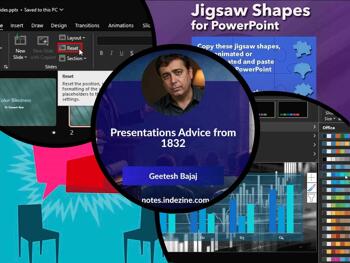
In this issue, we explore how timeless principles meet modern presentation practice. Drawing inspiration from lessons as far back as 1832, we see that clarity of thought and purpose has always been at the heart of effective communication. That same discipline applies today when you reset slides to restore structure and consistency, ensuring your content aligns with the intended design. We also look at applying theme colors and fonts—small choices that create a cohesive visual identity across every slide. Together, these ideas remind us that while tools evolve, great presentations still rely on clear structure, thoughtful design, and enduring principles of communication.
Stay updated with the latest tutorials, tips, and news on PowerPoint and presentation techniques.
March 20, 2026
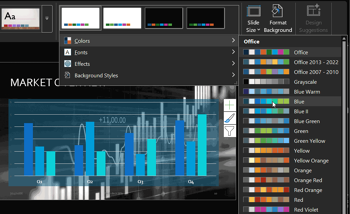
Applying Theme Colors and Theme Fonts in PowerPoint gives you a quick, precise way to refresh your presentation’s look without committing to a full theme or template overhaul. Whether you want a subtle visual update or need to match brand guidelines, PowerPoint lets you mix and match coordinated color palettes and font pairs with ease. This tutorial walks you through where to find these options, how to preview them, and the best ways to apply them across your slides. With a few thoughtful choices, you can elevate clarity, consistency, and visual impact in minutes.
Learn how to apply Theme Colors and Theme Fonts in PowerPoint 365 for Windows.
You May Also Like: Roads PowerPoint Templates | Better Data Visualizations: Conversation with Jonathan Schwabish


Microsoft and the Office logo are trademarks or registered trademarks of Microsoft Corporation in the United States and/or other countries.
