|
|
|
| |
| May 5, 2026 |
| PowerPoint and Presenting News |
|
| Reuse, Refine, Optimize |
| |
| |
| In this issue, we explore how smart reuse and streamlined workflows can transform the way presentations are created and managed. We begin with practical techniques for reusing slides in PowerPoint, including drag-and-drop methods that make it easier to build new decks from proven content while maintaining
consistency across presentations. We then turn to a conversation with Mike Power about NXPowerLite 11, where smarter optimization tools help reduce file bloat and keep presentations efficient and shareable. Together, these ideas highlight a simple truth: great presentations don’t always start from scratch. Sometimes the smartest approach is refining, reusing, and optimizing what already works exceptionally well. |
| |
|
| Reuse Slides in PowerPoint 365 for Windows |
| |
 |
| |
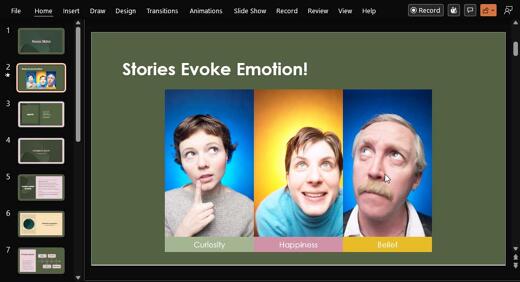
| Reusing existing slides can significantly enhance efficiency and productivity. It eliminates the need to recreate content and frees up valuable time that can be better invested in refining and rehearsing the presentation. Microsoft PowerPoint includes a dedicated Reuse Slides feature that allows users to locate and insert specific slides into the
current presentation. |
| |
| Learn how to reuse slides in PowerPoint 365 for Windows |
|
| View Recordings from the Presentation Design Conference 2026 |
| |

|
| |
If you did not join the 6th annual Presentation Design Conference online from February 17–20, 2026, you can still view recordings from sessions intended for anyone who creates, designs, or delivers presentations.
You can now get $100 off the regular price of the multi-day pass by using the promo code:
INDEZINE |
| |
|
|
| |
| Register now to view sessions and Q&A recordings! |
|
| Reuse Slides Through Drag and Drop in PowerPoint 365 for Windows |
| |
 |
| |
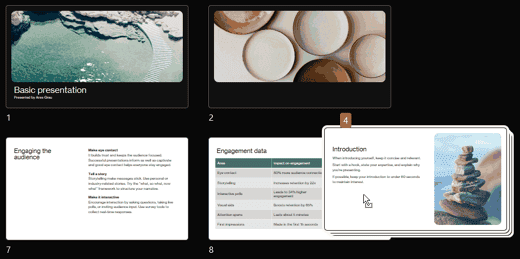
| This tutorial explains how to reuse slides in PowerPoint 365 for Windows, using drag and drop, the fastest method for combining presentations. Think of Microsoft PowerPoint presentations like cooking a great meal without having to do start with nothing. If you already have perfectly prepared ingredients in the fridge, why start chopping and cooking
everything from scratch again? Reusing slides works the same way. It saves time, reduces effort, and lets you focus on polishing the final presentation instead of rebuilding content you already created. |
| |
| Learn how to reuse slides through drag and drop in PowerPoint 365 for Windows |
|
| Quotes |
| |
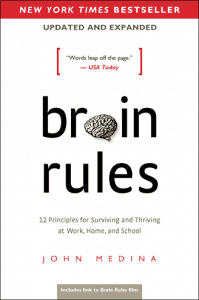
If You’ve Ever Sat Through a Typical PowerPoint Presentation: by John
Medina
"As you no doubt have noticed if you’ve ever sat through a typical PowerPoint presentation, people don’t pay attention to boring things. You’ve got seconds to grab someone’s attention and only 10 minutes to keep it. At 9 minutes and 59 seconds, something must be done to regain attention and restart the clock–something emotional and relevant. Also, the brain needs a break. That’s why I use stories in this book to make many of my points."
|
|
|
|
| NXPowerLite 11: Conversation with Mike Power |
| |
 |
| |
| Mike Power started Neuxpower 29 years ago, which means a big anniversary is coming up next year! Neuxpower is the company behind the popular file compressor, NXPowerLite, the cool PowerPoint add-in, Slidewise, and the soon-to-arrive Word add-in, Wordwise. Mike loves designing useful software, and right now he’s focused on making
Slidewise even more powerful and easy to use. In this conversation, Mike talks about the new NXPowerLite 11. |
| |
| Read the conversation here |
|
| Indezine PowerPoint Templates |
|
|
|
|
| Medicine and Medical PowerPoint Templates |
|
|
|
|
| Legal and Law PowerPoint Templates |
|
|
|
|
| FreePPT PowerPoint Templates |
|
|
|
|
| Christian PowerPoint Templates |
|
|
|
|
| End Note |
| |
| © Indezine. Please do not reply to this message. |
| |
| Join this list |
| |
| Received this email from a friend? If you would like to receive your own copy, join our mailing list. Go here. |
|
|
| Previous issues |
| |
| Do you want to read older issues of this newsletter? Go here. |
|
|
|
| Privacy Policy |
| |
| We never share your info with anyone. Read our Privacy Policy. |
|
|
| Mail Provider |
| |
| This mailing list is powered by Aweber. |
|
|
|
| Change Subscription |
| |
| If for any reason, you no longer want to receive this newsletter with valuable tips, resources, and information about PowerPoint and presenting stuff, you can unsubscribe by clicking the link at the end of
this email. No hard feelings! |
|
|
|
|
|
|
|