This is the print version of this page. All content is copyright Indezine.com 2000-2026.
Page 396 of PowerPoint tutorials, presentation essentials, personality interviews, and PowerPoint news.
Previous Archive Page | Next Archive Page
Author: Geetesh Bajaj
Product/Version: PowerPoint
September 4, 2026

John Polk is the coauthor of Presentation Pitfalls. He is President of John Polk & Associates and a former Data Visualization Professor at the University of Richmond’s Robins School of Business. John designed the “Creating Effective Presentations” workshop for Capital One, which over 10,000 associates have attended. John now teaches workshops and coaches leaders to design and deliver presentations that engage, influence, and drive action. In this conversation, John talks about the upcoming Presentation Summit 2026, being held virtually from September 13 to 16, 2026.
September 4, 2026
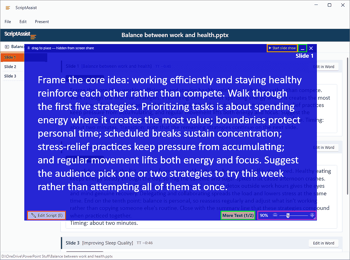
ScriptAssist takes speaker notes already sitting in your PowerPoint file and builds a full presenting toolkit around them: a script you can read while looking at your camera, a review workflow that your legal, medical, or other teams can actually use, and an AI assist for when you’re staring at a blank slide. It comes from SlideSource, a team that has spent decades preparing presentations for high-stakes settings, and it goes after a problem most presenters know well: staying on script without losing eye contact.
September 3, 2026

Laszlo Diewald has been working as a consultant for more than 10 years now. He started his career as an employee right after his study at the Technical University of Munich. Shortly after, he decided to become self-employed as a freelance consultant. In 2017, he founded his own consultancy, with a focus on large scale projects in the financial sector. In parallel, he started working on presentaid, which was finally launched in April 2022. In this conversation, Laszlo talks about the new presentaid Charts feature.
September 3, 2026

Sally Zimney is an award-winning keynote speaker, communication coach, and author of the #1 bestseller Speaking Story. Ranked in the top 3% of women business speakers, she’s spent 20+ years helping big-hearted leaders and entrepreneurs trade polish for presence — and self-doubt for bold, authentic action. She hosts the top-2% podcast This Moved Me, and her whole obsession is a single question: how do we truly move people? Her answer, especially in an AI world — show up real, imperfections and all. In this conversation, Sally talks about the upcoming Presentation Summit 2026, being held virtually from September 13 to 16, 2026.
September 2, 2026

Kurt Dupont is a solution provider who would go out of his way just to ensure he brings out the best when it comes to issues that have to deal with data-driven presentations, data visualization, and digital signage software. He started by working at airports worldwide to set up airport databases and flight information screens. This evolved to become the basis for his several add-ins. In this conversation, Kurt talks about INSYNCR.
September 2, 2026
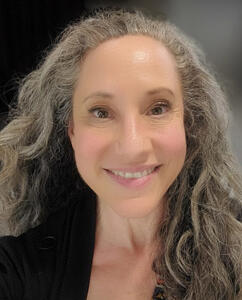
Ilene Bergelson is a NYC-based presentation coach who specializes in working with experts to communicate their knowledge, so it resonates, builds credibility, and sparks connection. A published author and guest lecturer at NYU and other colleges, she draws on her background in Broadway performance, biomechanics, and applied improvisation to bring both precision and play to her work. Through EmpowerSpeak™, Ilene has partnered with boutique firms and Fortune-50 companies alike, guiding speakers to find their voice, embrace adventure, and have fun while compelling their audience. In this conversation, Rick talks about the upcoming Presentation Summit 2026, being held virtually from September 13 to 16, 2026.
September 1, 2026
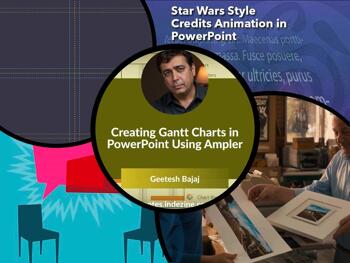
Good presentations are built on decisions made well before the room fills up. The widescreen 16:9 versus 4:3 article is one of those decisions: get it wrong and your slides shrink themselves in front of your audience. Tutorials on Gantt charts in Ampler, guide options in PowerPoint 365, and related tools round out the practical side of this issue. And then there is Presentation Summit 2026, running September 13 to 16, where our pre-conference conversations with Rick Altman, Nolan Haims, Mike Parkinson, and Robin Davis each push the same idea: clarity, evidence, and intention are what separate a presentation that lands from one that doesn't.
Stay updated with the latest tutorials, tips, and news on PowerPoint and presentation techniques.
September 1, 2026
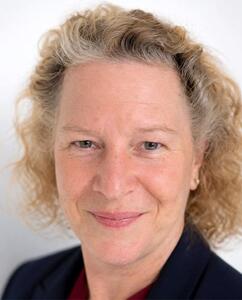
Chantal Bossé helps people turn ideas into presentations that get results. A Microsoft MVP, TEDx speaker coach, LinkedIn Learning instructor, and author of Microsoft PowerPoint Mastery, she has spent more than 20 years helping organizations communicate more clearly with PowerPoint, Microsoft 365, and visual storytelling. Since the earliest days of Microsoft 365 Copilot, she has been testing and teaching AI tools in real business environments, with a practical, honest focus on what works, what doesn’t, and where human judgment still matters. In this conversation, Chantal talks about the upcoming Presentation Summit 2026, being held virtually from September 13 to 16, 2026.
August 31, 2026
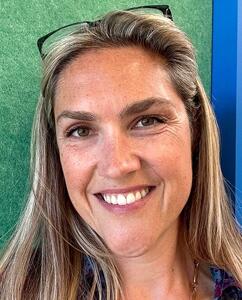
Camille Holden is a Microsoft PowerPoint MVP and co-owner of Nuts & Bolts Speed Training, which she runs with her husband Taylor Croonquist. She designs presentations for corporate clients, trains teams in PowerPoint, and teaches courses on LinkedIn Learning that have reached hundreds of thousands of people. Half French, half American, she works out of Ventura, California, and spends more time than she’d like to admit inside other people’s slide decks. In this conversation, Camille talks about the upcoming Presentation Summit 2026, being held virtually from September 13 to 16, 2026. to 16, 2026.
August 28, 2026
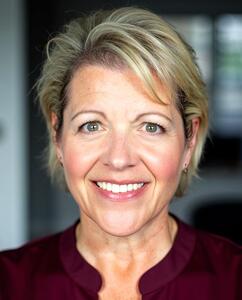
Robin Davis is the founder and CEO of Metre, a healthcare-focused proposal firm helping organizations turn complex RFPs into winning growth opportunities. With 25 years of experience winning business in healthcare, Robin is a visionary entrepreneur, speaker, APMP Fellow, and unapologetic lover of proposals who believes clarity is a competitive advantage. Since founding Metre in 2009, she has built a reputation for bringing strategy, structure, and compelling storytelling to high-stakes sales pursuits resulting in $20B in revenue for her clients. In this conversation, Robin talks about the upcoming Presentation Summit 2026, being held virtually from September 13 to 16, 2026.
August 28, 2026

Guides help you line up objects on your slides. Most of us use them in a basic way and never look further. This page covers Guide Options in PowerPoint 365 for Windows. You can add guides through the right-click menu, place them exactly where you want, and even change their color to mark different areas of a slide. These options make it easier to build layouts, manage busy slides, and keep elements consistent across a deck. If you've only used the default guides so far, this walkthrough shows you what else is possible.
Explore options to use Guides more effectively in PowerPoint 365 for Windows.
August 27, 2026

Choosing between widescreen and standard slides isn't just a design decision. It directly affects how clearly your audience can read your content. This page explains why aspect ratios matter, how projection mismatches shrink your visuals, and what you can do to ensure your slides always look crisp, readable, and perfectly framed.
August 26, 2026
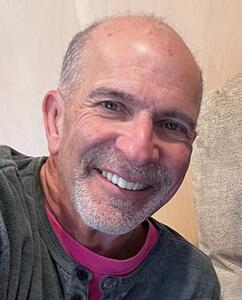
Rick Altman has been hired by hundreds of companies, watched by tens of thousands of professionals, and read by millions of people, all of whom seek better results with their presentation content and delivery. He covers the whole industry, from message crafting, through presentation design, slide creation, software technique, and delivery. In this conversation, Rick talks about the upcoming Presentation Summit 2026, being held virtually from September 13 to 16, 2026.
August 25, 2026

Nolan Haims has over 25 years of experience in the fields of visual communications and presentation, having created every type of presentation from Fortune 500 CEO keynotes to TED talks to multi-million-dollar agency pitches. He trains organizations to think visually, speaks at national conferences, and is a co-host of the long-running Presentation Podcast. As one of only 40 Microsoft PowerPoint MVPs in the world, he works with and advises the software development team. He runs his own visual communications consultancy in Montclair, NJ. He is the author of The Better Deck Deck. In this conversation, Nolan talks about his participation at the upcoming Presentation Summit 2026, being held virtually from September 13 to 16, 2026.
August 24, 2026

Mike Parkinson is a geek. He is 1 of 36 Microsoft PowerPoint MVPs in the world, is an internationally recognized communication and presentation expert, best-selling author, and professional trainer. Mike’s keynotes, training, books, and tools such as Build-a-Graphic help companies succeed while saving money and time. He owns Billion Dollar Graphics and is a partner at 24 Hour Company, a premier creative services firm. In this conversation, Mike talks about his participation at the upcoming Presentation Summit 2026, being held virtually from September 13 to 16, 2026.
August 18, 2026
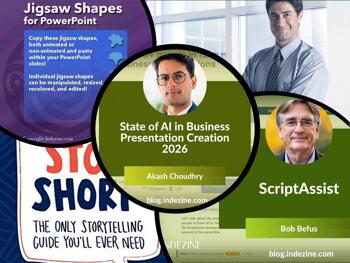
This issue keeps coming back to the presenter, not the slides. Akash Choudhry talks about think-cell's Business Presentation survey. Survey results found that AI adoption is high but satisfaction gaps remain, particularly when human judgment and credibility matter most. Bob Befus's ScriptAssist interview is built on exactly that insight: presenters who worry about their notes lose their audience. And the thin smiles piece from 2012 holds up surprisingly well. A presenter who looks disconnected, whether staring at a script or wearing a fixed expression, loses the room either way. Three reads, one message: no tool replaces the person actually in front of the audience.
Stay updated with the latest tutorials, tips, and news on PowerPoint and presentation techniques.
You May Also Like: Better Data Visualizations: Conversation with Jonathan Schwabish | Shining Online During Your Next Live Webinar


Microsoft and the Office logo are trademarks or registered trademarks of Microsoft Corporation in the United States and/or other countries.