
This is the print version of this page. All content is copyright Indezine.com 2000-2026.
Page 046 of PowerPoint tutorials, presentation essentials, personality interviews, and PowerPoint news.
Previous Archive Page | Next Archive Page
Author: Geetesh Bajaj
Product/Version: PowerPoint
April 08, 2010
Although we mentioned that this tutorial works for both PowerPoint 2007 and 2010, the actual techniques work only within PowerPoint 2010. The reason why this does not work well within PowerPoint 2007 is because that version had no option for pattern fills. However, if you work within PowerPoint 2010 using the procedure outlined on this page, you'll find that any changes you make show up in PowerPoint 2007 as well.
April 07, 2010

For almost a decade, Charles Wolfus has worked closely with scientists and executives finding ways to increase efficiency and optimize IT systems. For the past few years, he has been co-founder and CEO of Zinali, LLC, a San Francisco-based company dedicated to improving PowerPoint slide search. In this conversation, Charles talks about their slideboxx product.
April 07, 2010
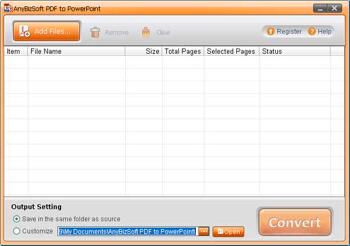
If you have ever ended up with a PDF copy of an important presentation, only to know that the original PowerPoint file no longer exists, then, you know that's not a very happy state of affairs! And although there are umpteen PowerPoint to PDF converters available . In fact, the new versions of PowerPoint have this capability built-in, the reverse option of creating editable PowerPoint presentations from any such PDFs is not a simple affair. Our review product, PDF to PowerPoint Converter 2.0 claims to make any such reverse engineering easy and simple. So, the question is how does it fare?
April 07, 2010

If your chart has a negative value PowerPoint by default uses the same fill color for negative values in any chart. Fortunately, you can anyhow override that with a convenient Invert if Negative option. To use the Invert if Negative option you must have a chart that has negative values. Then, select the chart, and follow these steps.
April 06, 2010

Andy Zimmerman, VP of Business Development at Brainshark, Inc., is responsible for developing and managing strategic partnerships and programs. Andy oversees myBrainshark.com, a site where users can create, share, and track the impact of multimedia presentations for free. Recently, he helped launch the new myBrainshark Pro solution, providing small-office/home-office (SOHO) and individual business users with enhanced functionality for more targeted outreach and measurable results. In this conversation, Andy talks about myBrainshark Pro.
April 06, 2010
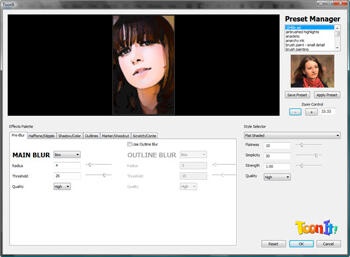
ToonIt! 2.5 is a new version of a photo cartooning Adobe Photoshop compatible plug-in that we reviewed earlier. ToonIt! allows you to provide a cartoon look to your existing photos. The plug-in uses advanced algorithms to create cartoon shading and lines.
April 06, 2010
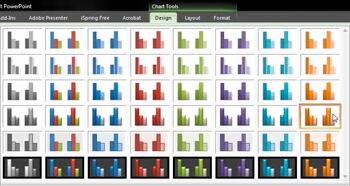
Long-time PowerPoint users will remember the difficulties of charting. It was so painful, time-consuming, and repetitive a task changing the fills of all the series one after the other. Moreover, if your presentation had more than one chart slide, then you also had to ensure that all charts looked the same. PowerPoint 2007 and 2010 make this sort of repetitive formatting easy and consistent with the Chart Styles option.
Learn more about Chart Styles here.
April 05, 2010
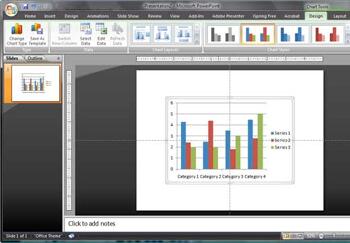
Although the default fill and border (outline) that PowerPoint 2007 applies to charts may be perfectly adequate, you might want to play with the Chart Styles found in the Chart Tools Design tab of the Ribbon. All these Styles are based on the Office Theme you have applied to the active presentation, and while this works great most of the time, there will be occasions when you may want to use a color for any of your data series that's not part of the Theme palette in your presentation. In times like these, you can control the fill and border of chart elements using the techniques explained on this page.
April 03, 2010
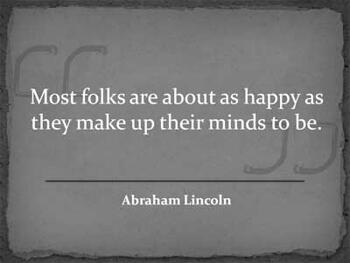
One of the strangest things, we have found in PowerPoint land is how people create quotation slides. By default, no version of PowerPoint has had a separate layout for quotation slides, and so most people just use the default text and bullet layout for quotation slides. Yes, they do make some small changes on the slides such as removing the bullets, and some adventurous folks may also play with the text treatment. But don't expect any fancy quotation graphics or any changes in the slide layout.
Learn more about designing quotation slides in PowerPoint 2007.
April 03, 2010
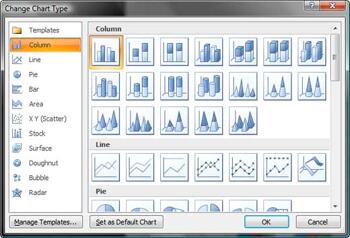
Although charts in PowerPoint 2007 look so much better than charts in previous versions, the chart type offerings are almost similar. PowerPoint 2007 provides all the basic chart-types such as column, bar, line, pie, etc., and also some advanced charts like radar, surface, bubble, doughnut, etc. To change a chart type from one to another, you first need to have a chart in your presentation. Then, follow these steps to change the chart type in PowerPoint 2007.
April 02, 2010
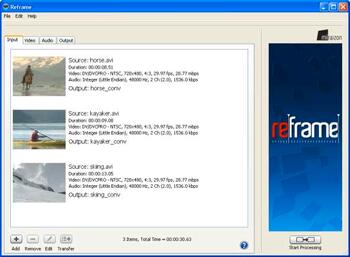
There are several scenarios in which you might get stuck with video file formats. Maybe a video clip is not in the right format to be used within a PowerPoint slide. Or what do you do if you want to create some video for display on a website or mobile application, and you don't want to go into technical terms like frame rates or aspect ratios that most normal mortals don't understand too well?
Reframe from Miraizon can help.
April 02, 2010
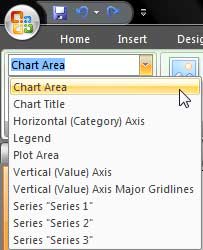
Charts in PowerPoint comprise several elements that we call chart elements. Typical chart elements include series (and this could be one or more series with values), axes (horizontal, vertical, and in some cases a third axis as well), plot area (the active chart area), legend, chart title, and many more. In this tutorial, we'll learn more about these individual chart elements.
April 01, 2010
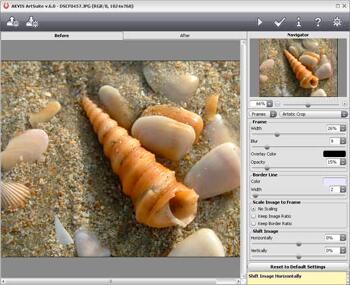
AKVIS ArtSuite 6 is a Photoshop-compatible plug-in that provides photo effects along with an impressive collection of photo frames (edge effects). All the photo frames that come with ArtSuite can be customized, and you can change the color of the frame, alter the brightness and the intensity, and even create a frame with ragged edges, a scratched surface, a page curl, etc. You can also create your frames.
Mar 31, 2010
Artlandia SymmetryShop 3 has been one of our favorite Photoshop plug-ins because it does just one thing, but it does it so well with infinite possibilities. With its wast repertoire, it almost ends up being a whole application rather than just another Photoshop plug-in. So, when the folks at Artlandia announced a new version of SymmetryShop, we were only too happy to explore how they made it even better. So how does the new Artlandia SymmetryShop 3 fare?
March 30, 2010

As Vice President of Marketing at SmartDraw, Daniel Hoffman is responsible for the continuous improvement of both the Internet and product customer experience and for growing the installed base through online and offline marketing efforts. At Microsoft, Mr. Hoffman was a key member of the Microsoft Word and Microsoft Office teams and is a graduate of Stanford University. In this conversation, Daniel discusses his book: SmartDraw For Dummies.
You May Also Like: Spade PowerPoint Templates | Make A Connection with Your Audience Through Questions


Microsoft and the Office logo are trademarks or registered trademarks of Microsoft Corporation in the United States and/or other countries.
