
This is the print version of this page. All content is copyright Indezine.com 2000-2026.
Page 379 of PowerPoint tutorials, presentation essentials, personality interviews, and PowerPoint news.
Previous Archive Page | Next Archive Page
Author: Geetesh Bajaj
Product/Version: PowerPoint
March 5, 2024
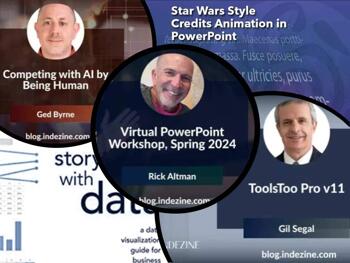
We first feature Gil Segal, who talks about some amazing new capabilities in v11 of the ToolsToo add-in for PowerPoint. A 30-day trial version of ToolsToo is available. Rick Altman, well-known as the host of the Presentation Summit discusses his Virtual PowerPoint Workshop, being held in May 2024. Ged Byrne of Toastmasters International explores how you can effectively compete with AI.
We also bring you quotes, press releases, and templates from the last few days.
Stay informed about updated tutorials and happenings related to PowerPoint and presenting.
March 1, 2024

For many, deepfakes are a bit of fun. Search YouTube, and you’ll find scenes of Batman interacting with Wonder Woman where Ben Affleck and Gal Gadot have been replaced by Adam West and Lynda Carter. Perhaps you’ve giggled at the fake photos of Donald Trump in an orange prison jumpsuit. However, it was no joke for the Hong Kong branch of a multinational company when an employee was tricked into transferring more than $25million following video calls that turned out to be deepfakes.
Read more with Ged Byrne of Toastmasters International.
March 1, 2024

Rick Altman has been hired by hundreds of companies, listened to by tens of thousands of professionals, and read by millions of people, all of whom seek better results with their presentation content and delivery. He covers the whole industry, from message crafting through presentation design, slide creation, software techniques, and delivery. In this conversation, he talks about the upcoming Virtual PowerPoint Workshop, Spring 2024, being held later this year for online attendees from April 16 to 17.
February 29, 2024

Gil Segal is the creator of ToolsToo Pro for PowerPoint and an expert technologist with a deep understanding of a wide range of architectures, tools, and technologies and their impact. Gil is always on the lookout for ways to automate manual tasks in any software he uses and has been a PowerPoint power-user since the mid-90s. In this conversation, Gil talks about the new ToolsToo Pro v11.
February 27, 2024

We begin with interviewing Mike Power of Neuxpower, who tells us more about what's improved in the new Slidewise 2.1, a PowerPoint add-in that helps users to find, edit, and control their presentation content more efficiently. We then bring you the story of Tom, whose presentation skills ended up being counterproductive. Read his story about jumping slides to learn some valuable lessons.
We also bring you quotes, press releases, and templates from the last few days.
Stay informed about updated tutorials and happenings related to PowerPoint and presenting.
February 23, 2024

And therein lies the issue plaguing many promising presentations: they begin with strength, proceed appropriately, but ultimately end inadequately! So, are you curious about how Tom handled his anxiety? He started jumping through his slides! What does that entail, exactly? Jumping slides involves rapidly advancing through the presentation, bypassing several slides in the process.
February 21, 2024

Mike Power owns and runs Neuxpower, the company behind the popular file compressor NXPowerLite and the amazing PowerPoint add-in Slidewise. In this conversation, Mike talks about Slidewise’ new version 2.1. Slidewise is a PowerPoint add-in that helps users to find, edit, and control their presentation content more efficiently.
February 13, 2024
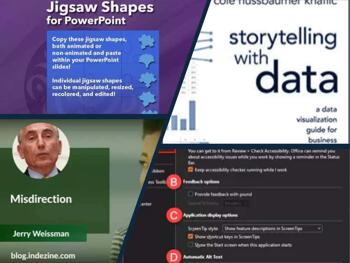
We first feature Jerry Weissman, who explores an analogy between the delivery skills of magicians and presenters. He argues that what's good for the magician need not be good enough for presenters. We also explore options within the Accessibility tab of the Program Options dialog box in PowerPoint 365 for Windows.
We also bring you quotes, press releases, and templates from the last few days.
Stay informed about updated tutorials and happenings related to PowerPoint and presenting.
February 9, 2024

One of the most fundamental techniques used in magic is misdirection, or getting the audience to look in one direction while the magician performs an action—such as hiding a handkerchief—in the other direction, making it seem that the handkerchief has magically disappeared. Presenters often inadvertently abuse this phenomenon because of one of the most commonly held false beliefs about presentations: that if a presenter turns to look at their slides, they will appear to be unsure of their own content. However, if a presenter does not turn to look at a new slide and continues to look at the audience, the audience will become conflicted.
Read more with Jerry Weissman.
February 8, 2024

The Accessibility tab of the PowerPoint Options dialog box offers several options that will help you create more accessible presentations. These options include the Accessibility Checker and sound notifications.
Learn about accessibility program options in PowerPoint 365 for Windows.
January 16, 2024
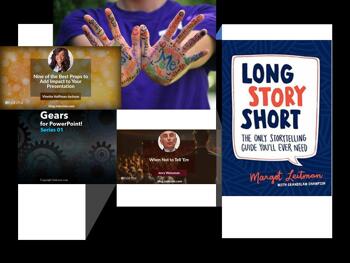
We begin with a post by Jerry Weissman, who looks at avoiding extremism and why understanding what not to say is so important. Are you taking part in a Pecha Kucha event, and are looking for some easy topic ideas? We get you ten easy topics for Pecha Kucha, or any other presentation style. We then move on to the use of props while presenting. Vinette Hoffman-Jackson of Toastmasters looks at nine props best suited to add impact to your presentations.
We also bring you quotes, press releases, and templates from the last few days.
Stay informed about updated tutorials and happenings related to PowerPoint and presenting.
January 5, 2024

Senator Barry Goldwater, the Republican candidate for president in 1964, infamously said, “Extremism in the defense of liberty is no vice. And moderation in the pursuit of justice is no virtue.” This misguided view of political policy became a major factor in Mr. Goldwater’s landslide loss to Lyndon Johnson, but it also serves as a warning lesson for presenters. Extremism in any pursuit can overshoot the mark and result in the opposite intent of the pursuit.
Read more with Jerry Weissman.
December 26, 2023
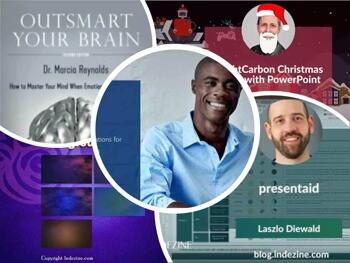
We begin with a Christmas cards special interview with Richard Goring of BrightCarbon. By the time you read this newsletter, Christmas would be over, but save this link for next year, or adapt these cards for the New Year! We bring you a full review of empower Express, an amazing full-featured PowerPoint add-in this time. We also feature Laszlo Diewald, who discusses presentaid, a specialized PowerPoint add-in.
We also bring you quotes, press releases, and templates from the last few days.
Stay informed about updated tutorials and happenings related to PowerPoint and presenting.
December 22, 2023
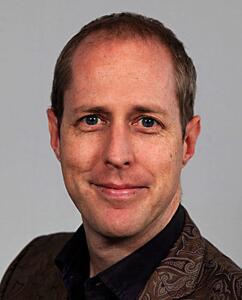
Richard Goring is a Director at BrightCarbon, a presentation and eLearning agency. He enjoys helping people create engaging content and communicate effectively using visuals, diagrams, and animated sequences that explain and reinforce the key points, which is supported by plenty of resources and tips on the BrightCarbon site. In this conversation, Richard talks about BrightCarbon’s tradition of creating Christmas cards with PowerPoint.
December 19, 2023

Laszlo Diewald has been working as a consultant for more than 10 years now. He started his career as an employee right after his studies at the Technical University of Munich. Shortly after, he decided to become self-employed as a freelance consultant. In 2017, he founded his own consultancy, with a focus on large-scale projects in the financial sector. In parallel, he started working on presentaid, which was finally launched in April 2022. In this conversation, Laszlo talks about presentaid.
December 12, 2023
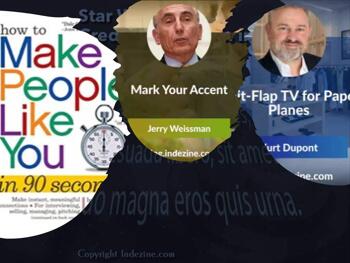
We begin with how times have changed as far as acceptance of different accents is concerned. Well-known author Jerry Weissman has some amazing advice to share. Also, do you know that split-flap displays, used in airport flight schedules some decades ago are making a comeback, in a new digital avatar. Kurt Dupont shares how Paper Planes, an apparel and lifestyle store is using his Split-Flap TV product.
We also bring you quotes, press releases, and templates from the last few days.
Stay informed about updated tutorials and happenings related to PowerPoint and presenting.
You May Also Like: Zodiac: Capricorn PowerPoint Templates | How to End Your Online Presentation or In-Person Speech With Impact


Microsoft and the Office logo are trademarks or registered trademarks of Microsoft Corporation in the United States and/or other countries.
