
This is the print version of this page. All content is copyright Indezine.com 2000-2026.
Explore effects in Andrew's Plug-ins series 08 for Photoshop.
Author: Geetesh Bajaj
Product/Version: PowerPoint
This is a preview of Series 08 of Andrew's Plug-ins from Graphicxtras. I explored Series 01, Series 02, Series 03, Series 04 , Series 05, Series 06 and Series 07 earlier.
Series 08 is Pixelhazy which is themed around blur, smear, noise and mist.
This page of preview images shows you the default effects as they are without any tweaking of the sliders. Also, I'm keeping the text narrative to a minimum. Let the pictures speak for themselves.
This original image was sourced from Indezine Photos.
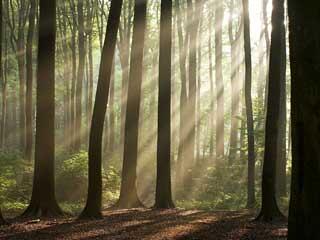
Original Picture
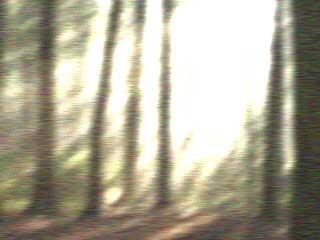
Figure 1: Blur - Blowing -- applies grainy effect with blur.

Figure 2: Gradient - GradientCombo 8 generates variations of gradient, apply blending mode to get different effects.

Figure 3: Noise - ColorGrain applies unusual mix of noise particles and gives glow effect to the image.
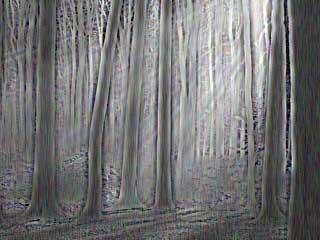
Figure 4: Smear - Cut applies basic grain effect with effects like smear, grain etc.

Figure 5: Smear - MistyBlock - generates a misty effect.
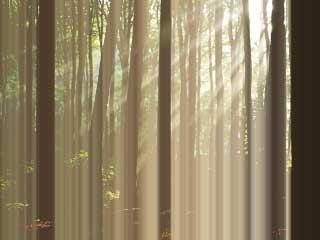
Figure 6: Smear - MistyHV applies misty effect with horizontal and vertical lines.
As you can see, most of these effects work best when combined over separate layers with blending modes although you could also use one of these all in itself as well.
To download a free demo, or to buy the product ($9), visit the Graphicxtras site.
| Photoshop Versions: | 6+ |
| Platforms: | Windows only |
| Site: | Graphicxtras |
| Price: | US$9 and above |
| Trial Version: | Demo plug-ins available |
You May Also Like: Make A Connection with Your Audience Through Questions | Countries: Regions and States PowerPoint Templates


Microsoft and the Office logo are trademarks or registered trademarks of Microsoft Corporation in the United States and/or other countries.
