
This is the print version of this page. All content is copyright Indezine.com 2000-2026.
Learn about changing the interface color in PowerPoint 2013 for Windows. This option is best suited for those who may find certain interface colors too bright, and want to change to some other color.
Author: Geetesh Bajaj
Product/Version: PowerPoint 2013 for Windows
OS: Microsoft Windows 7 and higher
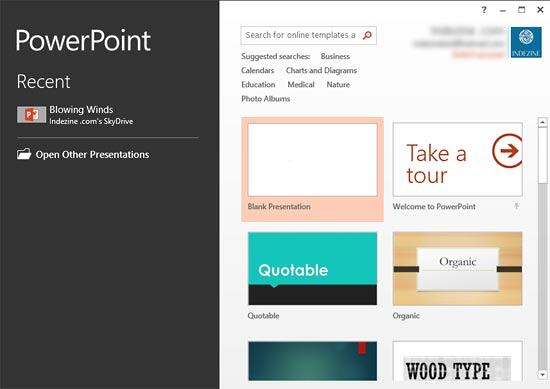
When PowerPoint 2013 is launched, you see the Presentation Gallery, as shown in Figure 1. Notice the bright orange section on the left side of the Presentation Gallery. Also, any highlighted areas use orange. Now let us explore the PowerPoint program interface -- to do that, choose any of available Themes within the Presentation Gallery, such as the Blank Presentation option.
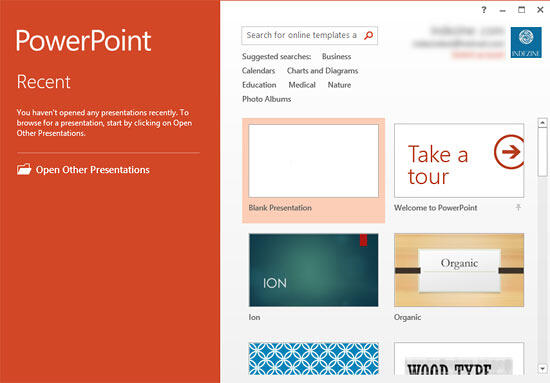
Figure 1: PowerPoint 2013's Presentation Gallery
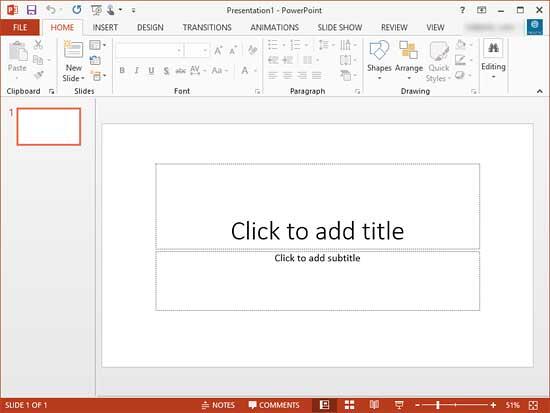
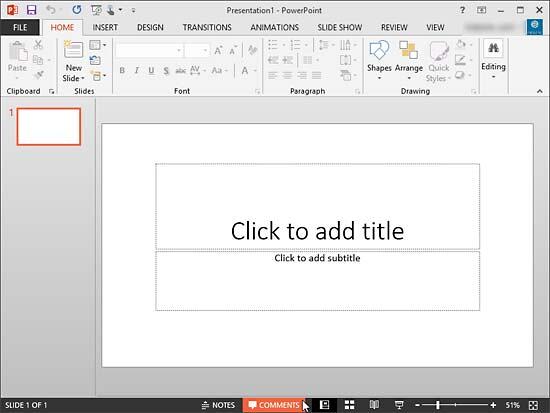
This will create a new, blank presentation, and show you the PowerPoint 2013 interface (see Figure 2). Notice the bright orange Status Bar. Also, all selected options are colored bright orange.
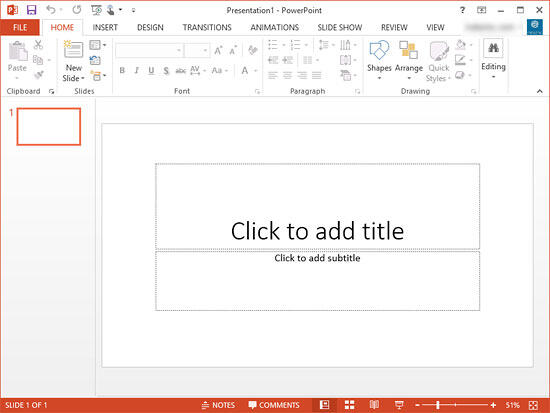
Figure 2: PowerPoint 2013's Interface
Is this bright orange color hurting your eyes? Can you stare all day at so much orange and not wish for something not so blazing and hot? Worse -- all the Ribbon tabs are now stark white -- you may have no clue where the slide ends and where the actual program interface begins!
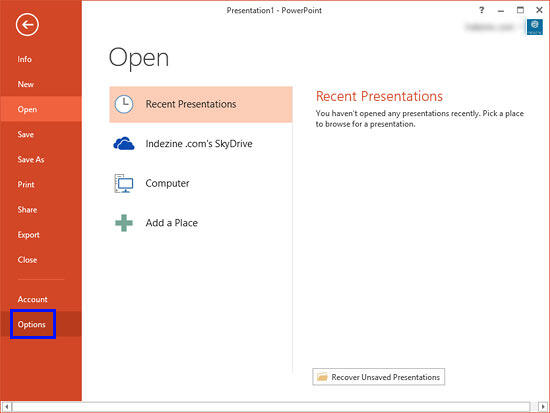
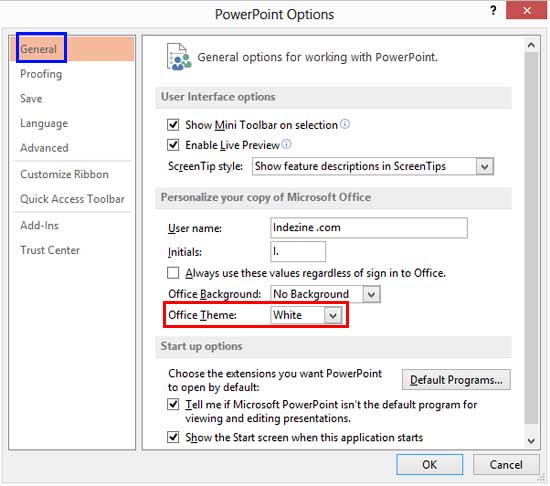
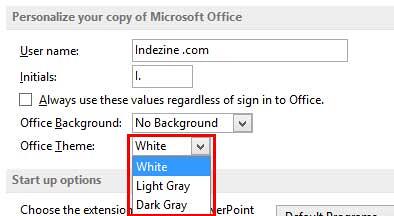
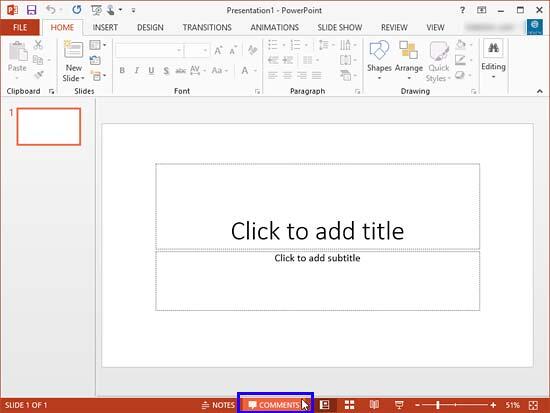
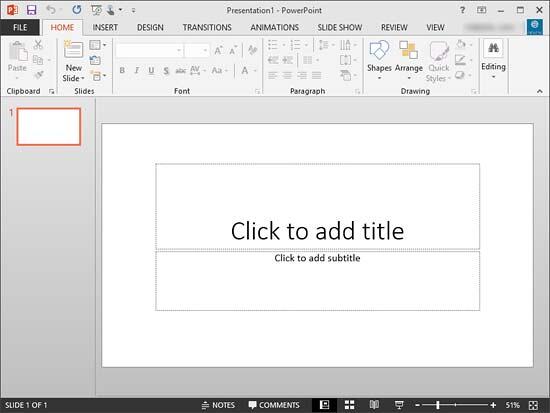
Looks like many users complained to Microsoft during the Office 2013 beta -- so they added an extra option not available during the beta that enables you to change the interface color to something more subtle and neutral. In this tutorial you'll learn how to change this interface color as explained in the following steps:
01 05 13 - Interface Overview: Changing Interface Color in PowerPoint (Glossary Page)
Changing Interface Color in PowerPoint 365 for Windows
Changing Interface Color in PowerPoint 365 for Mac
Changing Interface Color in PowerPoint 2019 for Windows
Changing Interface Color in PowerPoint 2016 for Windows
Changing Interface Color in PowerPoint 2016 for Mac
You May Also Like: How to Develop a Service Ethos That Will Enhance Your Career | Animals - R PowerPoint Templates
Microsoft and the Office logo are trademarks or registered trademarks of Microsoft Corporation in the United States and/or other countries.
