
This is the print version of this page. All content is copyright Indezine.com 2000-2026.
Read the Indezine review of TurboDemo Enterprise.
Author: Geetesh Bajaj
Product/Version: PowerPoint
Introduction
About TurboDemo
Download and Installation
TurboDemo Components
Pricing and Support
Conclusion
No amount of words can explain what a screenshot or a video capture of an onscreen activity can do since this is essentially showing to an audience how a task can be performed -- and you can add narration to such captures to make them even more informative.
TurboDemo, the program being reviewed on this page allows you to do all sorts of still and video captures -- and then create tutorials and demos which can be output to various formats.
BackTurboDemo is from Bernard D&G, a company based in Germany that also creates PPTMinimizer -- a product that has been earlier reviewed on Indezine. You can learn more about these products and download a free trial version of TurboDemo from here.
TurboDemo is different from other capture applications because along with capture, it provides many more option such as the creation of demos in Java, HTML, Flash etc. Editing, special effects, balloons and call outs are supported along with interactivity.
TurboDemo is available in four editions -- Standard, Professional, Studio and Enterprise -- the Enterprise version is the most comprehensive and featured of all the versions and includes the following programs:
TurboDemo Professional
PowerConverter
SkinStudio Add-On
Capturing Tools for Mac and Linux
Standalone Player
In this review, we will explore the Enterprise version.
My contact at TurboDemo for this review was Sophia Taoutaou - thank you, Sophia.
BackDownload the installer from their site, run the setup routine and follow the instructions. Since the product comes with three more programs, you'll have to install them separately.
All of them create groups in the Windows Start menu. Figure 1 shows the Turbo Demo Enterprise group.
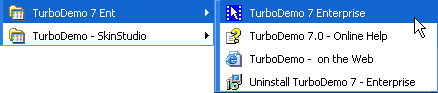
Figure 1: TurboDemo Menu
As explained earlier, TurboDemo Enterprise comprises various programs that work together -- in the following sections, I'll explain what each of these does:
TurboDemo Professional allows you to capture every action on your screen -- and convert it to screenshots/slides which can be edited. Figure 2 show you the interface of TurboDemo.
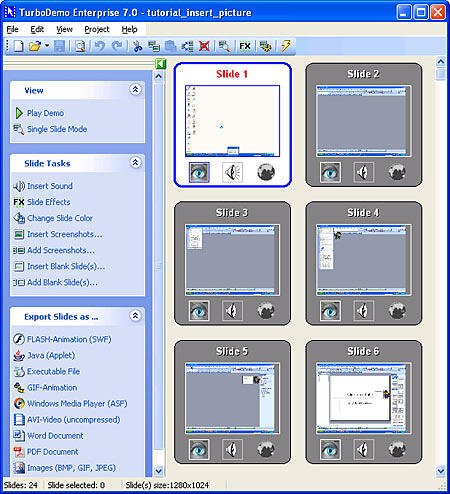
Figure 2: TurboDemo Interface
You can also add callouts, notes, and bubbles in order to explain the different steps -- or you can add interactive functions, pictures and sound to create tutorials and demos. Finally, you convert your tutorials and demos into various formats. Figure 3 shows you the output options in the File menu.
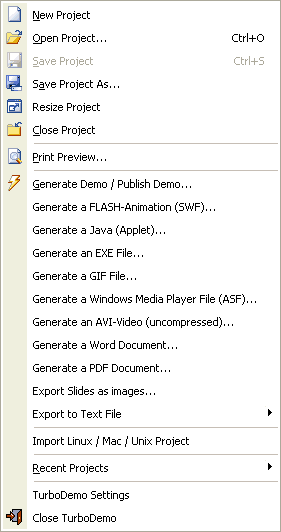
Figure 3: TurboDemo File menu
TurboDemo SkinStudio helps to create custom text objects, callouts, and balloons in different styles and shapes (see Figure 4).
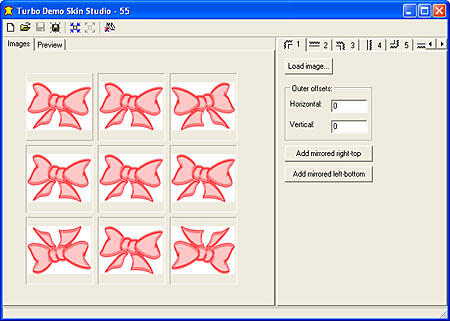
Figure 4: TurboDemo Skin Studio
TurboDemo Player is a standalone player that can be included on CDs created with TurboDemo.
PowerCONVERTER (see Figure 5) its a PowerPoint Plug-in which quickly converts your presentations to the Flash SWF. The converted Flash file is smaller and secure. You can read an earlier review on PowerCONVERTER on this site.
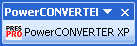
Figure 5: The PowerCONVERTER toolbar inside PowerPoint
As explained earlier, TurboDemo has four versions -- the Standard version costs $399, the Professional version is for $629, Studio is for $769 and Enterprise is for $999.
Support options include email support, FAQ , phone support, online training, and web tutorials.
BackTurboDemo is filled with surprises -- from the number of output formats it supports to the huge number of options and features. And the Enterprise version includes several smaller programs that complement the main program.
It's a good investment if you can use all the possibilities.
BackYou May Also Like: Republic of Macedonia Flags and Maps PowerPoint Templates | OfficeOne Shortcut Manager 4


Microsoft and the Office logo are trademarks or registered trademarks of Microsoft Corporation in the United States and/or other countries.
