
This is the print version of this page. All content is copyright Indezine.com 2000-2026.
Read the Indezine review of MeetingPlace iCreate, Page 2 of 3.
Author: Geetesh Bajaj
Product/Version: PowerPoint
Benchmarking iCreate
Using SmartObjects
Using Narration
We'll now put iCreate through the PowerPoint repurposing benchmark - this is a sample presentation that incorporates several presentation elements - here's how iCreate fared:
| Feature | Maximum Score | iCreate Score |
|---|---|---|
| Narration (WAV file) | 10 | 10 |
| Transition Sound (WAV file) | 10 | 0 |
| Video (AVI) | 10 | 0 |
| AutoShapes | 10 | 10 |
| AutoShape Fills | 10 | 10 |
| Transparency 20 to 100% | 10 | 10 |
| Typeface Translation | 10 | 5 |
| Typeface Shadows & Anti-Aliasing | 10 | 10 |
| Hyperlinks | 10 | 10 |
| Notes | 10 | 10 |
| Bitmaps | 10 | 10 |
| Vector Images | 10 | 10 |
| Vector Images Recoloring | 10 | 0 |
| Bitmap with Alpha Channel | 10 | 10 |
| Animation | 10 | 10 |
| PowerPoint Transitions | 10 | 0 |
| Total | 160 | 115 |
You need to be aware that this benchmark only takes conversion factors into consideration - not managing and administrating repurposed content. Also, iCreate offers workarounds for several shortcomings like inserting video content - however, the purpose of this benchmark is to use a conventional PowerPoint presentation.
BackiCreate allows you to insert extra elements into a presentation - something that PowerPoint does not offer natively. Amazingly, these elements work even if you don't convert your PowerPoint content to rich media using iCreate.
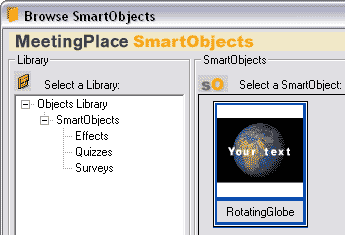
This means that your trial version of iCreate will allow you to insert Flash content within PowerPoint with one-click - iCreate also includes an extensive quiz and survey module (see screenshots) - these work within PowerPoint as well.
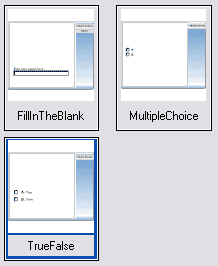
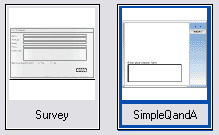
However, it's only when these SmartObjects are converted to rich media that you can understand their full potential.
Once you have inserted SmartObjects, you can edit and animate them as well using PowerPoint's native Custom Animation feature.
Michael adds:
One thing that may be a little less obvious is that SmartObjects can send response automatically to the iCreate Server. So after publishing to the server, simply send an invitation to one or more people and their responses to quizzes, surveys, etc. are recorded in the database for immediate or archival viewing.
BackNarration plays a significant role since most of the rich media content created with tools like iCreate is viewed online without a live presenter. iCreate allows you to record narrations using a fairly capable audio editor that's included within the application.
The audio editor can import or export recorded sounds so that you can do more fine-tuning in an advanced sound editing application.
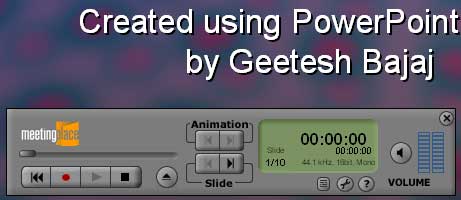
Having said that, iCreate's greatest advantage is that it's narration component itself is entirely compatible with PowerPoint's own narration and Insert | Sound feature unlike Macromedia Breeze which insists on importing pre-narrated content again through its own interface - ignoring all sounds contained within native PowerPoint presentations.
iCreate however does not recognize transition sounds - that's unfortunate.
BackYou May Also Like: Bahrain Flags and Maps PowerPoint Templates | InterActiv Presentation Wizard


Microsoft and the Office logo are trademarks or registered trademarks of Microsoft Corporation in the United States and/or other countries.
