
This is the print version of this page. All content is copyright Indezine.com 2000-2026.
Read the Indezine review of Acoolsoft PPT2YouTube.
Author: Geetesh Bajaj
Product/Version: PowerPoint
Introduction
About Acoolsoft PPT2YouTube
Using Acoolsoft PPT2YouTube
Pricing and Support
Conclusion
Most of us are familiar with PowerPoint to Flash conversion. This process happens automatically on slide sharing sites like Slideshare, Slideboom, authorSTREAM, etc. There are tons of add-ins available that do the same locally on your computer. However, converting PowerPoint to a video format and sharing it on a video site like YouTube has never been as easy as the PowerPoint to Flash option. The product we are reviewing today addresses this area and also converts your PowerPoint presentations to the MP4 format so that you can upload them to YouTube or watch it on your iPod. And did we mention that the product is free!
Acoolsoft PPT2YouTube is from Acoolsoft, a Shenzhen, China-based company that created other PowerPoint conversion programs like PPT2DVD, PPT2Video Converter, PPT to Flash, etc. You can learn more about PPT2YouTube from their site.
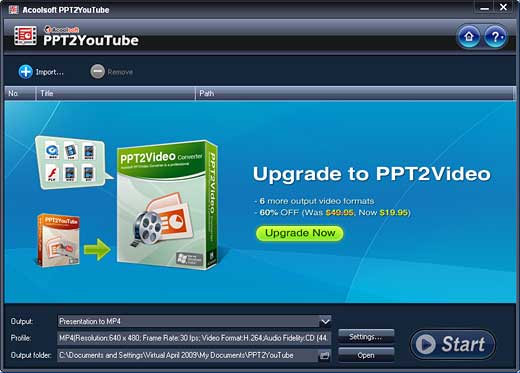
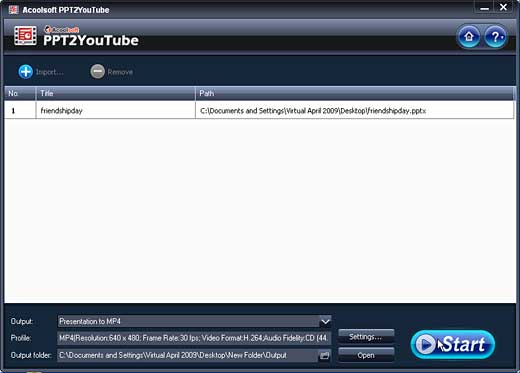
Acoolsoft PPT2YouTube is a freeware program that converts PowerPoint presentations to a format compatible with YouTube video (MP4). The application converts your PowerPoint with animations, transitions, sounds and video clips retained. You can import 12 presentations, and view the conversion process with a task list manager. The Auto PC shut-down option turns off your system after converting PowerPoint to MP4 videos. The output file will be MP4 (Divx, Xvid) format with 640x480 pixels resolution, and will possess a frame rate of 30 frames per second.
The output MP4 video can be customized if you upgrade the application. The free version doesn't allow the user to do any type of customization beyond the defaults.
My contact at Acoolsoft for this review was Joan Andrew. Thank you, Joan.
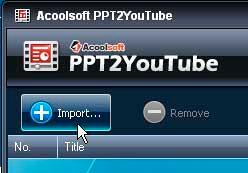
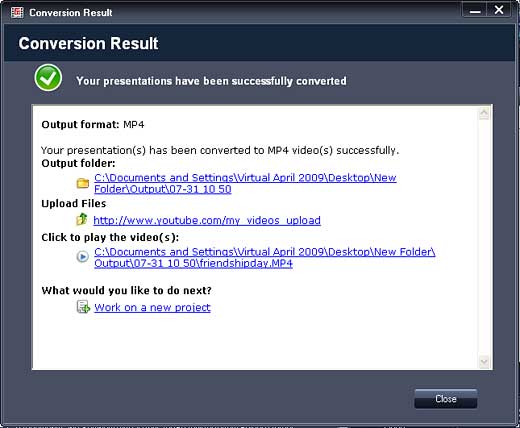
Download the installer, run the setup routine and follow the instructions. When installed, follow these steps to use PPT2YouTube:
PPT2YouTube is freeware, and the upgrade cost to a more featured version is $19.95.
Support options includes online tutorials, FAQs, and e-mail support via an online form.
For this price, PPT2YouTube performed far better than our expectations. However, you need to register on their site with your e-mail address to download. Of course, you can use a disposable e-mail address for this purpose, but even if you don't, the product does exactly what it promises!
You May Also Like: Sri Lanka Flags and Maps PowerPoint Templates | Anystream Apreso - Page 3


Microsoft and the Office logo are trademarks or registered trademarks of Microsoft Corporation in the United States and/or other countries.
