
This is the print version of this page. All content is copyright Indezine.com 2000-2026.
Explore AKVIS Coloriage AI 15.5, a Photoshop plug-in that adds color to grayscale images.
Author: Geetesh Bajaj
Product/Version: PowerPoint
AKVIS is a software company known for creating various graphic and image processing tools, often using AI and advanced algorithms. They have developed several applications for tasks like photo retouching, artistic effects, and image editing.
Their new version 15.5 of Coloriage AI is a standalone program as well as a Photoshop-compatible plug-in, designed to add color to black and white photos. It uses advanced artificial intelligence to automatically colorize images, producing realistic and vibrant results.
AKVIS Coloriage AI is from AKVIS, a company based in Russia that specializes in graphic programs. Apart from Coloriage, AKVIS also creates other Photoshop plug-ins like Pastel, OilPoint, AirBrush, Sketch, Neon, Refocus, Retoucher, Chameleon, MultiBrush, Enhancer, Decorator, Inspire AI, etc.
You can download a free 10-days trial version of Inspire Coloriage AI 15.5 from the AKVIS site.
Our contact at AKVIS for this review was Kat Kharina. Thank you, Kat.
Once AKVIS Coloriage AI 15.5 is installed, follow these steps, or just read along to do a quick walkthrough.
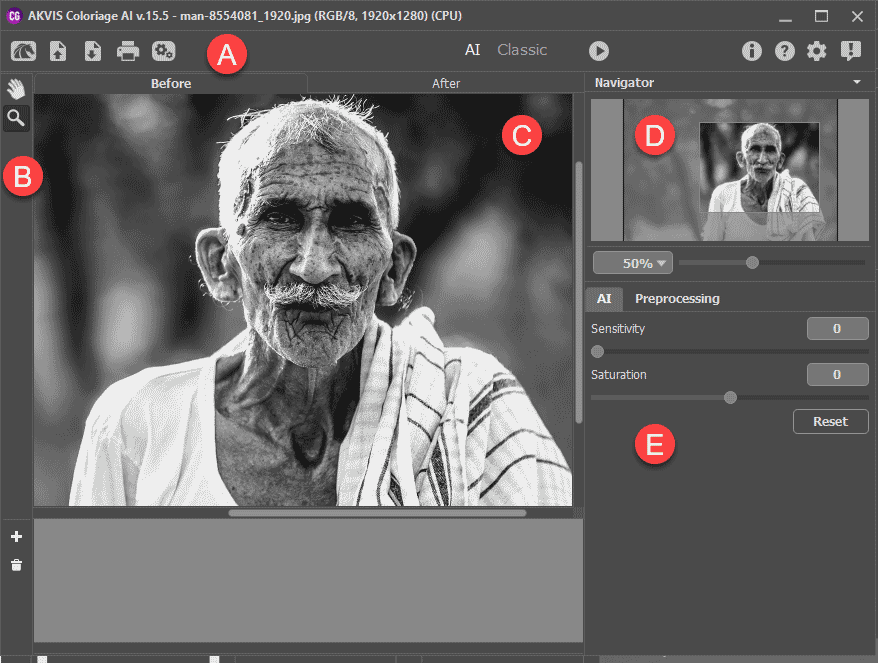
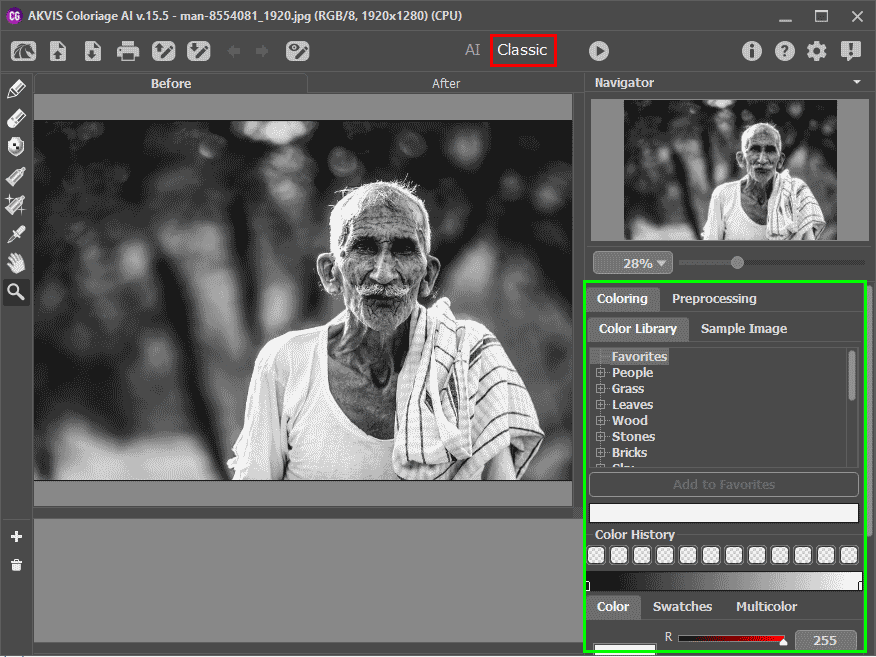
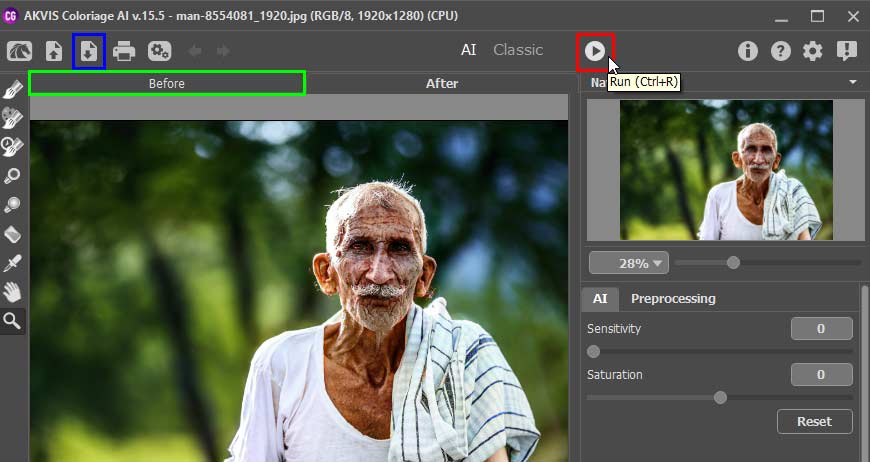
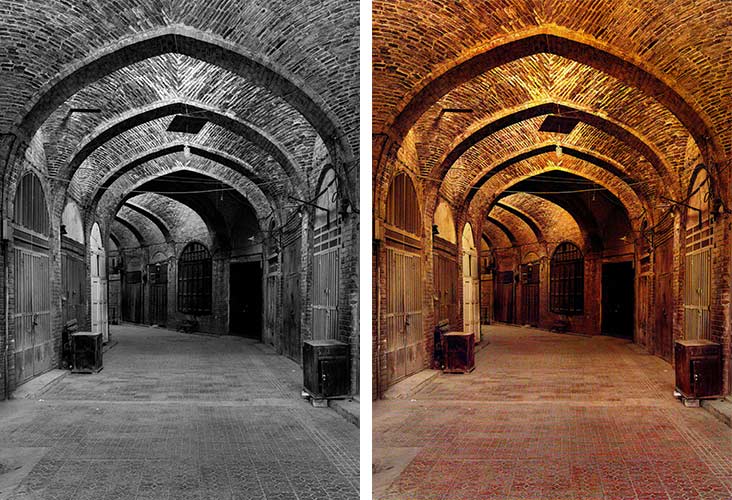
Here are some Before and After samples created using AKVIS Coloriage AI 15.5:
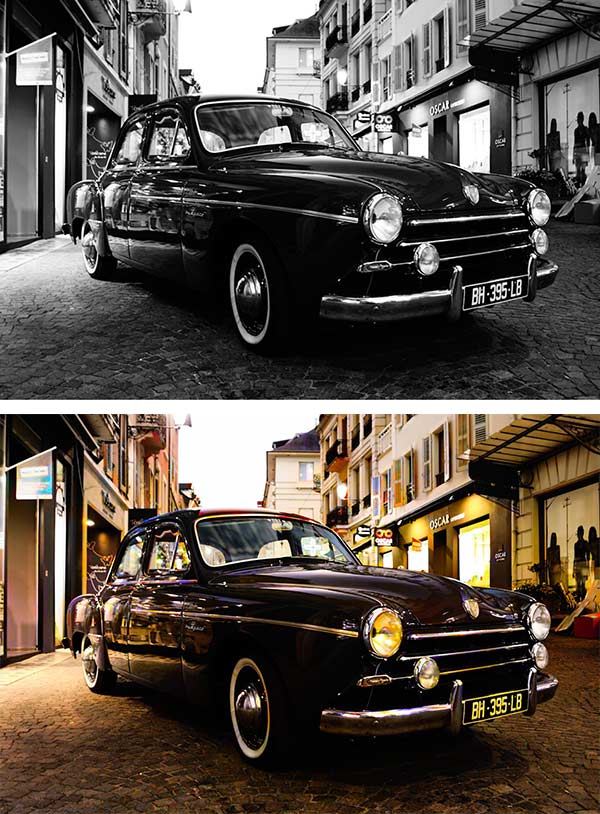
Photoshop Versions: Photoshop CS-CS6, CC, CC 2014 and above, Elements v.1-14, etc. More information can be found on the AKVIS Compatibility page.
Platforms: Windows, Mac
Site: AKVIS
Price: USD $75 and above
Trial Version: Available
You May Also Like: How to Remember What to Say | Chrysanthemum PowerPoint Templates


Microsoft and the Office logo are trademarks or registered trademarks of Microsoft Corporation in the United States and/or other countries.
