
This is the print version of this page. All content is copyright Indezine.com 2000-2026.
Issue 026 of PowerPoint and Presentation Stuff newsletter.
Previous Ezine Page | Next Ezine Page
Office 2003 releases in September, October
Sonia Coleman announces PowerLink, PowerLinkPlus
Quick News
Text Types in PowerPoint
SuperSaver Combo
Fonts in PowerPoint
Events and Seminars
Microsoft announced the release of the upcoming Office 2003 program suite to manufacturing on August 19th. More than 600,000 beta testers participated in what was probably among the largest software development efforts in history.

Office 2003 System will be available on the volume licensing price list on September 1st and some original equipment manufacturers (OEMs) are expected to begin shipping machines with Office 2003 editions preinstalled by the end of September. The retail versions will be available after a worldwide launch event in New York on October 21st.
Pricing remains largely unchanged from Office XP.
Suite Versions
Microsoft Office Standard Edition 2003, $399
Microsoft Office Professional Edition 2003, $499
Microsoft Office Student and Teacher Edition 2003, $149
Standalone Versions
Microsoft Office PowerPoint 2003, $229
Microsoft Office Word 2003, $229
Microsoft Office Excel 2003, $229
Microsoft Office Access 2003$229
Microsoft Office Outlook 2003, $109
InfoPath 2003, $199
OneNote 2003, $199
More info at:
Office Products Released To Manufacturers
BackSonia Coleman and Steve Hetrick announced the release of two new products:
PowerLink is a wizard based product that needs your input on two counts - you need to provide a 'project name' and point to your main presentation. PowerLink then makes a copy of the file, analyzes the presentation for all links, locates the linked files, converts links to 'pathless' if necessary and stores copies of everything in the designated project folder. If there are nested links to other presentations, they are also included in the process. PowerLink produces a report telling you what it found, including any errors, and what it did.
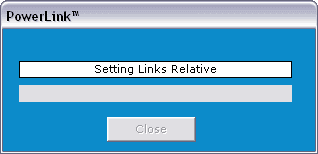
PowerLinkPlus goes one step further and packages everything ready for burning to an autorun CD. The current version requires that the PowerPoint 97 Viewer be installed.
For more info and a free trial, visit the product pages at:
BackOvid announced that it will offer a new medical information research solution accessible through the Research and Reference Pane within the 2003 versions of Microsoft Office applications including PowerPoint. This will provide healthcare professionals with direct access to more than 900 leading medical and health sciences journals. More info.
PowerPointTemplates.net is a new PowerPoint related site with articles, tips and links. More info.
BackText content in PowerPoint can be divided under four types:
Each of these text types have specific characteristics of their own - but combined together, they have a role to play in the PowerPoint scheme of things.
Headings or Titles are something which describe a slide, almost like it's identity. As with all text in any presentation, titles need to be as short as possible. Moreover, titles need to describe the slide - just putting up a few words with high impact is not sufficient - those words have to convey some meaning relating to whatever is the content of the slide. A title is more like an essence - it needs to reflect related content to maximum effect with the use of as few words as possible.
Body text in a presentation is unlike writing for an article - sentences are 'out', bulleted lists are 'in'. Text needs to be short enough to educate, although not as diminutive so as to mystify the audience. You could follow a time-tested procedure of inputting sentences initially, then try to ruthlessly edit into small bites of information with every consecutive review. Arrange all such edited information within a bulleted list - and review or edit as necessary - repeatedly!
Decorative text is text with a purpose. It beautifies, it attracts and too much of it drowns your presentation to below sea level. It often looks great in small doses - and many-a-great presentation has been created with no decorative text at all. As with any other form of text, but of particular concern in the use of decorative text - be aware of the concept of font embedding - covered in detail in Indezine's PowerPoint And Fonts page.
Captions and Legends includes captions, legends and more. For instance, copyright notices and other legal gobbledygook. Sometimes you just want it be there, other times you want it to be visible - and many times you need it to be viewable and readable too! This calls for a lot of visual balance. If you don't have a lot of screen estate to make the text larger - try using a font which offers better readability at a lower point size - something like Verdana. Another trick is to draw a black rectangle and superimpose it with white text.
BackCrystalGraphics announced the new SuperSaver Combo 4 collection that comprises:
Until August 31 get it all for just $299. That is over 50% off the price of buying the same products separately. More info
BackFont Smoothing
Font Smoothing is a feature which Microsoft released initially in the Windows 95 Plus Pack. The feature was incorporated in the main operating system in later versions of Windows.
The Font Smoother is available as a free download from the Microsoft site.
The article - Smooth Fonts at the Microsoft Typography site explains the entire concept.
Dingbat Bullets
Dingbat fonts are a lot of fun - you can never have enough of them! Many of them are simple in character, and make excellent bullets for a bulleted list in a PowerPoint presentation.
For instance - you're creating a presentation for an ice cream industry - and you substitute the boring round bullet with another one symbolizing a scoop of ice cream. Interesting, but dangerous if you go overboard!
Many Fonts Can Crash..
You've got too many fonts installed - and certain components of PowerPoint like the Organization Chart are giving you nightmares. This particular program crashes every time you use it!
The solution is simple - reduce the number of fonts installed to a more manageable level.
Read more about fonts in PowerPoint.
BackWinning Presentations Seminar
September 24 and 25, 2003
Boston, USA
Claudyne Wilder, Wilder Presentations
PowerPoint Live
October 12 to 15, 2003
Tucson, Arizona, USA
Rick Altman, R Altman Digital Consulting
PPT Live
During the preparation of this issue of the PowerPoint Ezine, I received assistance, content or feedback from Nicole Ha, Tommy Powell and Sonia Coleman (all in alphabetical order). I would like to use this platform to thank them for their help.
BackYou May Also Like: The Cognitive Load of PowerPoint: Interview with Richard E Mayer | Learn PowerPoint 2010: Control Animation Timings with Advanced Timeline


Microsoft and the Office logo are trademarks or registered trademarks of Microsoft Corporation in the United States and/or other countries.
