Indezine Logo


More Thanksgiving Clip Arts for PowerPoint

Download more clip art silhouettes for Thanksgiving.


Author:

Product/Version: PowerPoint


More Thanksgiving Clip Arts

  • More Thanksgiving Clip Arts for PowerPoint
  • More Thanksgiving Clip Arts for PowerPoint

download Download (96 kb)

Scroll down this page to view an embedded version of this presentation.


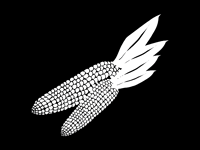
Here are some more Thanksgiving clip art graphics for PowerPoint. These are perfect for the fall, festive season. We provide you with 4 typical graphics in a silhouette style.

These graphics are available in both black and white and are contained within a separate sample presentation you can download. Just copy the clip art graphic you like and paste into another PowerPoint slide, or even a Word document or Excel worksheet. Additionally, these Thanksgiving clip art graphics are vector shapes, so you can easily edit them within your Microsoft Office program by changing fills, lines, and effects or even applying Shape Styles.

More Symbols

Click below to view this presentation on SlideShare

Download these More thanksgiving silhouettes for PowerPoint from Indezine.com. More Thanksgiving clip arts

Click below to view this presentation on YouTube

Download these More thanksgiving silhouettes for PowerPoint from Indezine.com. More Thanksgiving Clip Arts for PowerPoint

You May Also Like: Thanksgiving PowerPoint Kit


Popular Posts

Restoring Earlier Versions of Presentations in PowerPoint 2010 for Windows
Learn how to restore earlier versions of your current presentation in PowerPoint 2010.

What is Animation in PowerPoint?
Learn what animations is and how to effectively plan animation for PowerPoint.

Apply Bevel Effects to Shapes in PowerPoint 2016 for Windows
Learn how to apply bevel effects to shapes in PowerPoint 2016 for Windows.

Creating Curved Shapes in PowerPoint 2010 for Windows
Learn how to create curved shapes in PowerPoint 2010.s


Handmade Slides: Pushpins for PowerPoint

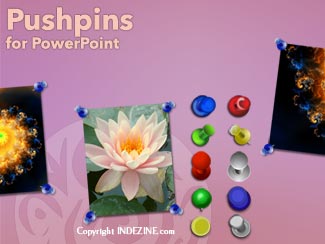
These “pushpin” graphics are already placed in PowerPoint slides. Just copy them and paste within your slides to create a look that makes a picture, shape, or anything else appear as if it has been pushed onto a surface, board, or wall with a pin! These ready-made pushpins are already within PowerPoint slides, and have been provided in five colors. Just copy them and paste them on your slides.

Download these Pushpins for just $19.99


Microsoft and the Office logo are trademarks or registered trademarks of Microsoft Corporation in the United States and/or other countries.

Home | PowerPoint | Photoshop | PowerPoint Templates | PowerPoint Tutorials | Blog | Notes | Ezine | Media Kit | Feedback | Site Map | About Us | Contact Us

Link to Us | Privacy | Testimonials

PowerPoint Backgrounds | Christian PowerPoint Backgrounds | Business PowerPoint Presentation Templates

Plagiarism will be detected by Copyscape

©2000-2026, . All rights reserved.