This is the print version of this page. All content is copyright Indezine.com 2000-2026.
Download clip art silhouettes for Thanksgiving.
Author: Geetesh Bajaj
Product/Version: PowerPoint



Scroll down this page to view an embedded version of this presentation.
These Thanksgiving clip arts for PowerPoint are ready to use clip-art graphics that you can use within your presentation slides. These graphics are available in black and white colors. Both variations are contained within a separate sample presentation you can download. Just copy the clip art graphic you like and paste into another PowerPoint slide, or even a Word document or Excel worksheet. Additionally, these Thanksgiving graphics are vector shapes, so you can easily edit them within your Microsoft Office program.
Click below to view on SlideShare
Click below to view on YouTube
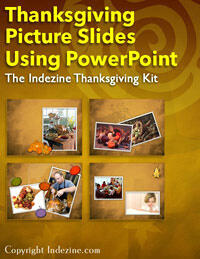 The Indezine Thanksgiving Kit is a self-contained set of slides and other goodies that provides you with everything you need to create Thanksgiving picture slides within PowerPoint. This kit contains some amazing stuff that will get you up and started. First, you'll get a Thanksgiving PowerPoint theme in both standard and widescreen variations. Secondly, you get a foody font. And then there are Silhouette pictures of Thanksgiving elements. Plus many scrapbook style embellishments, also some textures, and even a few sample slides to get you started.


Microsoft and the Office logo are trademarks or registered trademarks of Microsoft Corporation in the United States and/or other countries.
 Download (193 kb)