This is the print version of this page. All content is copyright Indezine.com 2000-2026.
These segmented circle shapes can be used in your slides to explain a concept or an idea. These conceptual designs have been converted to PowerPoint shapes.
Author: Geetesh Bajaj
Product/Version: PowerPoint
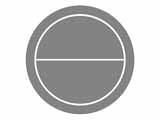
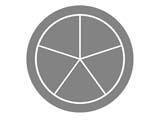
 These segment shapes are placed within a circle and are very useful and easy to use. A segment circle is like a pizza that is divided into pie-shaped slices, with each slice meant to hold a short label, picture, texture, or even an icon. Yes, each of these pizza slices is what we would call a segment.
As the count climbs from one to eight, the diagram naturally shifts from a single emphasis shape to a wheel made of progressively narrower wedges, useful for representing anywhere from a single highlighted idea to an eight-part cycle or structure.

For PowerPoint users, the appeal is practical. These shapes give you a ready-made way to show parts of a whole, stages in a cycle, or related categories radiating from a center, without having to build segmented circles from scratch using the Shape tools and angle math. Someone presenting a five-step process, a six-pillar strategy, or an eight-category breakdown can grab the matching segment count and just swap in their own text and colors.
Buy and Download for $9.99 (7 mb)
Because they're vector based PowerPoint graphics rather than flat images, users can recolor, resize, and edit each segment independently to match their own slide theme, which makes them handy building blocks for SmartArt-style visuals when the built-in SmartArt layouts don't quite fit.
The ZIP file that you will download contains:
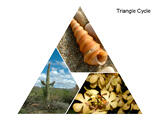
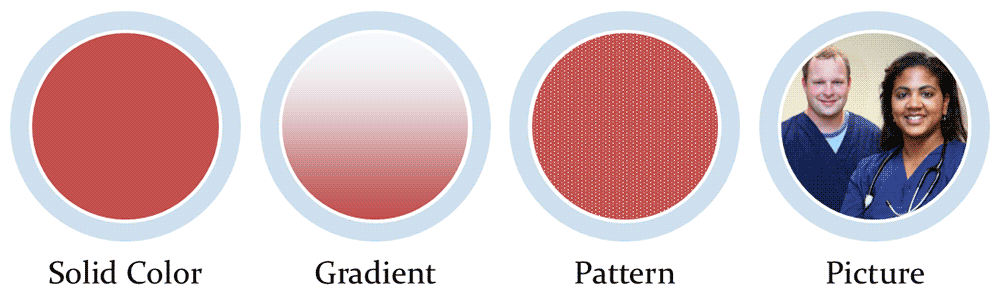
Here are some pictures that show you how the Segment Circles look like. The sample on the left contains a picture fill and the sample on the right contains a PowerPoint shape that you can fill with whatever you want: a solid fill, a gradient, a pattern, a picture, or a texture.














Buy and Download for $9.99 (7 mb)
You May Also Like: 356labs: Conversation with Boris Hristov | How to Remember What to Say



Microsoft and the Office logo are trademarks or registered trademarks of Microsoft Corporation in the United States and/or other countries.