
This is the print version of this page. All content is copyright Indezine.com 2000-2026.
Read the Indezine review of Animation Carbon.
Author: Geetesh Bajaj
Product/Version: PowerPoint
Introduction
About Animation Carbon
Download and Installation
Using the Plug-in
Pricing and Support
Conclusion
With the launch of PowerPoint 2002 (and 2003), animation metamorphosed from a simple single-click attribute to something much more enriched, and complicated. Designers spent hours mastering the new motion paths and fine-tuning the timings on multiple animations. After the jaws finished dropping and the wows were over, designers were expected to create a similar animation effect for another presentation element!
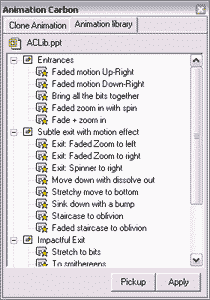
You get the pattern: hours upon hours were being spent on recreating the same effects. It was often felt that it would be great if PowerPoint had a library feature where all such animation procedures could be stored, and then imparted to objects with a single click. Our product for review, Animation Carbon fills that void. Let's explore.
You can download a 15-day trial version of Animation Carbon here.
BackAnimation Carbon is from Shyam Pillai, a Microsoft PowerPoint MVP who creates several PowerPoint add-ins. In the past, we have reviewed his Image Importer Wizard product.
You can learn more about Animation Carbon here.
We asked Shyam what motivated him to create Animation Carbon:
Animation Carbon was conceived immediately after PowerPoint 2002 was released. About 80% of the work was done and then lay idle since my time was shifted to other projects. More recently, the ability to be able to copy animations from one shape to another was often requested in the newsgroups hence Animation Carbon was revived and completed for release. The complexity of the animation engine in PowerPoint 2002/2003 made this product tailor made for power users for increased productivity.
BackYou can download a 15-day trial version of the product from the Office Tips site. The download currently weighs a little over 1 mb.
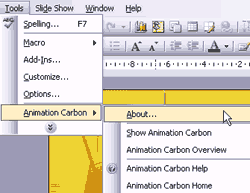
Installation is an easy affair. Animation Carbon is shows up in PowerPoint 2003 within the Tools menu.
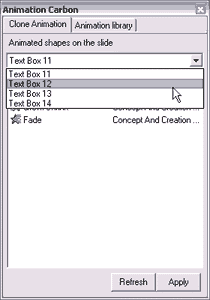
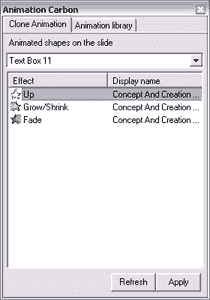
Animation Carbon, priced at US$50 for a single-user license is reasonably priced for what it does. There are also volume discounts available. All purchases are through a secure server. Support is through email.
BackFor what it does, Animation Carbon can be a useful tool within your PowerPoint paraphernalia box. It does exactly what it promises and receives a positive verdict from us.
BackYou May Also Like: Sudan Flags and Maps PowerPoint Templates | Autorun CD Project Creator

Microsoft and the Office logo are trademarks or registered trademarks of Microsoft Corporation in the United States and/or other countries.
