
This is the print version of this page. All content is copyright Indezine.com 2000-2026.
Learn how you can use Illustrator drawings to create Photoshop shapes.
Author: Geetesh Bajaj
Product/Version: PowerPoint
As long as you have both Adobe Photoshop and Illustrator installed on your system, it is easy to create Photoshop shapes from any drawing in Illustrator. Even before we start exploring further, you should read this:
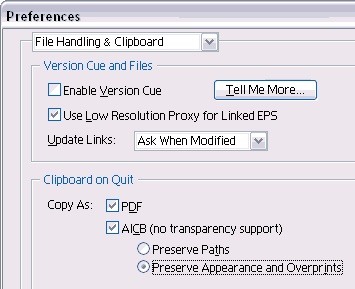
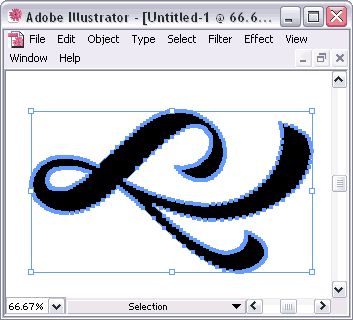
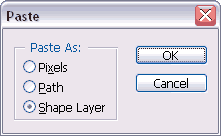
You can create your own custom shape libraries that you can share, store and distribute. Look here for more info.
Although this tutorial works best with Adobe Illustrator, you can also use CorelDRAW or Macromedia Freehand to replicate the steps. For these programs to work, you have to find a way to export the graphic to the clipboard in the AICB format so that Photoshop provides you with an option to paste as a shape.
Users of CorelDRAW versions 10, 11, and 12 can use the free macros you can download at the Oberon site to copy to the clipboard in the AICB format.
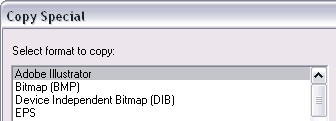
Macromedia Freehand users can use the Edit | Copy Special option to export the outline graphic as an Adobe Illustrator (AICB) file.
You May Also Like: Why Most PowerPoint Presentations Suck (Fourth Edition): Conversation with Rick Altman | Diagonals PowerPoint Templates


Microsoft and the Office logo are trademarks or registered trademarks of Microsoft Corporation in the United States and/or other countries.
