
This is the print version of this page. All content is copyright Indezine.com 2000-2026.
AKVIS ArtSuite 6 lets you quickly add a plethora of frame and edge effects to your pictures. This product functions both as an Adobe Photoshop plug-in and a standalone program.
Author: Geetesh Bajaj
Product/Version: PowerPoint
AKVIS ArtSuite 6 is a Photoshop-compatible plug-in that provides photo effects along with an impressive collection of photo frames (edge effects). All the photo frames that come with ArtSuite can be customized, and you can change the color of the frame, alter the brightness and the intensity, and even create a frame with ragged edges, a scratched surface, page curl, etc. You can also create your own frames.
AKVIS ArtSuite 6 includes several hand painted frames. These frames can only be used within the AKVIS ArtSuite standalone program, and not the plugin. The standalone program is included as part of the plug-in. In addition, AKVIS provides an additional free pack with 30 frames, and also Wedding and Travel packs, that include 50 frames each.
ArtSuite 6 is from AKVIS, a company based in Russia that specializes in graphics programs. Apart from ArtSuite, AKVIS also creates other Photoshop-compatible plug-ins like Retoucher, Chameleon, MultiBrush, Sketch, Enhancer, Decorator, Coloriage, etc.
You can download a free 10-day trial version of ArtSuite 6 from the AKVIS site.
My contact at AKVIS for this review was Kat Kharina. Thank you, Kat.
Follow these steps to learn more about AKVIS ArtSuite:

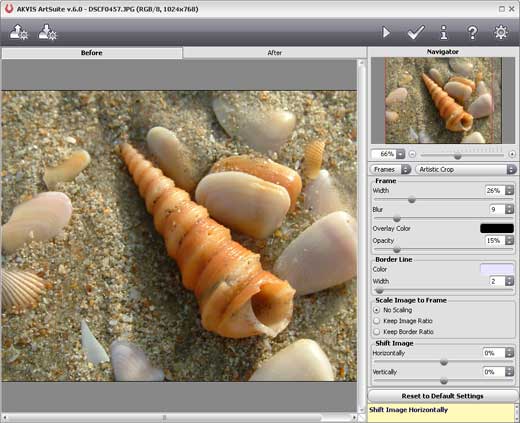
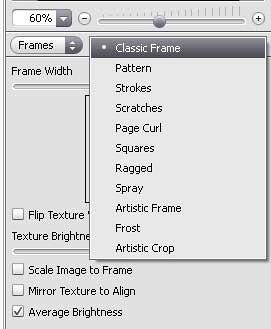
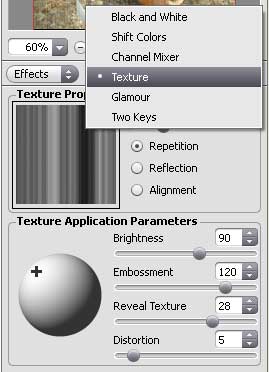
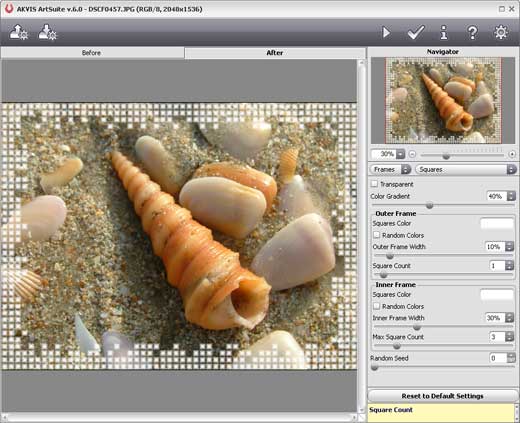

Although the instructions above showed how you can use AKVIS ArtSuite 6 as a Photoshop plug-in, the product also works in the same way in standalone mode. However, one important difference is that the free hand painted frames only work in the standalone program. Figure 6, below shows some of the samples created using the hand painted frames.

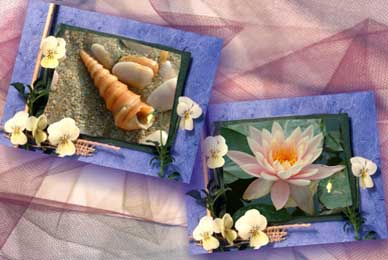
Figure 6: Hand painted frame samples
| Photoshop Versions: | 6+ |
| Platforms: | Windows, Mac |
| Site: | AKVIS |
| Price: | USD $49 and above |
| Trial Version: | 10 days |
Photoshop: AKVIS Plug-ins (Glossary Page)
You May Also Like: Three Ways to Make a Presentation Effective | Association of Southeast Asian Nations (ASEAN) PowerPoint Templates



Microsoft and the Office logo are trademarks or registered trademarks of Microsoft Corporation in the United States and/or other countries.
