
This is the print version of this page. All content is copyright Indezine.com 2000-2026.
Learn how to export your presentation to Mpeg-4 movie in PowerPoint 2013.
Author: Geetesh Bajaj
Product/Version: PowerPoint 2013 for Windows
OS:
When PowerPoint 2010 first introduced saving PowerPoint presentation as WMV movie directly -- it just worked as oasis in the desert. It did worked well and most of the users were happy -- later MP4 movie format becomes more popular than WMV movie format. This made Microsoft improve the PowerPoint to movie function in the newest PowerPoint 2013, which enables to save PowerPoint as MPEG-4 movie. This is a good change because most of the portable devices like iPad, iPhone or Android devices support MP4 movie instead of WMV movie - and it is easy to share.
In this tutorial you'll learn how to export your presentation into MPEG-4 movie format:

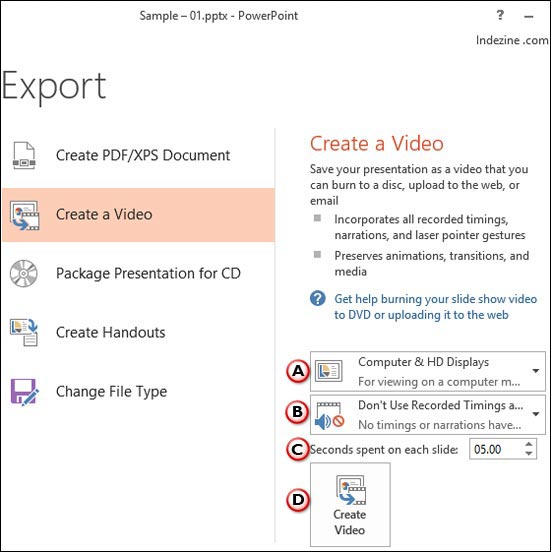
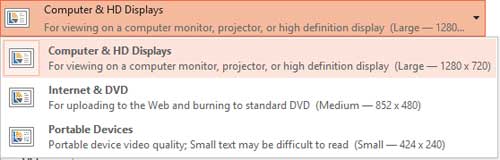


Note: You can track the progress of the video creation by looking at the Status Bar. This may take up to several hours depending on the length of the video and the complexity of the presentation.
Microsoft and the Office logo are trademarks or registered trademarks of Microsoft Corporation in the United States and/or other countries.
