
This is the print version of this page. All content is copyright Indezine.com 2000-2026.
Change color pictures to black and white within your Photo Album in PowerPoint 2010 for Windows. The amazing part is that you can also revert your photographs back to color with one click.
Author: Geetesh Bajaj
Product/Version: PowerPoint 2010 for Windows
OS: Microsoft Windows XP and higher
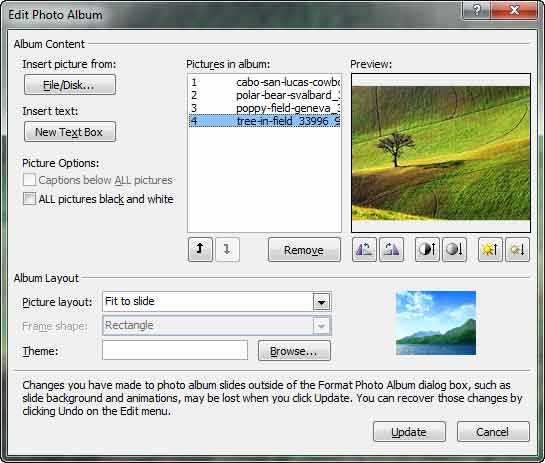
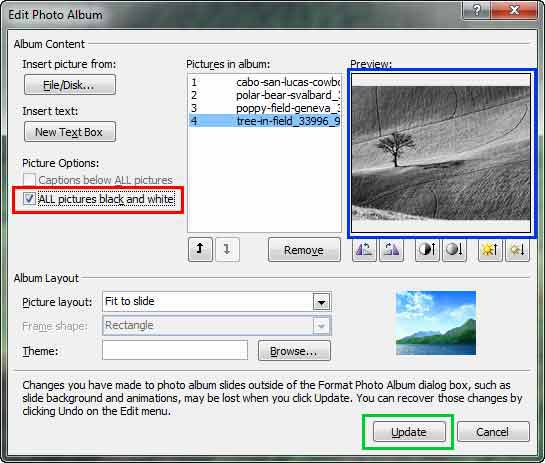
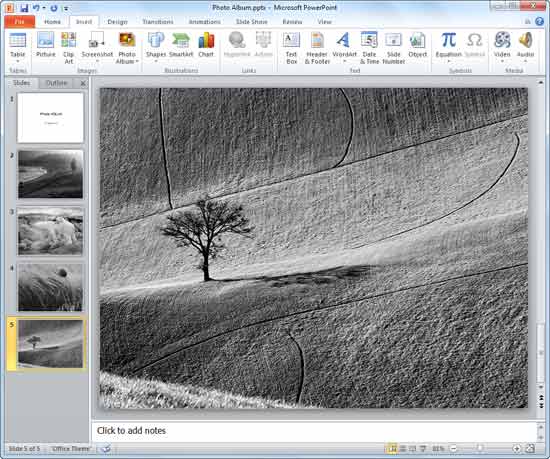
Rich, vibrant color attracts more attention in a picture than olde-worlde black and white. However, the contrast visible in a black and white photo is far superior. Artists and photography purists have long hailed the black and white picture as a creative medium. You may want to extend this creative medium to your Photo Album presentations. Fortunately, a click or two is all that is required to create an inspirational black and white Photo Album in PowerPoint 2010 for Windows:
See Also:
Photo Album: Black and White Options for Photo Album Presentations (Glossary Page)
Black and White Options for Photo Album Presentations in PowerPoint 2013 for Windows
You May Also Like: Preparing for Webinars: Conversation with Sharyn Fitzpatrick | Western Sahara Flags and Maps PowerPoint Templates



Microsoft and the Office logo are trademarks or registered trademarks of Microsoft Corporation in the United States and/or other countries.
