Indezine Logo


Andrew Photoshop Plug-ins Series 19

Explore effects in Andrew's Plug-ins series 19 for Photoshop.


Author:

Product/Version: PowerPoint


This is a preview of Series 19 of Andrew's Plug-ins from Graphicxtras. For more previews, explore the links from the Andrew's Plugins index page.

Series 19 is CircusDaze. It comprises a single plug-in that allows manipulation of color, gradient, filters, etc.

This page of preview images shows you the default effects as they are without any tweaking of the sliders. Also, I'm keeping the text narrative to a minimum. Let the pictures speak for themselves.

This original image was sourced from Indezine Photos.
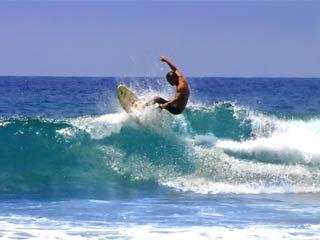
Original Picture
Original Picture

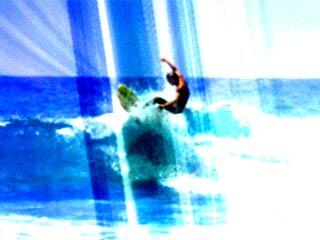
Color - CircusDaze generates abstract color effect with a combination of warp, grain, gradient, color and daze effects
Figure 1: Color - CircusDaze generates abstract color effect with a combination of warp, grain, gradient, color and daze effects.

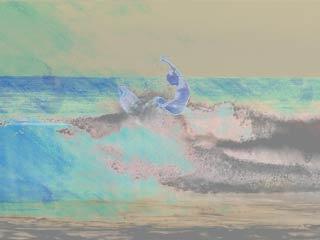
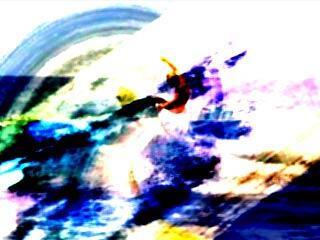
The following images show some more variations:
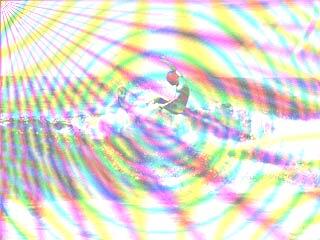
Andrew's Plugin Series 19 - Variation 1

Andrew's Plugin Series 19 - Variation 2

Andrew's Plugin Series 19 - Variation 3

As you can see, most of these effects work best when combined over separate layers with blending modes although you could also use one of these all in itself as well.

To download a free demo, or to buy the product ($9), visit the Graphicxtras site.

Back


Specifications

Photoshop Versions: 6+
Platforms: Windows only
Site: Graphicxtras
Price: US$9 and above
Trial Version: Demo plug-ins available

You May Also Like: Build-a-Graphic: Conversation with Mike Parkinson | Bubbles PowerPoint Templates


Popular Posts

Shapes
Shapes
Learn how you can create and manipulate shapes in PowerPoint -- knowledge of working with shapes is significant because they are the building blocks of creativity in PowerPoint.

Insert Picture from the Office ClipArt Collection in PowerPoint 2013
Learn how to insert picture using Office ClipArt in PowerPoint 2013.

Snow Effect in PowerPoint
Create a snow fall effect inside PowerPoint using animation techniques.

PowerPoint Transitions: Curtains
Explore the Curtains transition effect in PowerPoint.


Polygon Center Circles for PowerPoint

These special circles have polygon centers: the centers are made of triangles, squares, pentagons, and hexagons! And based on the sides of the polygon, the rest of the circle has that many segments.

Download and use these Polygon Center Circles in your slides for just $4.99


Microsoft and the Office logo are trademarks or registered trademarks of Microsoft Corporation in the United States and/or other countries.

Home | PowerPoint | Photoshop | PowerPoint Templates | PowerPoint Tutorials | Blog | Notes | Ezine | Media Kit | Feedback | Site Map | About Us | Contact Us

Link to Us | Privacy | Testimonials

PowerPoint Backgrounds | Christian PowerPoint Backgrounds | Business PowerPoint Presentation Templates

Plagiarism will be detected by Copyscape

©2000-2025, . All rights reserved.