Indezine Logo


Andrew Photoshop Plug-ins Series 16

Explore effects in Andrew's Plug-ins series 16 for Photoshop.


Author:

Product/Version: PowerPoint


This is a preview of Series 16 of Andrew's Plug-ins from Graphicxtras -- for more previews, explore the links from the Andrew's Plugins index page.

Series 16 is GXPowerBlend. This plug-in series provides stunning gradient designs.

This page of preview images shows you the default effects as they are without any tweaking of the sliders. Also, I'm keeping the text narrative to a minimum. Let the pictures speak for themselves.

This original image was sourced from Indezine Photos.

Original Picture

Original Picture

Distort - GridEdge generates effects like glass, ripple, mirror, etc
Figure 1: Distort - GridEdge generates effects like glass, ripple, mirror, etc.

Gradient - PowerBlend applies gradient variations with plenty of blending modes to choose from
Figure 2: Gradient - PowerBlend applies gradient variations with plenty of blending modes to choose from.

The following images show some more variations:
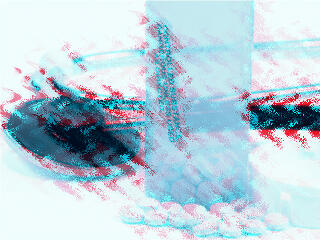
Andrew's Plugin Series 16 - Variation 1

Andrew's Plugin Series 16 - Variation 2

As you can see, most of these effects work best when combined over separate layers with blending modes although you could also use one of these all in itself as well.

To download a free demo, or to buy the product ($9), visit the Graphicxtras site.

Back


Specifications

Photoshop Versions: 6+
Platforms: Windows only
Site: Graphicxtras
Price: US$9 and above
Trial Version: Demo plug-ins available

You May Also Like: Presentation Procrastinators: 01 | Americana PowerPoint Templates


Popular Posts

Use Safe Fonts Available on All Systems in PowerPoint
Learn about using safe fonts in PowerPoint.

10 Tips for Pecha Kucha
Read 10 amazing Pecha Kucha tips that will help you create and deliver a better Pecha Kucha presentation.

Creating Slide Backgrounds in Photoshop for PowerPoint
Learn how to create slide backgrounds for PowerPoint in Photoshop.

Formatting Arrows (Arrowheads) in PowerPoint 2016 for Windows
Learn how to format arrowheads for lines in PowerPoint 2016 for Windows.


Pictures in Presentations

Is a picture is worth a thousand words? You probably have heard this adage so often that we decided not to repeat this phrase throughout this book! Now here’s some more info: the human brain uses a larger part of its area to store visual information rather than textual content. And that’s possibly because a picture describes so much more than text.

Go and get a copy of our Pictures in Presentations ebook.


Microsoft and the Office logo are trademarks or registered trademarks of Microsoft Corporation in the United States and/or other countries.

Home | PowerPoint | Photoshop | PowerPoint Templates | PowerPoint Tutorials | Blog | Notes | Ezine | Media Kit | Feedback | Site Map | About Us | Contact Us

Link to Us | Privacy | Testimonials

PowerPoint Backgrounds | Christian PowerPoint Backgrounds | Business PowerPoint Presentation Templates

Plagiarism will be detected by Copyscape

©2000-2026, . All rights reserved.