A Year with PowerPoint
by Geetesh Bajaj, January 2nd 2008
View
this as a web page...
Let me show you how you can learn more this year by grasping and understanding a little at a time. Call this a new year resolution, or just a time table -- let us see how far we can move with this monthly schedule:
 January
2008: Microsoft releases Office 2008 for the
Mac on the 15th of January -- this new suite of programs includes PowerPoint 2008. With this release, Office
for
Mac plays catch up with Office for Windows -- here's a partial list of new features:
January
2008: Microsoft releases Office 2008 for the
Mac on the 15th of January -- this new suite of programs includes PowerPoint 2008. With this release, Office
for
Mac plays catch up with Office for Windows -- here's a partial list of new features:
- Includes the Elements Gallery that brings much of the Ribbon/Tab structure found in Office 2007 for Windows
- New XML based file formats
- SmartArt diagramming
- Office Themes
Check out more on the new Office 2008 site...
Until January 14th, 2008 you can buy Office 2004 for Mac on the Amazon site, and get a free upgrade to Office 2008 thereafter.
Office
Mac Standard
February 2008: Time to get really started with PowerPoint 2007 and 2008, and start saying bye to the older versions -- of course things won't be that simple because either your company won't upgrade, or your colleagues won't! And even if you do, you might sometimes need to test things in an older version of PowerPoint.
Fortunately, you can still leave older versions on your system -- just make sure you install the older versions before the new versions, and don't run them all at the same time.
Tip: Install all service packs for the older versions before you install a newer version.
 March
2008:
Play around with the new Office Themes option in PowerPoint -- and then
use the same Themes in Word and Excel.
March
2008:
Play around with the new Office Themes option in PowerPoint -- and then
use the same Themes in Word and Excel.
Office Themes are special files that are denoted by their THMX file extensions -- they contain important information on document backgrounds, effects, fills, lines, colors, and fonts. When placed in a designated folder, these THMX Theme files show up as thumbnails within the Theme Gallery of Office 2007 programs like Word, Excel, and PowerPoint (see screenshot). Click on the thumbnail, and the related theme gets applied to the entire document or selected parts.
Themes provide amazing options and are very well implemented. They work in both Office 2007 for Windows, and Office 2008 for Mac.
Check out my in-progress tutorial on Office Themes...
April 2008: Play with colors. Try changing the colors in your PowerPoint slides; it's easy to do it with the new Shape Styles gallery.
Tip: You can also change colors of shapes, SmartArt, and charts with one click in PowerPoint 2007 and 2008.
 May
2008:
Make some art with PowerPoint. PowerPoint is the new frontier for digital
art that combines the static with the
animated.
May
2008:
Make some art with PowerPoint. PowerPoint is the new frontier for digital
art that combines the static with the
animated.
Check out the Art of Office site...
The Art of Office site is a new site promoted by the Mac Office team -- however since the Office file formats are the same across Windows and Mac platforms, there's no reason why you cannot play with and participate on this unique project just because you use PowerPoint for Windows!
 June
2008: Get used to SmartArt. SmartArt is new in Office 2007 and 2008 -- it
is an overhaul of its
diagramming
component which let you add much more than detailed diagrams and organization
charts to presentations. Collectively, all the diagrams available in
PowerPoint are now called SmartArt graphics.
June
2008: Get used to SmartArt. SmartArt is new in Office 2007 and 2008 -- it
is an overhaul of its
diagramming
component which let you add much more than detailed diagrams and organization
charts to presentations. Collectively, all the diagrams available in
PowerPoint are now called SmartArt graphics.
Check out a free chapter on SmartArt on Microsoft's site. This is from my comprehensive book on PowerPoint 2007.
And get a copy of the book on Amazon.com...
July 2008: Create puzzles and spirographs inside PowerPoint. Although PowerPoint does not provide any easy wizard or an option to create these, it's easier to do than you may have imagined!
Here are some resources to get you started:
- Spirographs in PowerPoint
- Instant Spirographs with VBA
- Picture Spirographs with PowerPoint
- Puzzle Pictures in PowerPoint
- Jigsaw Maker
August 2008: Read some interviews with people who are involved with PowerPoint related stuff. Indezine has fifty plus interviews where you can learn more about industry trends, design thoughts, opinions, and more.
 September
2008: Get some PowerPoint books -- first look at
these free book chapters.
September
2008: Get some PowerPoint books -- first look at
these free book chapters.
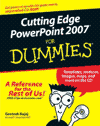
PowerPointing with the Best of Them from Cutting Edge PowerPoint 2007 For Dummies
No Bullets Presentation from PowerPoint 2007 Complete Makeover Kit
Read more book chapters here...
October 2008: Check PowerPoint blogs. Here are some nice ones:
- PowerPoint Blog by Geetesh Bajaj
- The PowerPoint Team Blog
- Visual Being
- Maniactive by Laura Bergells
- PowerPoint Blog by Troy Chollar
- Presentation Revolution by Scott Schwertly
- Tony's Presentation Weblog
November 2008: Create digital scrapbooks in PowerPoint using the many ideas and embellishments available online.
Check out Scrapbookpresentations.com for more information and downloads...
December: Download sample presentations from Indezine's special area called the Presentation Bank...
 PowerPoint 2007 Tip
If you do many presentations, you might want to look into purchasing some royalty-free stock photo CDs or a download subscription so that you’ll have what you need at your fingertip. Check http://www.pptkit.com/media for links to several stock media sites.
This tip is from my new book, PowerPoint 2007 Complete Makeover Kit which I co-authored with Echo Swinford -- check the book now!
And here are some excerpts...
End Note
If you want to send any comments, ideas, etc. regarding this ezine or
indezine.com:
http://www.indezine.com/feedback.html
You can also find new templates everyday on the PowerPoint blog along
with information on what's new and happening in the world of PowerPoint
-- check out at http://www.indezine.com/blog/