Indezine Logo


Flow of Electricity

Download a presentation that animates electricity flow in PowerPoint. This animation uses wipe effects, motion paths, and synchronized shape animations.


Author:

Product/Version: PowerPoint


Flow of Electricity


Download (49 kb)


A participant in one of my training sessions wanted to create a simple animation that shows the flow of electricity through a thin tube -- this presentation was created as a result of that question. Each animated tube is actually a long rectangle placed one over the other -- and only the top one is animated with a wipe animation. A small shape such as a circle or rounded rectangle was animated simultaneously on a Motion Path to sync with the wipe -- you could even use the lightning bolt shape within PowerPoint's shapes instead of a circle!

More Sample PowerPoint Presentations

Click below to view on SlideBoom

Click below to view on YouTube

Flow of Electricity. Flow of Electricity
[an error occurred while processing this directive]
[an error occurred while processing this directive]

You May Also Like: Take These 7 Steps – and You’ll Be Sure to Deliver a Powerful Presentation | Are You Violating Copyright Laws?: by Alex Leopold



Popular Posts

Texture Fills for Slide Backgrounds in PowerPoint 2013 for Windows
Use texture fills for slide backgrounds in PowerPoint 2013 for Windows.

Adding More Guides in PowerPoint 2016 for Windows
Learn how to add more guides in PowerPoint 2016 for Windows.

Notes Page View in PowerPoint 2016 for Windows
Learn about Notes Page view in PowerPoint 2016 for Windows.

Christmas PowerPoint Presentation
This presentation is a great introduction to why we celebrate Christmas for both Christian and non-Christian audiences.


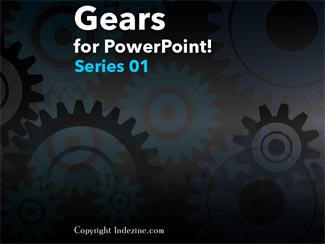
Gears for PowerPoint (Series 01)

All these gears are native PowerPoint shapes. You can recolor them, add effects, and do more, all inside PowerPoint. Results which would have taken hours to achieve now take less than a minute! Have fun using the gear graphics, and make your audience take notice! All these gears can be rotated and resized, as required. Since they are essentially pictures, all types of edits that you can do with pictures work with them too!

Get this complete kit now, you’ll save so much time that you can use doing something else!


Microsoft and the Office logo are trademarks or registered trademarks of Microsoft Corporation in the United States and/or other countries.


Home | PowerPoint | Photoshop | PowerPoint Templates | PowerPoint Tutorials | Blog | Notes | Ezine | Media Kit | Feedback | Site Map | About Us | Contact Us

Link to Us | Privacy | Testimonials

PowerPoint Backgrounds | Christian PowerPoint Backgrounds | Business PowerPoint Presentation Templates

Plagiarism will be detected by Copyscape

©2000-2026, . All rights reserved.