
This is the print version of this page. All content is copyright Indezine.com 2000-2026.
In this interview Cliff discusses his book, storyboarding inside PowerPoint, and shares some ideas.
Product/Version: PowerPoint
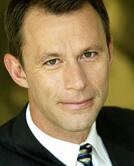 As an independent management consultant and president of Sociable Media,
Cliff Atkinson advises the senior leadership of some of the world's largest companies on how they can engage the organizational
phenomenon called PowerPoint. These companies are beginning to understand PowerPoint as more than just a presentation tool, and are seeking answers to
deeper questions about its organizational use: How well does PowerPoint articulate and retain intellectual assets? Do organizational policies help or
hinder effective PowerPoint communication?Are the right tools, resources and training in place to support a healthy communications ecology?
As an independent management consultant and president of Sociable Media,
Cliff Atkinson advises the senior leadership of some of the world's largest companies on how they can engage the organizational
phenomenon called PowerPoint. These companies are beginning to understand PowerPoint as more than just a presentation tool, and are seeking answers to
deeper questions about its organizational use: How well does PowerPoint articulate and retain intellectual assets? Do organizational policies help or
hinder effective PowerPoint communication?Are the right tools, resources and training in place to support a healthy communications ecology?
Geetesh: Your book Beyond Bullet Points has changed so many mindsets. Tell us more about what motivated you to write this book.
 Cliff: Like most people, I was frustrated by the way that people read text off of their presentation screens.
That's very different from the way that the rest of the visual media in our culture works. For over a century, we have been able to
understand complex information on film and television screens without the use of text. What Hollywood knows intutitively is also backed up by
research in the field of educational psychology, which shows that people learn better when you narrate text without showing it on screen.
The book is intended to align PowerPoint with the way we naturally learn and experience media.
Cliff: Like most people, I was frustrated by the way that people read text off of their presentation screens.
That's very different from the way that the rest of the visual media in our culture works. For over a century, we have been able to
understand complex information on film and television screens without the use of text. What Hollywood knows intutitively is also backed up by
research in the field of educational psychology, which shows that people learn better when you narrate text without showing it on screen.
The book is intended to align PowerPoint with the way we naturally learn and experience media.
Geetesh: If I came to you and asked you to describe in one paragraph what a reader will achieve from Beyond Bullet Points, how would that paragraph read?
Cliff: You'll learn a new way of communicating your message using a tightly-integrated blend of words and pictures. By tapping into the classical power of story and the clarity of a logical structure, you'll create the foundation for clear and simple visuals that make sure your ideas are understood and remembered.
Geetesh: What do you think about the AutoContent Wizard in PowerPoint? And how do you think Microsoft can improve the storyboarding concept inside PowerPoint?
Cliff: There's nothing wrong with giving people tools to help them begin a presentation, but a problem arises when you select only one approach as the default. This is an important issue, because your initial choice of the default is going to determine everything that comes next. Beyond the default PowerPoint template design approach, there are other perfectly valid and research-supported approaches to producing presentations. Any wizard should present those options as well, so presenters have a choice.
Geetesh: How important is it to have a formal training in presentation design for those who create PowerPoint presentations. If you had to choose from artistic flair and professional training, which ability would score more.
Cliff: It's unlikely that the millions of people who use PowerPoint will go to graphic design school, so the big opportunity is for those who can train existing PowerPoint users how to use it better in the context of their own professional setting. These days it's equally important to develop both verbal and visual communication skills.
Geetesh: Can you share some trivia--or just something you want to share with Indezine readers?
Cliff: The first thing I ever created in PowerPoint was a 10-minute music video! Try that the next time you want to be creative, and you'll start looking at PowerPoint in an entirely new way.


Microsoft and the Office logo are trademarks or registered trademarks of Microsoft Corporation in the United States and/or other countries.
