
This is the print version of this page. All content is copyright Indezine.com 2000-2026.
Learn how to apply painting styles to picture using AKVIS ArtWork.
Author: Geetesh Bajaj
Product/Version: PowerPoint
AKVIS ArtWork, a Photoshop-compatible plug-in transforms your pictures by imparting professional painting styles to them. Change the default settings through convenient sliders, and you can end up with any number of painted styles. A special tool brush defines the guiding lines, and a virtual painter can convert any image into a painting directing the strokes to follow the lines within the actual picture. You can add an artist's signature, and there is a choice between a flat background and a rough surface (canvas, paper, etc.).
AKVIS ArtWork is from AKVIS, a company based in Russia that specializes in graphics programs. Apart from ArtWork, AKVIS also creates other Photoshop-compatible plug-ins like Retoucher, Chameleon, Stamp, Sketch, Enhancer, Decorator, Magnifier, Noise Buster, SmartMask, LightShop, ArtSuite and Coloriage.
You can download a free 10-day trial version of ArtWork from the AKVIS site.
My contact at AKVIS for this review was Kat Kharina. Thank you, Kat.
Follow the steps to use AKVIS ArtWork:

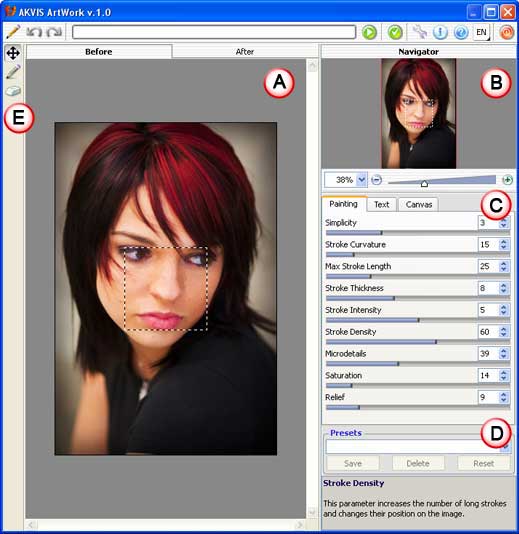

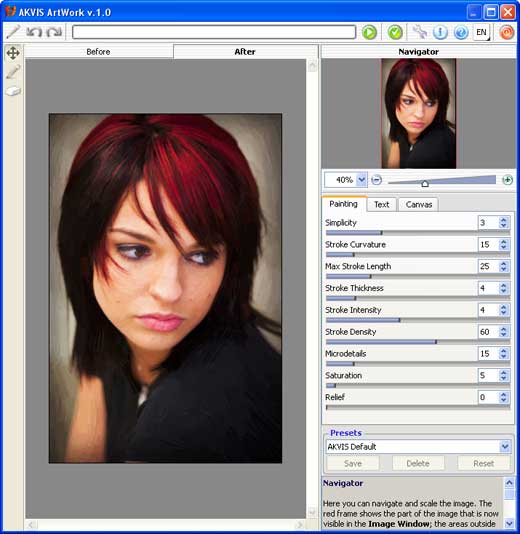

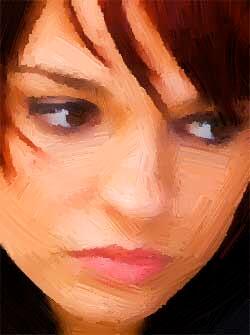
Here are some before and after samples:

| Photoshop Versions: | 5+ |
| Platforms: | Windows, Mac |
| Site: | AKVIS |
| Price: | USD $72 and above |
| Trial Version: | 10 days |
Photoshop: AKVIS Plug-ins (Glossary Page)
You May Also Like: The Importance of Screen Calibration | European Union (EU) PowerPoint Templates
Microsoft and the Office logo are trademarks or registered trademarks of Microsoft Corporation in the United States and/or other countries.
