
This is the print version of this page. All content is copyright Indezine.com 2000-2026.
Learn how to remove and disable the 2464617 update for PowerPoint. This update displays errors for any presentation or template that includes a background picture.
Author: Geetesh Bajaj
Product/Version: PowerPoint
OS: Microsoft Windows XP and higher
Suddenly last week, our installation of PowerPoint 2002 (XP) started acting weird. Some presentations and templates started showing blank white placeholders instead of showing up transparently over the background. PowerPoint also seemed to behave as if these presentations were corrupt, but these same presentations worked without any display problems in newer versions of PowerPoint such as PowerPoint 2007 and 2010. Figure 1, below, shows an example of one such seemingly corrupt presentation in Slide Sorter view.
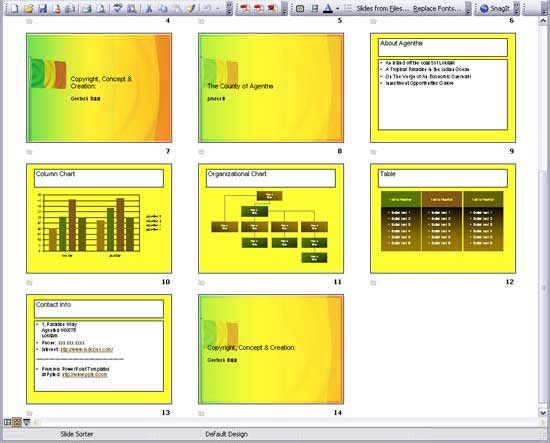
Figure 1: PowerPoint showing an open presentation with defective slides
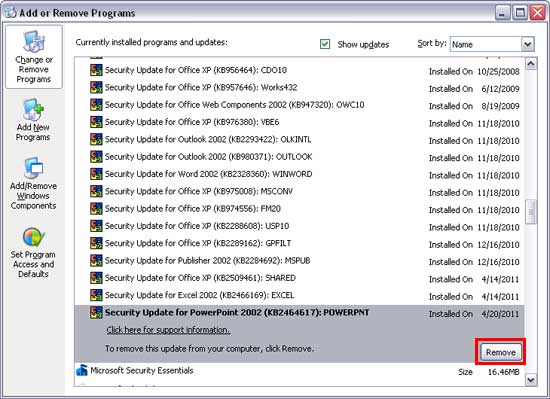
We later discovered that this was caused by an overzealous new PowerPoint update. Someone at Microsoft forgot to test this update with presentations or templates that had picture backgrounds inserted. Until Microsoft releases an update to resolve this issue (they are aware of this bug), you have to remove the 2464617 update for PowerPoint 2002, and see if the problem gets solved. Thereafter, disable this update so that it does not get automatically updated again!
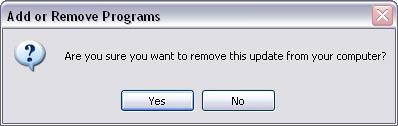
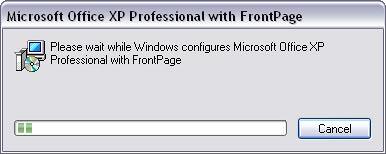
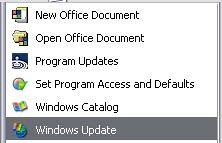
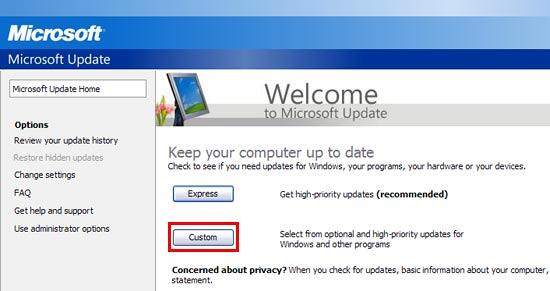
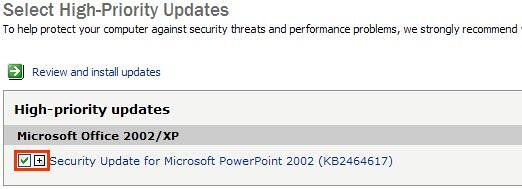
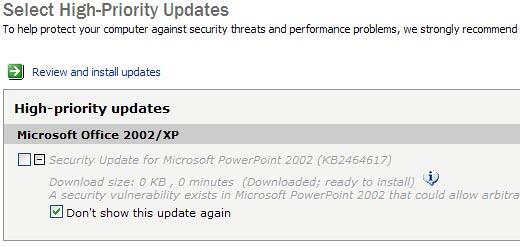
To uninstall the recent update and to disable it, follow these steps:
You May Also Like: The complete story on the PowerPoint 2002/2003 issue - and the fixes you need
22 01 01 - PowerPoint Updates: PowerPoint Updates (Glossary Page)
Remove and Disable the 2464588 update for PowerPoint
You May Also Like: Australia Flags and Maps PowerPoint Templates | Explore Fonts: Bell MT


Microsoft and the Office logo are trademarks or registered trademarks of Microsoft Corporation in the United States and/or other countries.
