
This is the print version of this page. All content is copyright Indezine.com 2000-2026.
Learn how to use the Format Painter command effectively to copy text attributes in PowerPoint 2011 for Mac. This technique only copies text formatting, and leave any other formatting uncopied.
Author: Geetesh Bajaj
Product/Version: PowerPoint 2011 for Mac
OS: Mac OS X
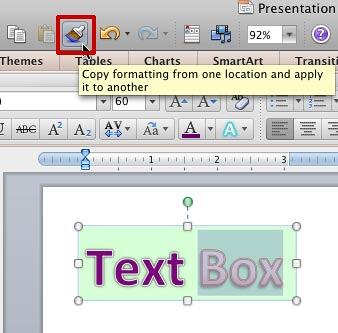
The Format Painter option does an amazing job of copying all your formatting attributes from one slide object to another. For example, you can copy all attributes of a shape (and even the text that the shape contains) to another shape, text box, or even a text placeholder. However, this is an all-or-nothing option. Sometimes, you may want to just copy the text formatting attributes, such as your text effects, or font styles, without copying the shape fill or any of the other shape attributes. This can be even more puzzling when your text by itself is formatted in more than one style. See Figure 1, below where text within a text box is formatted in two different styles. While the word "Text" uses a purple fill with a double outlined border, the word "Box" uses a gradient fill with a border in a darker color. Selecting the entire text box, and then copying its attributes to another text box using the Format Painter will never replicate two text styles. So, clearly there has to be a better way! That's the reason for this tutorial.

Figure 1: Text box formatted in two different text styles
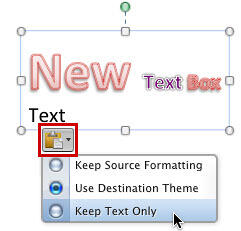
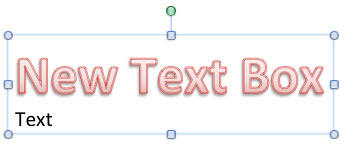
Let us imagine we want to copy only the text formatting of word "Box", and ignore the green fill of the container text box, and also the way the word "Text" is formatted. To do that, follow these steps in PowerPoint 2011 for Mac:


05 06 12 - Text Formatting: Copying Text Attributes With Format Painter in PowerPoint (Glossary Page)
Copying Text Attributes With Format Painter in PowerPoint 2013 for Windows
Copying Text Attributes With Format Painter in PowerPoint 2010 for Windows
You May Also Like: Scientific Presentations: Conversation with Melissa Marshall | Human Geography PowerPoint Templates



Microsoft and the Office logo are trademarks or registered trademarks of Microsoft Corporation in the United States and/or other countries.
