
This is the print version of this page. All content is copyright Indezine.com 2000-2026.
ToonIt is a photo cartooning Adobe Photoshop compatible plug-in that processes your image and creates cartoon-style shading and lines.
Author: Geetesh Bajaj
Product/Version: PowerPoint
ToonIt, a photo cartooning Adobe Photoshop-compatible plug-in uses advanced algorithms to process your image and create cartoon-style shading and lines. You could do all this manually using time consuming techniques like rotoscoping and hand painting. But it's so much easier and interactive doing it with ToonIt.
ToonIt analyses the image and reduces its color palette while detecting important edges. The Effects Palette within the plug-in interface allows you to add various special effects like outlines, enhanced shadows, color effects, and halftone effects. There is also a Style Creator with twelve different algorithms that can be used to create the underlying cartoon or painterly style. A Preset Manager provides a number of readymade styles; moreover you can even combine different styles and colors to create variations.
ToonIt is from Digital Anarchy, a company based in San Francisco, California, United States that specializes in special effect filters for image editing and pro-level photography.
You can download a free demo of ToonIt from the Digital Anarchy site. This works identical to the full version other than including a watermark in any output.
My contact at Digital Anarchy for this review was Debbie Rich. Thank you, Debbie.
Follow the steps to use ToonIt!:

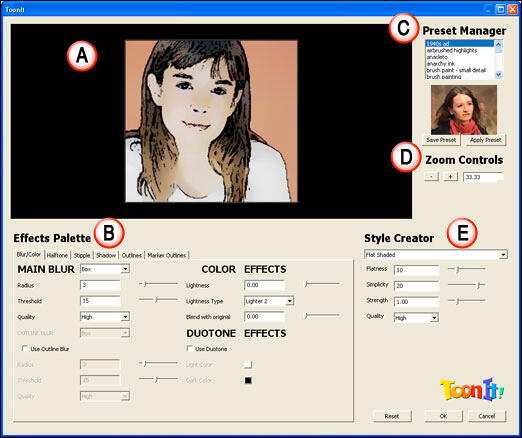
Here are some Before and After samples:

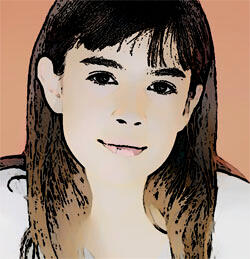
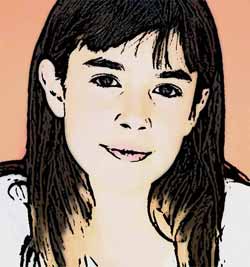
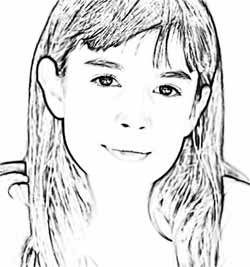
| Photoshop Versions: | 7+ |
| Platforms: | Windows, Mac |
| Site: | Digital Anarchy |
| Price: | US$159 |
| Trial Version: | Available |
You May Also Like: think-cell 10: Now works on Office for Mac | Crosswords PowerPoint Templates


Microsoft and the Office logo are trademarks or registered trademarks of Microsoft Corporation in the United States and/or other countries.
