This is the print version of this page. All content is copyright Indezine.com 2000-2026.
Learn how to identify font types in Windows 8.
Author: Geetesh Bajaj
Product/Version: PowerPoint
OS: Microsoft Windows
Some applications clearly identify font types by placing icons next to a particular font in a listing. Such behavior is an exception rather than a norm, and many times you may not know which font type you are choosing. And by font type, we mean the various font file formats such as OpenType, TrueType, etc. that are recognized by Microsoft Windows.
To identify font types, you first need to see a listing of all fonts installed on your system. Follow these steps to learn more.
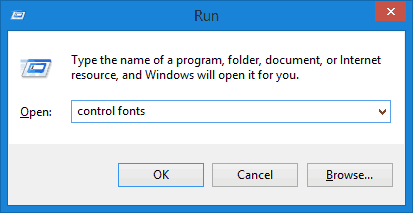
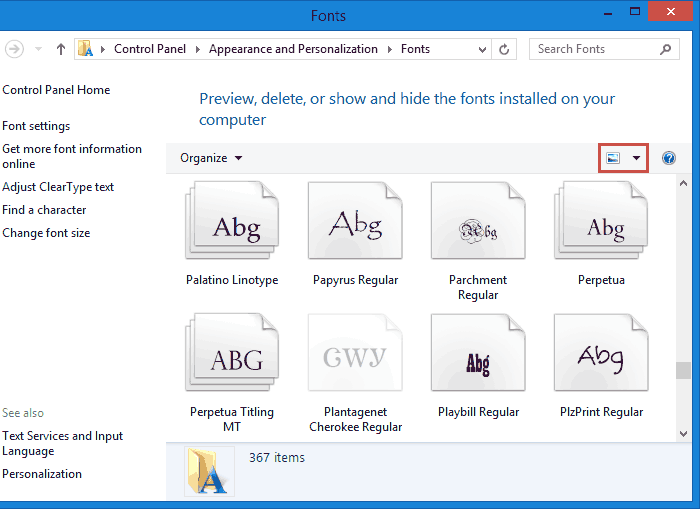
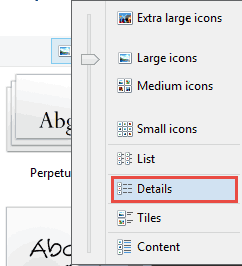
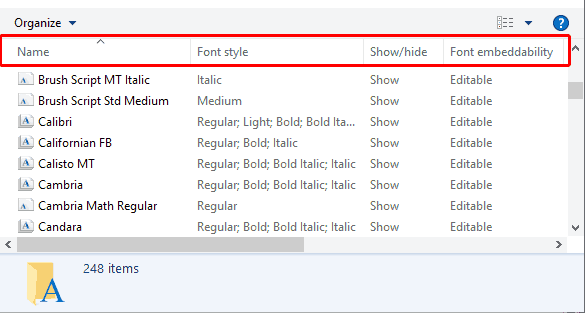
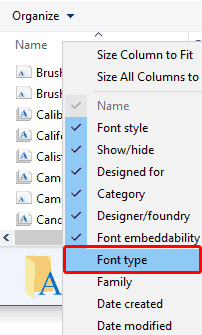
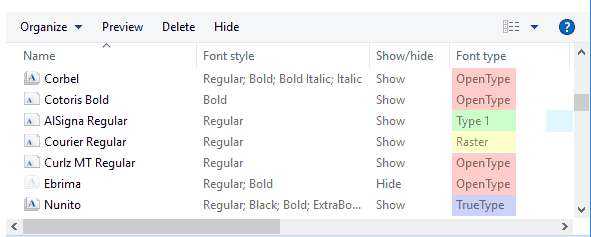
So, this is a well-tested, albeit roundabout way to know the file type of any installed font.
Identify Font Types in Microsoft Windows 10
Identify Font Types in Microsoft Windows 7
You May Also Like: Writer’s Block: How to Break Through | Costa Rica Flags and Maps PowerPoint Templates


Microsoft and the Office logo are trademarks or registered trademarks of Microsoft Corporation in the United States and/or other countries.