
|
PowerPoint and Presenting News
|
Clichés: Stack of Coins Pictures in PowerPoint

Let’s admit that coins can look beautiful, especially if they are golden! Add an interesting light source and a stack of gold
coins does appear warm and secure. However, what was once interesting can soon become boring; and then you may no longer like
pictures that contain neat stacks of properly arranged coins.
Are coins synonymous with wealth? Are there other, better options?
|
|
Gears for PowerPoint (Series 01)

All these gears are native PowerPoint shapes. You can recolor them, add effects, and do more, all inside PowerPoint. Results which
would have taken hours to achieve now take less than a minute! Have fun using the gear graphics, and make your audience take
notice! All these gears can be rotated and resized, as required. Since they are essentially pictures, all types of edits that
you can do with pictures work with them too!

Get this complete kit now, you'll save so much
time that you can use doing something else!
|
|
Create a Dynamic Countdown in PowerPoint

Do you have something significant coming up? Is there an important product release, a groundbreaking conference, a huge merger, the
opening of a new office, or something else that is happening? Or maybe, you just want to welcome the New Year or some other holiday in
style? What if you could create a dynamic countdown and display it in your office lobby or any other suitable location?
Kurt Dupont of PresentationPoint explains how you can create a dynamic
countdown.
|
|
Presenting Quotes
Despite the fact: by Scott Schwertly
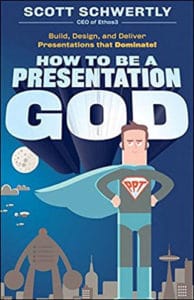
Despite the fact that technology, psychology, and the business environment have changed drastically since the introduction of
PowerPoint, few presenters have adapted their craft to this altered environment
|
|
Learn PowerPoint for Mac
Insert a Check Mark or Tick Mark
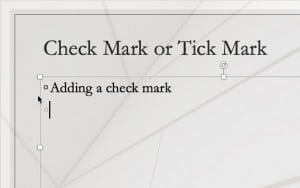
Do you want to insert a check mark, which is also called a tick mark, in your slides? Very often, this symbol indicates a task
is done, and you may want to add it as part of your regular text in text placeholders and boxes, shapes, tables, and even charts.
Fortunately, it is very easy to complete this task in most versions of PowerPoint for Mac. There may be slight differences,
depending upon whether you are using a newer or older version of PowerPoint, but even then, the process is very similar. Using one
of these options, you will be able to add a check mark or tick mark in PowerPoint.
|
|
Learn PowerPoint 2016 for Windows
Keyboard Shortcuts
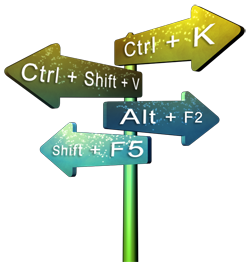
Here's the most comprehensive list of PowerPoint 2016 keyboard shortcuts that we know. How many of these do you presently use? Speed
up your PowerPoint usage with these shortcuts, and enjoy some free time!
Keyboard Sequences

Many users are familiar with keyboard shortcuts for PowerPoint 2016, yet there are no real shortcuts for tasks users need to
perform all the time. This includes changing PowerPoint’s views or even aligning or reordering slide objects. Thankfully, there
are many keyboard sequences that work for these tasks. Most sequences entail that you press two buttons, and then press a third
button after a moment. So if the keyboard sequence is listed as Alt+S > H, then you must press the Alt and S keys together, let go
those two keys and then press the H key.
Enable Developer Tab of the Ribbon

The Developer tab of the Ribbon is typically not visible within PowerPoint 2016. To enable the Developer tab, you have to visit the
PowerPoint Options dialog box. So why would you want to enable a tab that’s hidden by default? That’s because the Developer tab
provides options that most PowerPoint users may not be aware of, and don’t typically use.
|
|
Learn PowerPoint 2016 for Mac
Embed Fonts

Have you ever been in a situation where your presentation looked so awesome with some amazing typography, but when you opened the
same presentation on another computer, the text looked positively terrible! This behavior may happen if the font you used is not
available on the other computer. The best solution to this problem is to use safe fonts that are available on most computers, or
you may also explore the option to embed fonts in your PowerPoint presentation.
|
|
|
|
|
|
|
|
|
|
|
|
|
|


