This is the print version of this page. All content is copyright Indezine.com 2000-2026.
Download PowerPoint templates with editable distance cartograms.
Author: Geetesh Bajaj
Product/Version: PowerPoint
OS: Microsoft Windows and Mac OS X
 A cartogram is a visual that is driven by geography. It explores sizes or distances visually. Cartograms come in various types. The easiest and most effective cartograms you can create within PowerPoint are distance cartograms. These distance cartograms are now becoming extremely popular, but creating them requires a fair amount of time and knowledge.
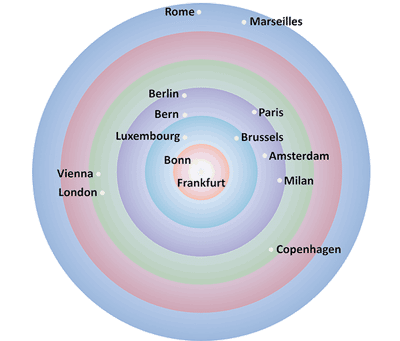
Feeling like creating a distance cartogram is as tricky as folding a fitted sheet? Don’t worry—we’ve already done the hard part for you. Just grab our Distance Cartogram PowerPoint Templates kit—it’s like having a GPS for your presentation journey. Instead of starting from scratch, you’ll get ready-made slides that are polished, professional, and practically plug-and-play.
The Distance Cartogram PowerPoint Templates kit contains:
[an error occurred while processing this directive]
Buy and Download for $5+ (245 kb)
The + in the cost indicates that while there is a minimum price set for this download, you can pay more if you wish. We use this system of you choosing any price over and above a set minimum because some users, such, as students, may not be able to pay a higher price. We therefore set a minimum price to make this download affordable for them. For everyone else, please do try and pay a higher amount. Your conscious support can allow us to make these products available to you at a low cost. Thank you!
Want to see how the Cartograms look like? These pictures below give you an idea. Remember, all cartograms can be resized as large as you want without any pixelation.
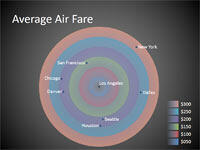
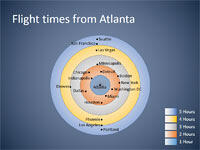
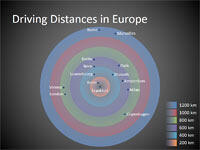
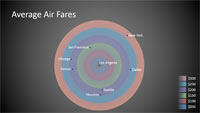
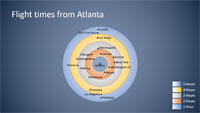
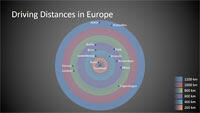
Note: This entire kit has been tested to work with PowerPoint 2016, 2013, 2010, and 2007 for Windows, and with PowerPoint 2016, 2011, and 2008 for Mac.
These ready-to-use Cartogram PowerPoint templates contain distance cartograms that you can copy and paste within your slides. Thereafter, customize the cartograms in seconds as per your requirements. All you need to do is open these templates in PowerPoint and replace or edit the text and media content as per your requirement. You can further customize the slides by changing transitions, animating objects, etc.
For more information on how these Cartogram templates look before and after edits, watch the YouTube video below:
You May Also Like: Creating Gigantic PowerPoint Decks: Conversation with Chantal Bossé | 12 Engaging Presenter Behaviors to Keep Your Audience Awake


Microsoft and the Office logo are trademarks or registered trademarks of Microsoft Corporation in the United States and/or other countries.