This is the print version of this page. All content is copyright Indezine.com 2000-2026.
Explore how you can use callouts to replace bulleted lists in PowerPoint.
Countless voices will tell you that it’s a sin to make your audiences suffer with slides that are populated with bullets, but ask for a solution and the voices will diminish to just one or two. And even then, you may not be able to use all the advice!
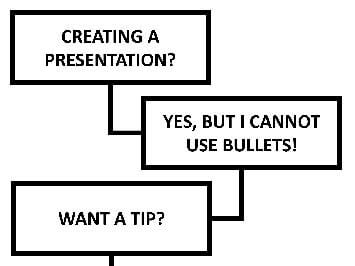
So, here’s one option: a no-bullets alternative that uses callouts as an alternative to bulleted lists. Make sure you notice ways to get in your pictures, charts, and tables within this callout style. Also this question and answer (you can just call it a “conversation”) format will help you involve your audience much better, especially if you animate the callouts and their connectors sequentially one after the other. Even better, use the Push transition effect for your slides to get the most from this style.
Download the sample presentation and edit as required. Yes, you can also copy the slides to your presentation and alter them to meet your needs. The callout boxes in the presentations have been created using the basic rectangle PowerPoint shape, but you can use any other shape as required. Also the connectors used are of the Elbow variant. You can use PowerPoint’s fills, lines, and effects to make your callouts look different and individual.
 Buy and Download for $0+ (964 kb)
Click below to view this presentation on YouTube
You May Also Like: Cube Perspective | Lines All Over
Microsoft and the Office logo are trademarks or registered trademarks of Microsoft Corporation in the United States and/or other countries.