
This is the print version of this page. All content is copyright Indezine.com 2000-2026.
Read the Indezine review of Perspector.
Author: Geetesh Bajaj
Product/Version: PowerPoint
Introduction
About Perspector
Download and Installation
Using the Plug-in
Pricing and Support
Conclusion
Two dimensional imagery and design is part of PowerPoint - all sorts of tools and options enable you to create stunning presentations. Look beyond to the third dimension and the lack of similar options becomes obvious. That's where Perspector, a PowerPoint add-in that facilitates three-dimensional design within PowerPoint comes into the picture.
BackPerspector is from Visual Exemplars Ltd, a company based in Edinburgh, UK. You can learn more about Visual Exemplars at the Perspector site.
Perspector is available in two editions: standard and professional.
My contact at Perspector for this review was Steve Hards - I wish to thank him for all his assistance.
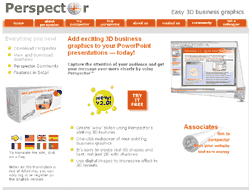
I asked Steve about why they created Perspector - and here's his response:
Steve: The reason for creating Perspector was a frustration with the difficulty of designing slides that show complex relationships. The 'Layered Diagram' demonstration in Gallery 2 on the Perspector website illustrates the point in a simple way. It starts with both layers being drawn on separate PowerPoint slides earlier in the presentation. Using the 'layouts' feature of the Professional Edition of Perspector, they are then brought together on a new slide, and parts of the two layers are joined using Perspector's connectors. The viewer 'gets' the relationships at once. To create such an image in PowerPoint alone would be time-consuming, but is easy using Perspector.
The 2D world of PowerPoint constrains the presenter but 3D images are powerful when illustrating business concepts because they are analogous to the world around us. They form direct associations in the mind of the viewer. However, most 3D graphical software applications require people to learn new skills and so the cost/time-benefit is not in favor of working in 3D. The beauty of Perspector is that because it is designed to integrate into PowerPoint, anyone who has ever created a diagram using PowerPoint's drawing tools feels at home with Perspector straight away. They do not have to learn a new set of commands and can therefore concentrate on adapting to how shapes rotate and relate in 3D space. What we have discovered is that as users become more familiar with how objects work in that space, they perceive new possibilities for expressing ideas. We find it pleasing that a tool that facilitates simplification also extends the creative repertoire.
BackYou can download a 15-day trial version of Perspector that works identically to the full version. Thereafter, all Perspector frames are overlaid with a watermark. You can convert the trial version to a full version by buying a license key for the product.
Installation is a quick affair - Perspector works with PowerPoint 2000, 2002 and 2003. If the add-in does not show up automatically within your PowerPoint interface, you can initiate it manually using the instructions provided with Perspector.
BackUsing the plug-in is easy - if you cannot see the Perspector toolbar within PowerPoint, right click over any visible toolbar and choose Perspector from the context menu. You should now be able to see the Perspector toolbar within PowerPoint.

Although you can open any existing presentation and convert existing shapes and pictures to 3D, it is best to start with a clean presentation to fully understand Perspector's repertoire and abilities.
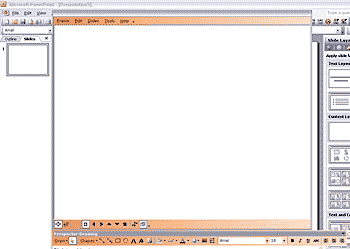
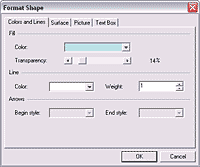
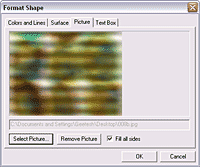


The tutorial above was just a curtain raiser - Perspector can do so much more. You can actually download sample presentations from the Perspector site that show you more possibilities.
BackPerspector is priced at US$69 for the standard edition and US$199 for the professional edition. Licensed users of the standard edition can upgrade to the professional edition for US$149. All purchases can be made online through a secure server. Payments are processed through credit card.
Support is through a UK-based support team, reachable via email. They offer email response to queries written in English within 24 hours.
BackI have to admit that I love Perspector. It allows me to play with the third dimension inside PowerPoint and it actually is so much fun to work with. Having said that, it is easy to get carried away with the possibilities!
At this price point, Perspector does provide a good balance between cost and usability. However, I do wish they allowed users of the Standard edition to upgrade to the Professional edition by just paying the difference amount - that will prompt more users to try out the Standard edition first and then upgrade.
You May Also Like: Flags and Maps - X Y Z PowerPoint Templates | An Interview with Adrian Doyle


Microsoft and the Office logo are trademarks or registered trademarks of Microsoft Corporation in the United States and/or other countries.
