|
PowerPoint and Presenting News
|
|
|
Keyboard Shortcuts and Sequences E-Book: PowerPoint 2016, 2013, 2011, 2010, 2007, and 2003

Are you aware of all PowerPoint keyboard shortcuts and sequences? Want to check if your favorites have been included in this
e-book, or if there are a few that can help you perform your PowerPoint tasks quicker and better? Or if you don't use keyboard
shortcuts and sequences, do you want to get started?

This 146 page PDF e-book downloads quick, costs you $9.99, and is a valuable resource.
The PowerPoint Keyboard Shortcuts and
Sequences E-Book covers the last five Windows versions of PowerPoint: PowerPoint 2016, 2013, 2010, 2007, and 2003. And also,
PowerPoint 2016 and 2011 for Mac.
Get this E-Book now for just $9.99
|
|
The Cognitive Load of PowerPoint: Interview with Richard E Mayer

Many people have opinions about PowerPoint, but few can speak on the topic with the authority of Richard E. Mayer,
Ph.D., professor of psychology at the University of California, Santa Barbara.
Named the most prolific researcher in the field of educational psychology, Rich is the author of 18 books and more than 250
articles and chapters. His 12 years of research in multimedia learning and problem-solving have important implications for
PowerPoint users.
Read Cliff Atkinson’s interview with Richard Mayer here.
|
|
Visual Thinking: Conversation with Emma Bannister

Emma Bannister is passionate about presenting big, bold and beautiful ideas. She is the founder and CEO of
Presentation Studio, APAC’s largest presentation communication agency, and author of Visual Thinking: How to transform the way you
think, communicate and influence with presentations. In this conversation, Emma talks about her book, Visual Thinking.
Read the conversation here.
|
|
Five Ways to Improve PowerPoint Presentations

Millions of presentations are created, and you may have seen at least hundreds of presentations in your lifetime. Yet, how many of
them do you remember a few days or weeks after you have seen them? You may see the occasional, amazing slide that you remember, but
for most of us who are not PowerPoint designers, the bad slides are similar to what a Google Images search for the same term shows
up.
Learn more here.
|
|
ToolsToo v7.1 Add-in for PowerPoint: Conversation with Gil Segal
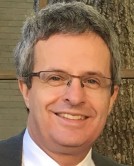
Gil Segal is the creator of ToolsToo and a senior software consultant. Gil is always on the lookout for ways to
automate manual tasks in any software he uses and has been a PowerPoint power-user since the mid-90s. In this interview, Gil talks
about the new ToolsToo v7.1 add-in for PowerPoint.
Read the conversation here.
|
|
STAMP Add-in in PowerPoint 2016, 2013, and 2010 for Windows
Edit Captions

We have already explored how you can create new captions for movies inserted in PowerPoint, using the STAMP Caption Editor. Once
these captions have been added, you may want to edit them or add new captions, by following these steps. Select the video which
already has captions added. This will activate the Video Tools tab of the Ribbon.
Align, Hide, Show, or Remove Captions

The STAMP add-in for PowerPoint is a free download from Microsoft that lets you add captions to media such as movie clips inserted
in your slides. When installed, the STAMP add-in creates new buttons in the Video Tools Playback tab of the Ribbon in PowerPoint,
within the Captions group of the Video Tools Playback tab, There are several options in this group that can be helpful while
working with your existing captions.
|
|
|
|
Learn PowerPoint 2016 for Windows
Share Option in Backstage View

Among the tabs within Backstage view, we have already explored the Open, New, and Save, tabs. In this tutorial, we will explore the
Share tab, that provides you with options to share the current presentation through the cloud via OneDrive. You can also email the
presentation as an attachment, a link, or a PDF.
Present Online

Many presenters are used to connecting their computers to projectors or display units and navigating through their slides as they
speak to a live audience. Yet, in the recent past, it's become normal to present from your computer via a webinar, with your
audiences spanning different countries and time zones. You can use many webinar options, but did you know that Microsoft included a
basic, free option right inside PowerPoint 2016 for Windows? This option is known as Present Online, and you'll learn the basics of
using it in the following steps.
|
|
Learn PowerPoint 2016 for Mac
Notes Master View

Each slide in your PowerPoint deck can have some notes associated with it, and these are placed in the Notes Pane area. Do you
want to print all these slide notes? Yes, you can. However, very few people realize that you can print these notes in the form
of a properly structured Notes Page. This might be among the least used PowerPoint options, but this certainly is among the most
useful ones!
|
|
|
|
|
|
|
|
|
|
|
|
|
|
| |
| |
|