Featured Stories
PowerPoint 2013 Interface
 Here's a quick walkthrough of the PowerPoint 2013 interface -- the PowerPoint 2013 interface is quite similar,
yet somewhat different than the interface of PowerPoint 2010. The biggest change is that PowerPoint 2013's interface
is primed for use also on tablets, touch-screens, and phones (other than conventional desktops). Thus, you can swipe
and tap your way through a presentation -- and also make several edits without the need of a cursor.
Here's a quick walkthrough of the PowerPoint 2013 interface -- the PowerPoint 2013 interface is quite similar,
yet somewhat different than the interface of PowerPoint 2010. The biggest change is that PowerPoint 2013's interface
is primed for use also on tablets, touch-screens, and phones (other than conventional desktops). Thus, you can swipe
and tap your way through a presentation -- and also make several edits without the need of a cursor.Explore a quick walkthrough of the PowerPoint 2013 interface that reveals some new features.
PresenterMedia PowerPoint Add-in: Conversation with Art Holden
 Art Holden has been in the animation and presentation industry since 1996. He helped start Animation
Factory in 1997, where he served as general manager for thirteen years. He currently lives in Sioux Falls,
South Dakota, USA and works with PresenterMedia, a media content creating company. In this conversation,
Art discusses the new PowerPoint add-in from PresenterMedia that lets you search and insert visual content from
within PowerPoint.
Art Holden has been in the animation and presentation industry since 1996. He helped start Animation
Factory in 1997, where he served as general manager for thirteen years. He currently lives in Sioux Falls,
South Dakota, USA and works with PresenterMedia, a media content creating company. In this conversation,
Art discusses the new PowerPoint add-in from PresenterMedia that lets you search and insert visual content from
within PowerPoint.
Read this exclusive conversation with Art Holden. Keyboard Shortcuts: PowerPoint 2011 for Mac Have your ever used keyboard shortcuts in PowerPoint? Or are you a complete keyboard aficionado?
Do you want to learn about some new shortcuts? Or do you want to know if your favorite keyboard shortcuts
are documented? Here's the most comprehensive list of PowerPoint 2011 keyboard shortcuts that we know about --
how many of these do you presently use? If you discover a shortcut key not listed here,
please get in touch with us through our
feedback form.
Have your ever used keyboard shortcuts in PowerPoint? Or are you a complete keyboard aficionado?
Do you want to learn about some new shortcuts? Or do you want to know if your favorite keyboard shortcuts
are documented? Here's the most comprehensive list of PowerPoint 2011 keyboard shortcuts that we know about --
how many of these do you presently use? If you discover a shortcut key not listed here,
please get in touch with us through our
feedback form.
Learn about keyboard shortcuts you can use in PowerPoint 2011 for Mac. Concept Slides: Two Segment Circles

These segment shapes are placed within a circle and are very useful and easy to use. A segment circle is like a pizza that is divided into pie-shaped slices, with each slice meant to hold a short label, picture, texture, or even an icon. Yes, each of these pizza slices is what we would call a segment. As the count climbs from one to eight, the diagram naturally shifts from a single emphasis shape to a wheel made of progressively narrower wedges, useful for representing anywhere from a single highlighted idea to an eight-part cycle or structure.
People Chain Silhouettes for PowerPoint -- 03

Here's another slide set of the People Chain silhouette series. You get a
People Pyramid silhouette graphic in addition to another variation of a People Chain line -- this line has
alternating persons in larger and smaller sizes. This is perfect to use in scenarios where teams sourced from
different organization levels are involved. You can also use these silhouette graphics in presenting scenarios
where you need to create slides related to the strength of unity and diversity, multi-racial staff,
international groups, etc. Once you have downloaded the sample presentation, all you have to do is copy the
silhouette graphics and paste them in your slides.
Learn PowerPoint 2010 for Windows: Text, Fonts, and Media Actions
Change Text Case
Sharing, Editing, and Deleting Custom Theme Fonts Add Trigger for Sound and Movie Actions Learn PowerPoint 2011 for Mac: Animations and Transitions |


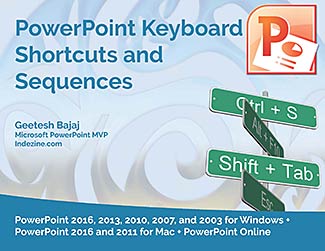
Getting your PowerPoint tasks done quicker is just one of the benefits you will gain by using keyboard shortcuts.
Are you aware of all PowerPoint keyboard shortcuts? Want to check if your favorites have been included in this e-book, or if there are a few that can help you perform
your PowerPoint tasks quicker and better? Or if you don't use keyboard shortcuts, do you want to get started?
This 56 page PDF e-book downloads quick, costs you $0 or more, and is a valuable resource.
The PowerPoint Keyboard Shortcuts E-Book covers the last three Windows versions of PowerPoint: PowerPoint 2010, 2007, and 2003.
And now, the e-book has already been updated for the new PowerPoint 2013 Consumer Preview.
|

End Note
Received this email from a friend? If you would like to join our mailing list, go here.
This newsletter provides more info on better PowerPoint usage, and presentation design. You can also opt to get
our RSS feed, where you can get updates through Feedburner.
See our Privacy Policy.
Do let us know how we are doing -- we love to hear from you!
And if you enjoyed reading any content on Indezine.com, please do like them on Facebook and other social platforms, click the Google +1 buttons on all these pages,
and tweet them all so that you can share these joys with others -- and keep your feedback coming! Have a fabulous week.
You can also find new templates everyday on the PowerPoint blog along with information on what's new and happening
in the world of PowerPoint -- check out at http://blog.indezine.com/.
|