
This is the print version of this page. All content is copyright Indezine.com 2000-2026.
Combine PowerPoint's slide background fill with animation to create a surprising effect.
Author: Geetesh Bajaj
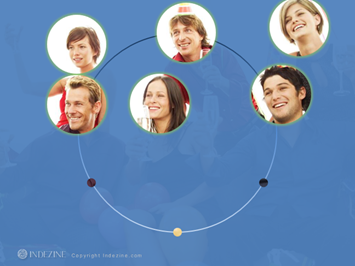
Here's a picture that has six friends celebrating. And we used six circles to highlight faces of friends to create a rotated circle animation. To make this work, all six circles contain a slide background fill, so as to grab the content off the slide background. Simultaneously, the rest of the background fades out so that the area within the circles is highlighted. The background picture was sourced from Microsoft’s Office.com site. To see how the animation plays, download the presentation (link below) or scroll down this page further to see a YouTube movie of the animation.
These slides were created in PowerPoint 2010 for Windows and should work well in all later version for both Windows and Mac. You can download and reuse this slide for your own presentations, but please do let our credit link remain so that others can also know where the slides originated from.
Click below to view this presentation on YouTube
You May Also Like: Background Ovals Animation in PowerPoint | Motion Path and Animated Background
Microsoft and the Office logo are trademarks or registered trademarks of Microsoft Corporation in the United States and/or other countries.

 Buy and Download for $0+ (167 kb)


