One of PowerPoint's most powerful yet least unexplored features is the option to recolor vector clip art inside the program. This feature is no longer available since PowerPoint 2007 although you can still use the technique shown on this page if you have access to PowerPoint 2003 or an older version. Users of PowerPoint 2007 and newer versions can explore John Wilson's add-in, PixSwap that lets you recolor similarly.
If you are still using PowerPoint 2003 or an older version, follow these steps:
- Create a new presentation (Ctrl + N) and insert a blank slide. Or insert a blank slide in an existing presentation.
- Choose the Insert | Picture | Clip Art menu option, as shown in Figure 1, below. In PowerPoint 2002 and 2003, this activates the Clip Art task pane, as shown in Figure 2.
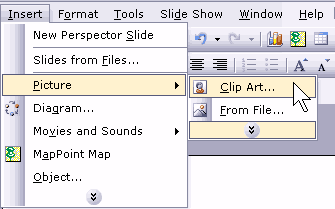
Figure 1: Access Clip Art - We choose to search for "bridge" and sure enough we found a nice illustration of San Francisco's Golden Gate Bridge which we dragged and dropped into the active slide.
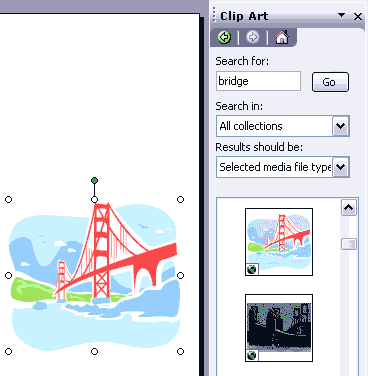
Figure 2: The Clip Art task pane
Note:
- Be aware that you can search and retrieve more clip art if you are connected online while doing a search within the Clip Art task pane. This online search may not work if you are behind a corporate firewall. Also, Microsoft no longer supports the Clip Art task pane for online searches.
- With the clip art selected, you should be able to see the Picture toolbar. If you cannot see the Picture toolbar, right click any toolbar and choose the Picture option from the resultant menu, as shown in Figure 3, below.
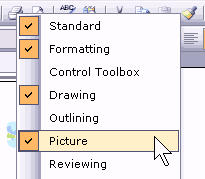
Figure 3: Show the Picture toolbar - With the clip art selected, click on the Recolor Picture icon on the Picture toolbar, as shown in Figure 4, below.
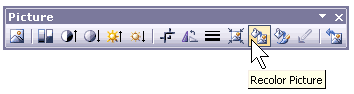
Figure : Click the Recolor Picture icon - On the left side of the resulting dialog box, as shown in Figure 5, below, you'll find a list of all the original colors in the clip art. Each color can be individually changed to another color.
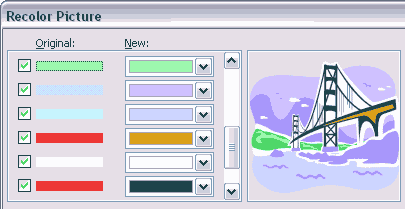
Figure 5: The Recolor Picture dialog box- We changed all the colors to end up with an illustration that uses a completely different color palette.
You can download the sample presentation with four colored variants of the Golden Gate bridge here (20 kb).

