
This is the print version of this page. All content is copyright Indezine.com 2000-2026.
A case study on PowerPoint usage at the University of Tasmania, Australia. Dr. Simon James and his team has been using PowerPoint slideshows with hyperlink navigation as individual learning resources for students.
Author: Geetesh Bajaj
Product/Version: PowerPoint

Dr. Simon James is a Lecturer at the University of Tasmania, Australia. He has been working on a flexible delivery project jointly funded by the University through a Major Teaching Grant and the Department of Education, Science and Technology through their Science Lectureship Program.
Simon and his talented team (Anna McEldowney and Ruth Osborne) settled on PowerPoint after trying many different options. They now offer PowerPoint workshops, promotion, one-on-one support, and all the other things needed for the effective implementation of a new teaching tool. Learn more at the PowerPoint Multimedia site.
Almost all of this page content, except this section has been written by Dr. Simon James. Simon sent me a booklet and CD that showcases much of the work discussed on this page. I showed it to many people who asked if anything apart from PowerPoint was used to create the presentations. Some thought a lot of programming was used and others opined that some third-party add-ins may have helped. I had to clear those illusions though by saying that the only ingredients used for this multimedia adventure were PowerPoint and imagination. Need I say more? Thank you, Simon for sharing your thoughts and ideas.
Introduction
How it works
Implications
Support
Screenshots
At the University of Tasmania, we've been using PowerPoint slideshows with hyperlink navigation as individual learning resources for students. It's been a way for lecturers to put together multimedia content using a program they're already familiar with.
Everybody has been happy with the results. The students like colour pictures, video, audio and interactivity. Lecturers are glad that it is easy to create the resources. Administrators are pleased to support flexible delivery options that don't cost much.
We produce a PowerPoint presentation and save it as a PowerPoint show in kiosk mode. Students opening the resource are immediately presented with a title slide and can only navigate using hyperlinked buttons and text. We include a wide range of multimedia and formative assessment methods such as multiple-choice questions. The end result looks a lot like an interactive, full screen web page.
We use a lot of inserted video and audio so the resources are generally too large for the internet. We distribute to students on CD, they take the resource away to work with in their own time.
Education theorists and administrators are very excited about the possibilities of computer-based learning resources. Teachers and lecturers aren't anywhere near as eager. One reason is that many computer resources are made with unfamiliar or professional programs which teachers haven't got time to learn to use.
PowerPoint is already used routinely throughout the University, and has this untapped capability to include rich content such as audio files, movie files, and assessment. PowerPoint presentations can be easily modified and will run on any computer; they can be delivered through WebCT or via CD-ROM.
Making multimedia computer resources is easy using PowerPoint; lecturers are able to create resources specific to their own teaching areas.
We have an in-house training site to help lecturers just starting to make their own PowerPoint multimedia resources. We've put together quite a few resources but only a couple are available on the site due to Australian digital copyright issues. Please visit the website for further downloads and support opportunities.
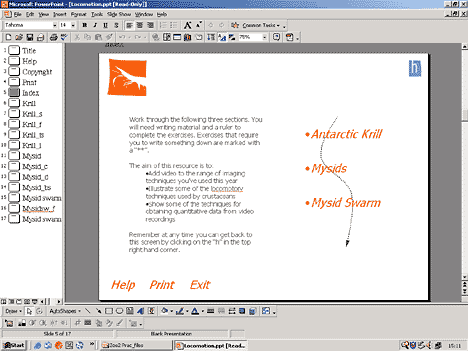
Each resource has an index page so students can access the different parts of the slideshow in any order.
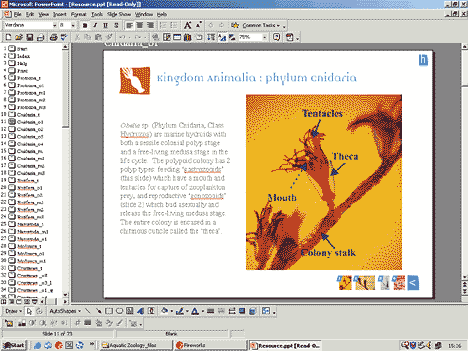
Resources are only ever viewed on an individual computer so a lot of content and instruction can be fitted on each slide.
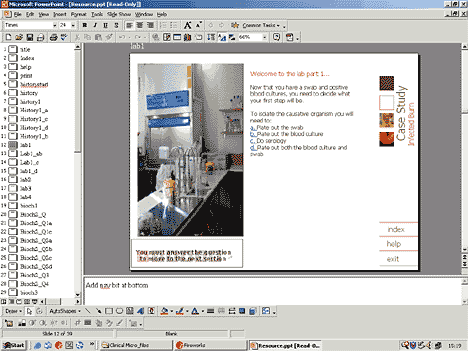
Multiple choice questions can be used to check understanding before allowing access to more advanced sections of the resource.
You May Also Like: Mike Pearce: Using PowerPoint in School


Microsoft and the Office logo are trademarks or registered trademarks of Microsoft Corporation in the United States and/or other countries.
