|
|
|
| |
| October 13, 2026 |
| PowerPoint and Presenting News |
|
| Nothing Left to Chance |
| |
| |
| This issue is about what happens when you stop leaving things to chance. The guides tutorial shows how a line on a slide is never just a line: it snaps, it inherits, it governs, and it will quietly run your layout if you let it. Understanding that is the difference between slides that look deliberate and slides
that look lucky. Avinash Panneerselvam's AECharts interview takes the same idea into charting: polished, animated, design-first charts that drop cleanly into any deck without negotiating with PowerPoint's own chart engine. And Matteo Cassese's Founder Journey conversation goes further still, asking what it means to move from telling stories to building myths, and whether your presentations belong to a bigger narrative you haven't named yet. |
| |
|
| Working with Guides in PowerPoint 365 for Windows |
| |
 |
| |
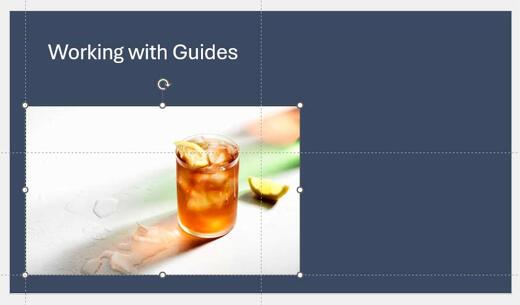
| Let's start with the basics: what are guides? Picture a tailor's cutting table, marked with faint chalk lines that keep every cut straight and every seam aligned. Guides do the same job on a PowerPoint slide, except this time, you're the tailor, and the chalk never runs out. Every guide can be moved, added, or deleted entirely on your terms. Nothing
is fixed in place unless you decide it should be. But here's the twist nobody warns you about: the moment guides show up on your slide, they stop being polite background lines and start quietly running the show. Snapping is built in, permanently switched on, no settings buried three menus deep. Let an object wander even a little too close, and it clicks into place before you've finished dragging, like a magnet that's been lying in wait the whole time. You won't aim. You won't nudge pixel by
pixel. The guide will simply decide you're done. |
| |
| Learn how to work with guides in PowerPoint 365 for Windows |
|
| Jigsaw Shapes for PowerPoint (Full Slide Jigsaws) |
|
| |
 |
| |
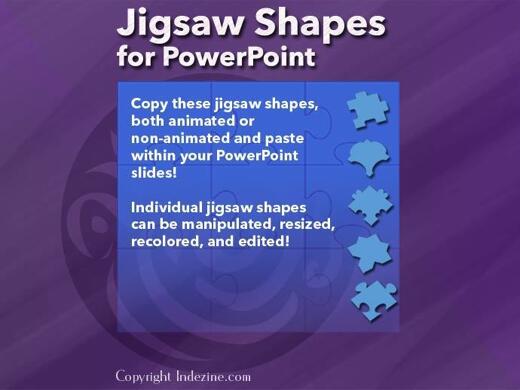
| This entire kit contains 5 different styles of jigsaw pieces: typical jigsaws, arrows, hearts, ovals, and rounded squares. Each jigsaw shape is available in three counts: small, medium, and large. We made these available in two slide sizes for both standard (4:3) and widescreen (16:9) resolutions. |
| |
| |
| |
| You can get this kit for only $9.99 |
|
| Founder Journey: Conversation with Matteo Cassese |
| |
 |
| |
| Matteo Cassese is a business coach for entrepreneurs and keynote speaker with over twenty years of experience across corporate, startup, and creative worlds. He has worked with Warner Bros., Netflix, Sony, LinkedIn, and Vinted, and spoken on stages like SXSW and Gitex. During seven years at Warner Bros. Pictures, he helped launch
more than 140 films. Based in Berlin, he helps founders and executives build businesses on their own terms. In this conversation, Matteo speaks about his post, Founder’s Journey. |
| |
| Read the conversation here |
|
| Quotes |
| |
People skilled in data visualization are hard to come by: by Cole Nussbaumer
Knaffic
"People skilled in data visualization are hard to come by. Part of the challenge is that data visualization is a single step in the analytical process. Those hired into analytical roles typically have quantitative backgrounds that suit them well for the other steps (finding the data, pulling it together, analyzing it, building models), but not necessarily any formal training in design to help them when it comes to the communication of the analysis–which, by the
way, is typically the only part of the analytical process that your audience ever sees. And increasingly, in our ever more data-driven world, those without technical backgrounds are being asked to put on analytical hats and communicate using data."
|
|
|
|
| AECharts: Conversation with Avinash Panneerselvam |
| |
 |
| |
| Avinash (Avi) Panneerselvam graduated in Computational Engineering from IIT Madras in 2020 and spent the next five years as a data scientist, building prediction models, mostly at early-stage AI startups. As AI began reshaping software engineering, he left my job to build something of his own. He started working on AECharts in
January 2026, and launched it in February, when it also got its first customer. In this conversation, Avi talks about AECharts. |
| |
| Read the conversation here |
|
| Indezine PowerPoint Templates |
|
|
|
|
| Medicine and Medical PowerPoint Templates |
|
|
|
|
| Legal and Law PowerPoint Templates |
|
|
|
|
| FreePPT PowerPoint Templates |
|
|
|
|
| Christian PowerPoint Templates |
|
|
|
|
| End Note |
| |
| © Indezine. Please do not reply to this message. |
| |
| Join this list |
| |
| Received this email from a friend? If you would like to receive your own copy, join our mailing list. Go here. |
|
|
| Previous issues |
| |
| Do you want to read older issues of this newsletter? Go here. |
|
|
|
| Privacy Policy |
| |
| We never share your info with anyone. Read our Privacy Policy. |
|
|
| Mail Provider |
| |
| This mailing list is powered by Aweber. |
|
|
|
| Change Subscription |
| |
| If for any reason, you no longer want to receive this newsletter with valuable tips, resources, and information about PowerPoint and presenting stuff, you can unsubscribe by clicking the link at the end of
this email. No hard feelings! |
|
|
|
|
|
|
|