|
|
|
| |
| May 26, 2026 |
| PowerPoint and Presenting News |
|
| Planning Meets Presentation Design |
| |
| |
| In this issue, we focus on how precision and structure shape more effective presentations. We begin with a conversation with Laszlo Diewald about Gantt charts in presentaid, where project timelines become clearer, more visual, and easier to communicate to teams and stakeholders. From there, we revisit two
often-overlooked PowerPoint essentials: rulers and gridlines. While simple on the surface, these tools help presenters align objects accurately, maintain balance, and create slides that feel polished and professional. Together, these stories highlight an important principle: whether you are managing projects or designing slides, clarity emerges when information is carefully structured, visually aligned, and thoughtfully presented. |
| |
|
| Gantt Charts in presentaid: Conversation with Laszlo Diewald |
| |
 |
| |
| Laszlo Diewald has been working as a consultant for more than 10 years now. He started his career as an employee right after his study at the Technical University of Munich. Shortly after, he decided to become self-employed as a freelance consultant. In 2017, he founded his own consultancy, with a focus on large scale projects in
the financial sector. In parallel, he started working on presentaid, which was finally launched in April 2022. In this conversation, Laszlo talks about presentaid’s new Gantt chart feature. |
| |
| Read the conversation here |
|
| Rulers in PowerPoint 365 for Windows |
| |
 |
| |
| When working with multiple slide objects in PowerPoint, it is important to maintain proper alignment and positioning to ensure a clean and professional slide layout. Although PowerPoint provides precise coordinate-based positioning options, most design tasks only require a general visual reference for object placement. In such cases, the Rulers
feature provides a convenient way to estimate positioning and alignment directly on the slide. |
| |
| Learn about using rulers in PowerPoint 365 for Windows |
|
| Quotes |
| |
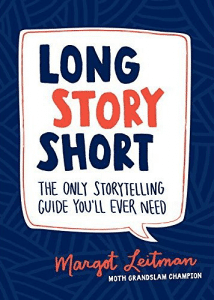
When I Started Storytelling: by Margot Leitman
"I can honestly say that when I started storytelling—speaking openly about my experiences—my life changed for the better. I started having sincere relationships with people right away, instead of hiding behind bravado or small talk."
|
|
|
|
| Gridlines in PowerPoint 365 for Windows |
| |
 |
| |
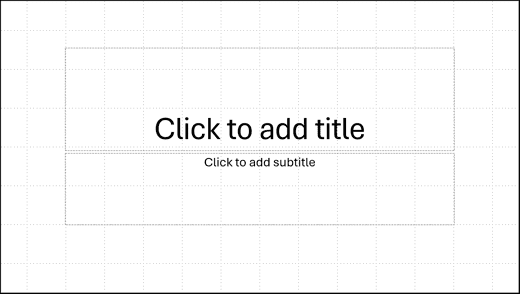
| Gridlines are non-printing horizontal and vertical reference lines that appear across the slide workspace to help position and align objects more accurately. These lines form a visual grid that makes it easier to arrange shapes, images, charts, text boxes, and other slide elements consistently. |
| |
| Learn about working with gridlines in PowerPoint 365 for Windows |
|
| Indezine PowerPoint Templates |
|
|
|
|
| Medicine and Medical PowerPoint Templates |
|
|
|
|
| Legal and Law PowerPoint Templates |
|
|
|
|
| FreePPT PowerPoint Templates |
|
|
|
|
| Christian PowerPoint Templates |
|
|
|
|
| End Note |
| |
| © Indezine. Please do not reply to this message. |
| |
| Join this list |
| |
| Received this email from a friend? If you would like to receive your own copy, join our mailing list. Go here. |
|
|
| Previous issues |
| |
| Do you want to read older issues of this newsletter? Go here. |
|
|
|
| Privacy Policy |
| |
| We never share your info with anyone. Read our Privacy Policy. |
|
|
| Mail Provider |
| |
| This mailing list is powered by Aweber. |
|
|
|
| Change Subscription |
| |
| If for any reason, you no longer want to receive this newsletter with valuable tips, resources, and information about PowerPoint and presenting stuff, you can unsubscribe by clicking the link at the end of
this email. No hard feelings! |
|
|
|
|
|
|
|