|
|
|
| |
| December 23, 2025 |
| PowerPoint and Presenting News |
|
| Polish Meets Reliability |
| |
| |
| In this issue, we dig into the details that elevate everyday presentations into polished experiences. We begin with think-cell 14 niceties — the small but powerful features that help you work smarter and design cleaner slides. For those of you who haven't used think-cell, it is a PowerPoint add-in that with over
1.3 million users. Then, we explore how to use animations thoughtfully, enabling them to enhance rather than distract during your slideshow. And because even the best tools aren’t helpful when technical glitches strike, we include a practical guide to repairing file associations in Windows 11 so your workflow stays smooth. Together, these pieces remind us that mastering both finesse and fundamentals leads to presentations that feel effortless and professional. |
| |
|
| think-cell 14 Niceties |
| |
 |
| |
| Discover the subtle yet powerful enhancements in think cell 14 that make PowerPoint smarter, faster, and more intuitive. This release builds on the add in’s tradition of “niceties”—small but impactful refinements that quietly transform your workflow. Features like Swap Objects, Scale Objects, and Save
Slides streamline everyday tasks, helping you maintain polished layouts, resize elements proportionally, and extract client ready decks with ease. More than simple add ons, these tools reflect think cell’s vision of delivering a complete, end to end presentation solution. Whether you’re a consultant, executive, or educator, think cell 14 ensures your slides stay neat, efficient, and presentation ready. |
| |
| Discover subtle yet powerful enhancements in think-cell 14 |
|
| The Presentation Design Conference 2026 |
| |
|
| |
| Join the 6th annual Presentation Design Conference online from February 17–20—an essential, hands-on event for anyone who creates, designs, or delivers presentations. Whether presentations are built for clients, teams, classrooms, or conferences, this event helps participants design slides that inform, inspire,
and deliver results. |
| |
|
|
| |
| Register now! |
|
| PowerPoint Animations Not Working? |
| |
 |
| |
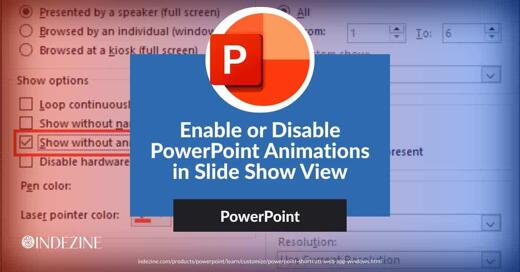
| We look at what to do when PowerPoint animations stop working, and then, we also explore how you can stop all animations in your presentation with one option. One of our subscribers just reached out to say, "The slides in my PowerPoint are not showing the animations I have set. I double-checked and all animations have been set properly. So why don’t
the animations play?" |
| |
| Read the rest of this entry |
|
| Repair File Associations in Windows 11 |
| |
 |
| |
| You may be certain that PowerPoint is installed on your computer, yet when you double-click a PowerPoint file, it either fails to open in PowerPoint or launches in an unexpected application. There is no cause for concern. This behavior typically indicates that Windows 11 is no longer correctly identifying which application should open that file
type. It is similar to a delivery reaching the wrong address—the intended application is available, but the file is being directed elsewhere. |
| |
| Learn how to repair PowerPoint file associations in Windows 11 |
|
| Indezine PowerPoint Templates |
|
|
|
|
| Medicine and Medical PowerPoint Templates |
|
|
|
|
| Legal and Law PowerPoint Templates |
|
|
|
|
| FreePPT PowerPoint Templates |
|
|
|
|
| Christian PowerPoint Templates |
|
|
|
|
| End Note |
| |
| © Indezine. Please do not reply to this message. |
| |
| Join this list |
| |
| Received this email from a friend? If you would like to receive your own copy, join our mailing list. Go here. |
|
|
| Previous issues |
| |
| Do you want to read older issues of this newsletter? Go here. |
|
|
|
| Privacy Policy |
| |
| We never share your info with anyone. Read our Privacy Policy. |
|
|
| Mail Provider |
| |
| This mailing list is powered by Aweber. |
|
|
|
| Change Subscription |
| |
| If for any reason, you no longer want to receive this newsletter with valuable tips, resources, and information about PowerPoint and presenting stuff, you can unsubscribe by clicking the link at the end of
this email. No hard feelings! |
|
|
|
|
|
|
|