
|
PowerPoint and Presenting News
|
Presentation Industry Events

I haven’t found a listing of presentation industry events anywhere, so I decided to compile this list of conferences and webinars.
If you find an event not listed here, or you host an event that you want listed here, please connect with me.
Find more here.
|
|
|
|
Do You Need a Corporate PowerPoint Template?

As a guy who works with lots of big corporates, writing speeches, rehearsing speakers for big pitches and presentations,
I’m forever coming up against the “Template Trial”. The corporate PowerPoint template which everybody must use when creating
presentations but which creates real problems for the speaker who wants to use them in support of their speech.
Read more here with Jim Harvey.
|
|
Presenting Quotes
We’re All Going to Experience Bloopers: by Lisa Braithwaite

We’re all going to experience bloopers on stage. For most of us, millions of people around the world won’t be watching. But our
ability to exhibit grace and resilience under pressure and a sense of humor, and to understand that we’re all human, will go far
to entertain and satisfy our audience – and perhaps give our presentation that extra luster that people will remember long after
it’s over.
|
|
Learn PowerPoint 2019 for Windows
Reset, Export, and Import QAT Customizations

If you have a bunch of commands that you use frequently, you may want to keep them more accessible within PowerPoint 2019
for Windows by customizing your Quick Access Toolbar. You populate the QAT with commands you use often. Over a period, these
customizations may become a valuable asset you want to save or share.
|
|
Learn PowerPoint 365 for Windows
Reset, Export, and Import Ribbon Customizations

PowerPoint 365 for Windows allows you to customize the Ribbon in a number of ways. You can add new Ribbon tabs, add Groups within
the Ribbon tabs, and populate these Groups with useful commands. And if you think you made a mess and were better off with the
defaults, then you can always get back to square one. On a more positive front, you can share your customizations with friends
and colleagues, or also your other computers. And you can export your customizations to a file saved as a backup for a rainy day!
Reset, Export, and Import QAT Customizations
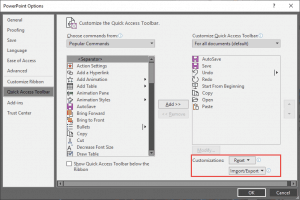
If you have a bunch of commands that you use frequently, you may want to keep them more accessible within PowerPoint 365 for Windows
by customizing your Quick Access Toolbar. You populate the QAT with commands you use often. Over a period, these customizations may
become a valuable asset you want to save or share.
|
|
Learn PowerPoint 365 for Mac
Reset, Export, and Import Ribbon Customizations

PowerPoint 365 for Mac allows you to customize the Ribbon in a number of ways. You can add new Ribbon tabs, add Groups within
the Ribbon tabs, and populate these Groups with useful commands. And if you think you made a mess and were better off with the
defaults, then you can always get back to square one by choosing to reset changes made to one tab of the Ribbon, or even all tabs.
|
|
|
|
|
|
|
|
|
|
|
|
|
|


