|
PowerPoint and Presenting News
|
Clichés: Target and Dart Pictures
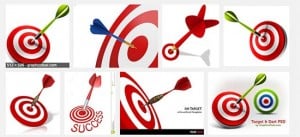
How many times have you seen slides that include pictures of targets and darts, especially when the presenter wanted to emphasize
that targets need to be met, or wanted to celebrate the success of a target met? OK, that last sentence itself sounded so clichéd!
Imagine how clichéd that slide must appear to the audience?
Not another target with darts! So what visual do you use instead?
|
|
Jigsaw Graphics for PowerPoint
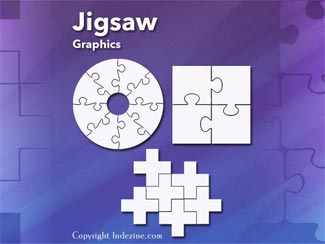
Jigsaws are puzzles that can be solved - but then jigsaws have numbers too! Each jigsaw puzzle has a number of pieces that
have to be fitted together, in the same way that many aspects of lives and businesses need to fit in with each other.

Jigsaws can add a whole new level of interest to a PowerPoint slide. Here are 10 jigsaw graphics containing different shapes.

These jigsaws can be used on their own, or also combined with other graphics such as a human head to create a larger concept!
Download and use these Jigsaw Graphics in your slides for just $4.99+
|
|
356labs: Conversation with Boris Hristov

Boris Hristov is the Founder of presentation agency 356labs and a PowerPoint MVP. He has presented in 25+ countries
and has been rated as the top speaker numerous times. Boris has years of experience as a trainer, mentor and consultant and works with
companies like Deutsche Telekom, KPMG, Renault, Societe Generale, Roche, Publicis, Experian, Bosch, VMWARE, adidas and many, many more
to help them craft and deliver truly effective presentations. His agency is also the only presentation agency in the world speaking at
Microsoft Ignite – the biggest yearly event of Microsoft, attended by more than 25000 people. In this conversation, Boris talks about
356labs.
Read the conversation here.
|
|
Why Most PowerPoint Presentations Suck (Fourth Edition): Conversation with Rick Altman

Rick Altman has been hired by hundreds of companies, listened to by tens of thousands of professionals, and read by millions of
people, all of whom seek better results with their presentation content and delivery. He covers the whole of the industry, from
message crafting, through presentation design, slide creation, software technique, and delivery. He is the host of the Presentation
Summit, now in its 17th season as the most prominent learning event for the presentation community. In this conversation, Rick talks
about his updated book, Why Most PowerPoint Presentations Suck (Fourth Edition).
Read the conversation here.
|
|
Build-a-Graphic: Conversation with Mike Parkinson

Mike Parkinson is an internationally recognized visual communication expert, professional speaker, and award-winning
author. Mike is one of 36 Microsoft PowerPoint MVPs in the world. He regularly conducts workshops and creates graphics, presentations,
and creative materials for Fortune 500 companies like Microsoft, FedEx, Xerox, Dell, and Boeing as well as at international learning
institutions and organizations. In this conversation, Mike talks about Build-a-Graphic, a PowerPoint add-in that adds coordinated,
intelligent visuals to your slides.
Read the conversation here.
|
|
Presenting Quotes
College Campuses and Communities: by Carmine Gallo
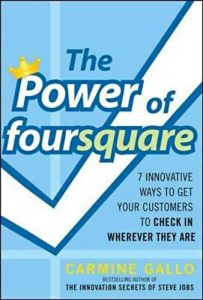
College campuses and communities are finding a ready audience among their students who are constantly on their smartphones. They
may forget their books, but they rarely forget their phones.
|
|
Learn PowerPoint 2016 for Windows
Viewing Sections

If you have a presentation with a large Section, containing many slides, then you may find that this one Section makes it difficult
to see all the other remaining Sections. This is because these many slides cover up so much screen real estate making it difficult
for you to see other stuff, such as slides in other Sections. And if you want to drag a slide from one Section to another, you may
be at a loss to comprehend what you will end up with.
Text Placeholders vs. Text Boxes

PowerPoint has three types of text container: text placeholders, text boxes, and shapes. We explain Shapes in our comprehensive
section on Shape tutorials. Let us now look at the other two text container types. Aren’t text placeholders and text boxes the same?
Are they different? Moreover, why should we bother even if they are different? All these are valid questions, and the answers to them
form one of the most important foundations in learning to create more structured presentations.
Import Outlines

Creating outlines for PowerPoint in various external applications lets you stay away from distractions in PowerPoint-land and
concentrate on the structure of your slides rather than their appearance. Once you have the outline created, it’s very easy to
import it in the form of slides into PowerPoint. While this import process works the same way in all versions of PowerPoint, there
are small interface changes. In this tutorial, we’ll show you how to import outlines in PowerPoint 2016 for Windows.
Outline Pane Options

The Outline view in PowerPoint 2016 essentially brings up the Outline pane on the left side of PowerPoint 2016 interface. Note that
this now replaces the Slides Pane that shows up in Normal view. Also, any changes you want to make to your outline can be made
through right-click options, and we’ll show you how you can do so.
|
|
|
|
|
|
|
|
|
|
|
|
|
|
|