
Handmade Slides: Pushpins for PowerPoint - 01


Date Created: November 21st 2012
Last Updated: November 21st 2012
 Buy and Download for $10+ (8.49 mb)
 These “pushpin” graphics are already placed in
PowerPoint slides – just copy them and paste
within your slides to create a look that makes a picture, shape, or anything else appear as if
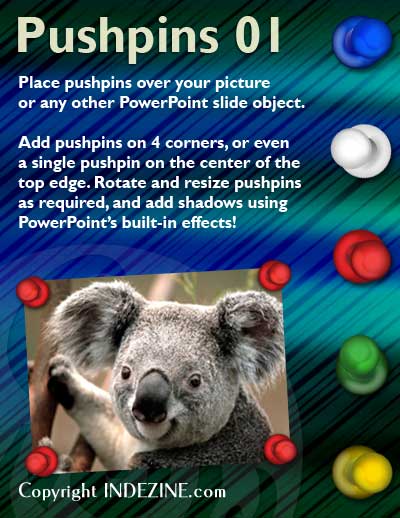
it has been pushed onto a surface, board, or wall with a pin! These ready-made pushpins are
already within PowerPoint slides -- and have been provided in five colors. Just copy them and
paste them on your slides.
These “pushpin” graphics are already placed in
PowerPoint slides – just copy them and paste
within your slides to create a look that makes a picture, shape, or anything else appear as if
it has been pushed onto a surface, board, or wall with a pin! These ready-made pushpins are
already within PowerPoint slides -- and have been provided in five colors. Just copy them and
paste them on your slides.
The ZIP file you download contains 7 pushpin graphic variations, each in 5 colors – for a total of 35 pushpin graphics.
All these pushpins can be rotated and resized, as required. Since they are essentially pictures, all types of edits that you can do with pictures work with them too! To make them stand out, try to use PowerPoint’s built-in shadow effects.
More Sample Presentations:


Click above to view on SlideShare
Click above to view on YouTube
Click above to view on mybrainshark


