|
|
|
| |
| November 17, 2026 |
| PowerPoint and Presenting News |
|
| Start Simple, Start Clear |
| |
| |
Every good result starts with a clear starting point.
In PowerPoint, the first shape you pick decides how the others line up. thinkcell now marks that shape with a small red-and-white candy, so you can see where you began. Audiences need an easy start too. With AhaSlides, people join from their phones
using a link or QR code, with no app and no account. Content follows the same rule. Our 11 Steps guide says to keep text brief and use direct language.
So start simple. Know your first point, make joining easy, and say less. The rest of the work gets much easier. |
| |
|
| Exploring AhaSlides |
| |
 |
| |
| Your toughest rival in any presentation is the phone in each attendee’s hand. AhaSlides doesn’t fight it. It puts that phone to work. AhaSlides lets presenters run polls, quizzes, word clouds and Q&A that people answer from their own phones. Joining takes a link or a QR code. There is no app to install and no account to create, and
it works as a web app. Plus, there’s also a PowerPoint add-in available. |
| |
| Explore AhaSlides for polls, quizzes and word clouds |
|
| Feature List 01 (Layout with Tabs) |
|
| |
 |
| |
| The Feature List Layout comprises three sample PowerPoint presentations: one each to create a visual list for 4 features, 5 features, and 6 features. These work great when you have too much information to fit within one slide. This solution lets you use multiple slides, but the visual result is still that of one single slide! |
| |
| |
| |
| Buy and Download Feature List 01 (Layout with Tabs) for $4.99+ (671 kb) |
|
| thinkcell's Little Candy Tells You Where You Started |
| |
 |
| |
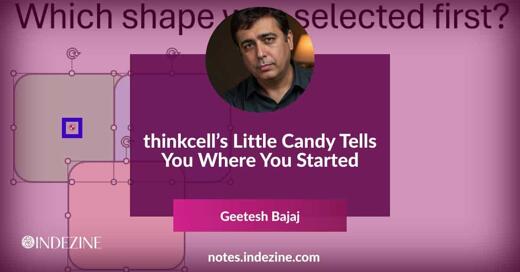
| You have done this a thousand times. Click a shape. Keep holding the Shift key. Click another shape, and then one more. You end up selecting multiple shapes. Nothing could be simpler. But a question hides inside that simple action. Which shape did you select first? Can you identify the first-selected shape. PowerPoint does know, but
it does not provide a visual marker or indication for your benefit. For most tasks, that doesn’t matter. However, for some tasks, it matters a lot. |
| |
| PowerPoint never shows which shape you selected first. thinkcell does, with a small reference object marker |
|
| Quotes |
| |
Every new technology disrupts: by Kanwal Rekhi
"Every new technology (AI) disrupts. The Internet disrupted publishing, music, retail, but it also creates opportunities. It’s (AI is) a power tool. It should be used wisely. I keep hearing they will take over the world. I understand programming. I don’t believe that will happen."
|
|
|
|
| Indezine PowerPoint Templates |
|
|
|
|
| Medicine and Medical PowerPoint Templates |
|
|
|
|
| Legal and Law PowerPoint Templates |
|
|
|
|
| FreePPT PowerPoint Templates |
|
|
|
|
| Christian PowerPoint Templates |
|
|
|
|
| End Note |
| |
| © Indezine. Please do not reply to this message. |
| |
| Join this list |
| |
| Received this email from a friend? If you would like to receive your own copy, join our mailing list. Go here. |
|
|
| Previous issues |
| |
| Do you want to read older issues of this newsletter? Go here. |
|
|
|
| Privacy Policy |
| |
| We never share your info with anyone. Read our Privacy Policy. |
|
|
| Mail Provider |
| |
| This mailing list is powered by Aweber. |
|
|
|
| Change Subscription |
| |
| If for any reason, you no longer want to receive this newsletter with valuable tips, resources, and information about PowerPoint and presenting stuff, you can unsubscribe by clicking the link at the end of
this email. No hard feelings! |
|
|
|
|
|
|
|