|
PowerPoint and Presenting News
|
2019 Annoying PowerPoint Survey: Conversation with Dave Paradi

Dave Paradi has over twenty years of experience in delivering customized training workshops to help
business professionals improve their presentations. He has written nine books on the topic of effective presentations and is
one of fifteen people in North America recognized by Microsoft with the Most Valuable Professional Award for his contributions
to the Excel and PowerPoint communities. He is NASBA registered to deliver CPE credit courses to CPAs. In this conversation,
Dave talks about his 2019 Annoying PowerPoint Survey.
Read the conversation here.
|
|
Feature List 01 (Layout with Tabs)

The Feature List Layout comprises three sample PowerPoint presentations: one each to create a visual list for 4 features,
5 features, and 6 features. These work great when you have too much information to fit within one slide. This solution lets
you use multiple slides, but the visual result is still that of one single slide!
Buy and Download Feature
List 01 (Layout with Tabs) for $4.99+ (671 kb).
|
|
Presentation Summit 2019: Conversation with James Ontra

James Ontra is co-founder and CEO of Shufflrr. His 30-year career has focused on the highest-profile
presentations for world-class companies. His clients have included: American Express, Bloomberg, Epcot Center, Mercedes Benz,
NBC Olympics, Warner Bros. and many more. His vision and strategy have been driving Presentation Management to become a recognized
communication discipline. James combined this passion with technical development to build Shufflrr. Presentation Management
is smart communication strategy. In this conversation, James talks about the Presentation Summit, being held in
San Antonio, TX this year from October 6 to 9, 2019.
Read the conversation here.
|
|
Presentation Summit 2019: Conversation with Lori Chollar

Lori Chollar is co-founder and CEO of TLC Creative Services, based in Southern California. Her multi-faceted
design background includes traditional graphic and print design, apparel and tattoo design, and of course, an amazing range of
presentation, template and multimedia design. Building from a formal degree in graphic design to a thriving freelance business,
her company with husband Troy, TLC Creative Services, has grown into a successful corporate design studio. In this conversation,
Lori talks about the Presentation Summit, being held in San Antonio, TX this year from October 6 to 9, 2019.
Read the conversation here.
|
|
Presenting Quotes
Effective communicators plan: by Carmine Gallo
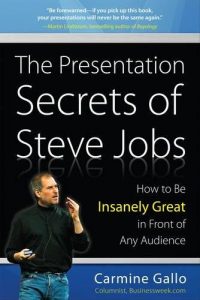
I remember when Carmine sent this book to me. I read the entire book in two days! This was, and still is one of Carmine’s best
books, and when you consider that this one is the best from a series of bestsellers, then that’s something stellar. Although
Carmine based this book on a study of the great Steve Jobs, this book is for everyone who needs to communicate. And while Carmine
does not go much into slide design, he has revealed many of Steve Jobs’ slide design tricks unintentionally: )
|
|
Learn PowerPoint for Windows
Insert a Check Mark or Tick Mark

Do you want to insert a check mark, which is also called a tick mark, in your slides? Very often, this symbol indicates a task
is done, and you may want to add it as part of your regular text in text placeholders and boxes, shapes, tables, and even charts.
Fortunately, it is very easy to complete this task in most versions of PowerPoint for Windows. There may be slight differences,
depending upon whether you are using a newer or older version of PowerPoint, but even then, the process is very similar.
|
|
Learn PowerPoint for Mac
Insert a Check Mark or Tick Mark
Do you want to insert a check mark, which is also called a tick mark, in your slides? Very often, this symbol indicates a
task is done, and you may want to add it as part of your regular text in text placeholders and boxes, shapes, tables, and
even charts. Fortunately, it is very easy to complete this task in most versions of PowerPoint for Mac. There may be slight
differences, depending upon whether you are using a newer or older version of PowerPoint, but even then, the process is very
similar. Using one of these options, you will be able to add a check mark or tick mark in PowerPoint.
|
|
Learn PowerPoint 2019 for Windows
Slide Area

Many new changes have shown up in PowerPoint 2019 for Windows and several other versions released in the past. However, one
thing that has not changed is PowerPoint's tri-paned interface! So why is the interface called tri-paned? Are there three
distinct regions within the PowerPoint 2019 interface? Yes, the Slide Area is one of three principal regions in PowerPoint 2019;
the other two being the Slides Pane and the Notes Pane. The Slide area is where you work the most, typically through adding and
editing slide objects.
|
|
Learn PowerPoint 365 for Windows
Slide Area

Many new changes have shown up in PowerPoint 365 for Windows and several other versions released in the past. However, one
thing that has not changed is PowerPoint's tri-paned interface! So why is the interface called tri-paned? Are there three
distinct regions within the PowerPoint 365 interface? Yes, the Slide Area is one of three principal regions in PowerPoint 365;
the other two being the Slides Pane and the Notes Pane. The Slide area is where you work the most, typically through adding
and editing slide objects.
|
|
Learn PowerPoint 365 for Mac
Slide Area

In various versions of PowerPoint, including PowerPoint 365 for Mac, what’s the one thing that has not changed? Yes, it's
PowerPoint's tri-paned interface! So, why is the interface called tri-paned? Are there three distinct regions within the
PowerPoint 365 for Mac interface? Yes, the Slide Area is one of three principal regions in PowerPoint 365; the other two
being the Slides Pane and the Notes Pane. The Slide area is where you work the most, typically through adding and editing
slide objects.
|
|
|
|
|
|
|
|
|
|
|
|
|
|
|