|
PowerPoint and Presenting News
|
|
|
Star Wars Style Credits Animation

The Star Wars Style Credits Animation presentation includes a sample slide in which the credits animate in the Star Wars style.
You can download this presentation and change the text in the animated text boxes as required.
Download and use these Star Wars like slides.
|
|
Learn PowerPoint 2016 for Windows
Reset, Export, and Import QAT Customizations

If you have a bunch of commands that you use frequently, you may want to keep them more accessible within PowerPoint 2016 by customizing your Quick Access
Toolbar — you populate the QAT with commands you use often. Over a period, these customizations may become a valuable asset you want to save or share.
Views

Your slides remain the same, yet the various views in PowerPoint make exploring those same slides a little different. This approach makes sense because viewing
slides in Slide Show view gives an entirely different perspective than editing them in Normal view. Further, it’s easier to reorder and work with multiple
slides in Slide Sorter view and make changes to individual slides in Normal view.
All put together, PowerPoint 2016 provides you with ten different views. Eight of these views can be accessed from the View tab of the Ribbon.
|
|
Learn PowerPoint 2013 for Windows
Print Option in Backstage View

Among the tabs within Backstage View, we have already explored some options such as Open, New, Save, etc. In this tutorial, we will explore the Print
option used to print the current presentation in the form of selected slides, notes pages, handouts, etc. Follow this tutorial to learn more about Print
options within Backstage view in PowerPoint 2013.
|
|
Learn PowerPoint 2010 for Windows
Identify 32-Bit or 64-Bit
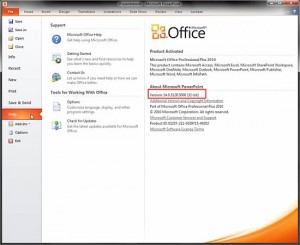
Sometimes, you want to know whether you are running a 32 or 64-bit version of PowerPoint or Office. Yes, if you are running a
32-bit version of Windows, then there’s no ambiguity in the fact that you have to be running a 32-bit version of Office. But if
you are running a 64-bit version of Microsoft Windows, you may be running a 32 or a 64-bit version of Office. Many sysadmins and
even users run 32-bit Office within a 64-bit Windows environment because there are add-ins that may not work in a 64-bit version
of Office. Or you may have another reason. Luckily, it’s easy to identify 32-bit or 64-bit if you know where to look.
|
|
Learn PowerPoint 2016 for Mac
Slide Area

In various versions of PowerPoint, including PowerPoint 2016 for Mac, what’s the one thing that has not changed? Yes, it's
PowerPoint's tri-paned interface! So, why is the interface called tri-paned? Are there three distinct regions within the
PowerPoint 2016 for Mac interface? Yes, the Slide Area is one of three principal regions in PowerPoint 2016; the other two being
the Slides Pane and the Notes Pane.
|
|
|
|
|
|
|
|
|
|
|
|
|
|