Featured Stories
The Future of Presentations: Conversation with Martin Conradi
 Martin Conradi is managing director of Showcase Presentations in London. Educated at Oundle School
and Lancaster University, he spent 10 years in advertising and marketing companies and doing more than his
fair share of presentations. He became fascinated by the potential for small computers as business tools and
set up Rainbow Software in 1980 -- probably the first company in the world entirely dedicated to computer-based
business presentations. He formed Showcase Presentations Ltd in 1986 to specialise in computer-based presentation
services. In this conversation, Martin looks at the future of presentations, from a past perspective.
Martin Conradi is managing director of Showcase Presentations in London. Educated at Oundle School
and Lancaster University, he spent 10 years in advertising and marketing companies and doing more than his
fair share of presentations. He became fascinated by the potential for small computers as business tools and
set up Rainbow Software in 1980 -- probably the first company in the world entirely dedicated to computer-based
business presentations. He formed Showcase Presentations Ltd in 1986 to specialise in computer-based presentation
services. In this conversation, Martin looks at the future of presentations, from a past perspective.Read this exclusive conversation with Martin Conradi.
authorSTREAM's HD Video Output from PowerPoint Presentations
Among the various improvements that authorSTREAM made to their video engine, HD video conversion is the one that stands apart. This improvement is significant since it will make all the difference in the world to those who need to quickly create high resolution video output. So what do you need to create this high quality video output, and where can you use it? Let's first answer the second question and then look at the first one for the rest of this post. Learn more about authorSTREAM's HD video output. Guest Posts
Problems with 3D Charts: by James M. Smith
 Anyone who has heard me speak about charts knows that I'm not a fan of three dimensional (3D) charts.
Here are the reasons why. All charts can present problems in conveying information if used improperly.
What makes 3D charts unique is that their major problem is inherent in the chart design itself -- namely,
the confusion induced by the depth of field effect. Conveying a third dimension on a two dimensional surface
creates difficulties for the eye and the brain. Just look at some of the fantastic optical illusions that prey
upon the brain's bewilderment when confronted with a 3D simulated image on a 2D plane.
Anyone who has heard me speak about charts knows that I'm not a fan of three dimensional (3D) charts.
Here are the reasons why. All charts can present problems in conveying information if used improperly.
What makes 3D charts unique is that their major problem is inherent in the chart design itself -- namely,
the confusion induced by the depth of field effect. Conveying a third dimension on a two dimensional surface
creates difficulties for the eye and the brain. Just look at some of the fantastic optical illusions that prey
upon the brain's bewilderment when confronted with a 3D simulated image on a 2D plane.Read more here. Concept Slides: Segment Circles

These segment shapes are placed within a circle and are very useful and easy to use. A segment circle is like a pizza that is divided into pie-shaped slices, with each slice meant to hold a short label, picture, texture, or even an icon. Yes, each of these pizza slices is what we would call a segment. As the count climbs from one to eight, the diagram naturally shifts from a single emphasis shape to a wheel made of progressively narrower wedges, useful for representing anywhere from a single highlighted idea to an eight-part cycle or structure.
People Chain Silhouettes for PowerPoint -- 02

These ready-made silhouette graphics of people holding hands are inspiring, and also
so practical to use since they don�t represent any community or nationality. You can use them to depict themes such as
unity, togetherness, diversity, team spirit, etc. These are simple graphics, yet can provide
amazing results when utilized with creativity. Once you have downloaded the sample presentation,
all you have to do is copy the silhouette graphics and paste them in your slides.
Learn PowerPoint 2010 for Windows: Indent MarkersLearn PowerPoint 2011 for Mac: Animations |


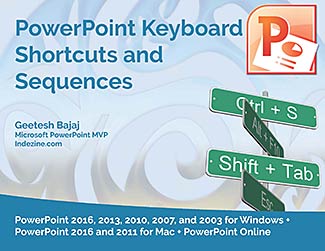
Getting your PowerPoint tasks done quicker is just one of the benefits you will gain by using keyboard shortcuts.
Are you aware of all PowerPoint keyboard shortcuts? Want to check if your favorites have been included in this e-book, or if there are a few that can help you perform
your PowerPoint tasks quicker and better? Or if you don't use keyboard shortcuts, do you want to get started?
This 56 page PDF e-book downloads quick, costs you $0 or more, and is a valuable resource.
The PowerPoint Keyboard Shortcuts E-Book covers the last three Windows versions of PowerPoint: PowerPoint 2010, 2007, and 2003.
And now, the e-book has already been updated for the new PowerPoint 2013 Consumer Preview.
|

End Note
Received this email from a friend? If you would like to join our mailing list, go here.
This newsletter provides more info on better PowerPoint usage, and presentation design. You can also opt to get
our RSS feed, where you can get updates through Feedburner.
See our Privacy Policy.
Do let us know how we are doing -- we love to hear from you!
And if you enjoyed reading any content on Indezine.com, please do like them on Facebook and other social platforms, click the Google +1 buttons on all these pages,
and tweet them all so that you can share these joys with others -- and keep your feedback coming! Have a fabulous week.
You can also find new templates everyday on the PowerPoint blog along with information on what's new and happening
in the world of PowerPoint -- check out at http://blog.indezine.com/.
|