
This is the print version of this page. All content is copyright Indezine.com 2000-2026.
Read the Indezine review of PowerCONVERTER, Page 2 of 2.
Author: Geetesh Bajaj
Product/Version: PowerPoint
A Sample Project
The Results
Support
Pricing
In Conclusion
For this sample project, I'm using a basic presentation I created for a workshop a few days ago. It speaks about colour and its usage - discussing the merits of each individual colour. This is how you could proceed:


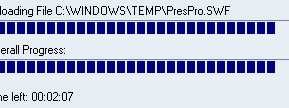
The typefaces, backdrops and visuals translated faithfully - unfortunately PowerCONVERTER failed to even replicate the simple wipe animations used for the text content. This may not be such a major issue though, since it is one of the improvements being implemented for a future update.
Finally, the looped music score never made it to the Flash incarnation - a quick look at PowerCONVERTER's help pages revealed the product's affinity to mono rather than stereo sounds. So, it was a trip to the basic Sound Recorder application bundled with every copy of Windows which converted the stereo sound into mono - and another trip to PowerCONVERTER for yet another PowerPoint-Flash metamorphosis. This time the sound made it through - although it never carried across the first slide, since PowerCONVERTER does not know anything about looping sounds.
BackCustomer support plays a defining role - in my case, I faced a couple of 429 and 440 errors - due to the underlying Visual Basic contained in PowerPoint's add-in architecture. PowerCONVERTER's customer support was exemplary - I even received two responses on a Sunday!
BackThe basic PowerCONVERTER option which converts from PowerPoint to Flash through a desktop solution as a PowerPoint add-in costs around US$399. You can procure the product through an online transaction - and there's a 10% discount available to subscribers of PresentationPro's PowerDESIGNS Plus service.
The separate EmailPRESENTER service is a server based solution which allows you to track views, allow and block viewers and upload your presentations. It's available at prices starting from US$49 per month.
BackAudiences expect more these days, and a Flash output raises expectations beyond the ordinary. On the other hand, one cannot forget that PowerCONVERTER is an evolving product - no less than four updates were issued during the course of this review, and the product team is continuously adding to their repertoire of nuances which promise a better PowerPoint to Flash conversion. Also, their customer support is exemplary. Now, all we need is support for transitions, animations and looping sounds!
That's exactly what I questioned Gary about - and here's his answer:
"...Our goal is to provide complete conversion of all animations and transitions in the PRO version due out 1st quarter next year.
However in the mean time, ours is still the only tool that will convert PowerPoint to the Flash file format on the desktop. The benefits of creating a streaming Flash file format from PowerPoint albeit without animations are still huge.
Our customer are telling us the benefits and applications alone of having their presentations in streaming Flash are substantial. EmailPRESENTER automatically allows user to create rich emails direct from their PowerPoint for promotions, newsletters, resumes the applications are endless, uses of PowerPoint we had not even anticipated. In addition no more long downloads, bounce backs when distributing PowerPoint etc.
They can also load their PowerPoint's onto to their website (with PowerCONVERTER) for effective streaming delivery vs. the poorly executed html option within PowerPoint.
Also with their presentations now converted to the Flash format and loaded onto their online account they can present and control their presentation remotely to any audience worldwide with our OnlinePRESENTER service"
Gary's response does seem very encouraging - it portrays the people behind PowerCONVERTER as a team that wants to take this product to new heights through a continuous evolution process. And yes, the PowerCONVERTER core is to be supplemented with many more services, features and sub-products. Now, that's something we'll discuss some other day.
BackYou May Also Like: East Timor Flags and Maps PowerPoint Templates | Classic Menu for Office 2007


Microsoft and the Office logo are trademarks or registered trademarks of Microsoft Corporation in the United States and/or other countries.
